
What Is a Deployment Pipeline: A Technical Guide
 By opsmoon
Explore what is a deployment pipeline and how it powers DevOps. Learn stages, tools, and best practices to streamline software delivery.
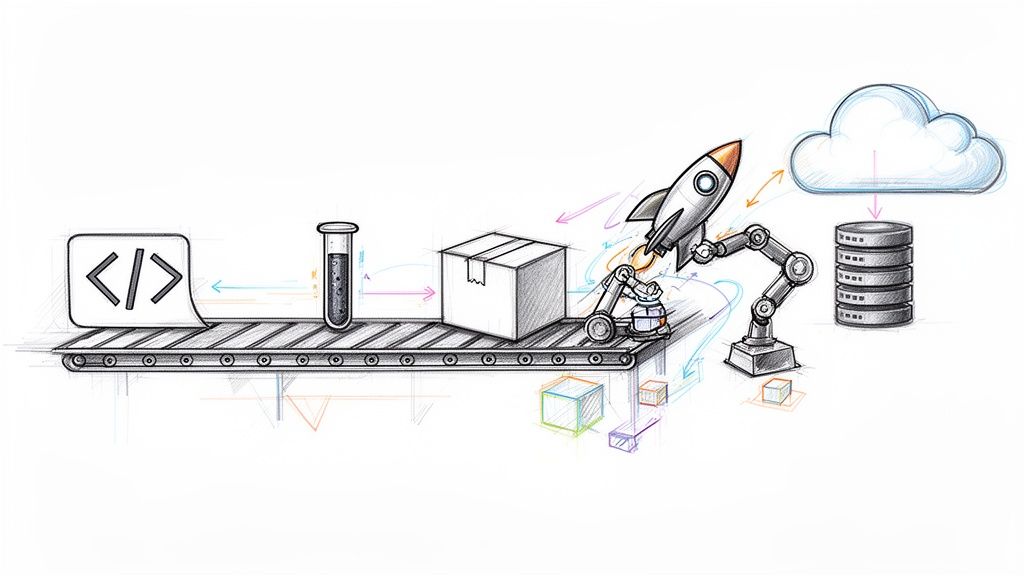
A deployment pipeline is an automated series of processes that transforms raw source code from a developer's machine into a running application in a production environment. It's the technical implementation of DevOps principles, designed to systematically build, test, package, and release software with minimal human intervention.
Decoding the Deployment Pipeline
At its core, a deployment pipeline is the engine that drives modern DevOps. Its objective is to establish a reliable, repeatable, and fully automated path for any code change to travel from a version control commit to a live production environment. This structured process is the central nervous system for any high-performing engineering team, providing visibility and control over the entire software delivery lifecycle.
Historically, software releases were manual, error-prone, and infrequent quarterly events. The deployment pipeline concept, formalized in the principles of Continuous Delivery, changed this by defining a series of automated stages. This automation acts as a quality gate, programmatically catching bugs, security vulnerabilities, and integration issues early in the development cycle before they can impact users.
The Power of Automation
The primary goal is to eliminate manual handoffs and reduce human error—the root causes of most deployment failures. By scripting and automating every step, teams can release software with greater velocity and confidence. This shift isn't unique to software; for instance, a similar strategic move toward Automation in banking is a key factor in how modern financial institutions remain competitive.
The technical benefits of pipeline automation are significant:
- Increased Speed and Frequency: Automation drastically shortens the release cycle from months to minutes. Instead of monolithic quarterly releases, teams can deploy small, incremental changes daily or even multiple times per day.
- Improved Reliability: Every code change, regardless of size, is subjected to the same rigorous, automated validation process. This consistency ensures that only stable, high-quality code reaches production, reducing outages and runtime errors.
- Enhanced Developer Productivity: By offloading repetitive build, test, and deployment tasks to the pipeline, developers can focus on feature development. The pipeline provides fast feedback loops, allowing them to identify and resolve issues in minutes, not days.
A well-structured deployment pipeline transforms software delivery from a high-stakes, stressful event into a routine, low-risk business activity. It's the technical implementation of the "move fast without breaking things" philosophy.
In this guide, we will dissect the fundamental stages of a typical pipeline—build, test, and deploy—to provide a solid technical foundation. Understanding these core components is the first step toward building a system that not only accelerates delivery but also significantly improves application quality and stability.
Anatomy of the Core Pipeline Stages
To understand what a deployment pipeline is, you must examine its internal mechanics. Let's trace the path of a code change, from a developer's git commit to a live feature. This journey is an automated sequence of stages, each with a specific technical function.
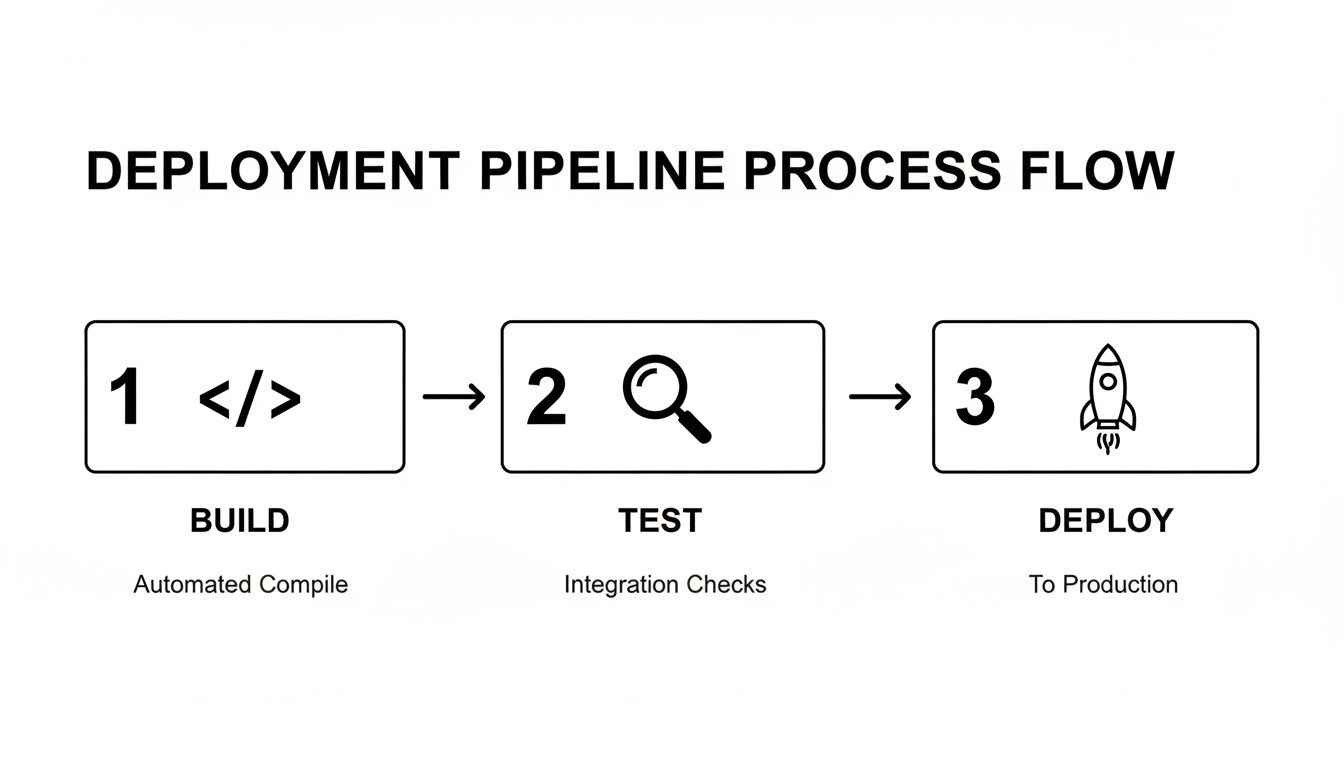
This flow acts as a series of quality gates. A change can only proceed to the next stage if it successfully passes the current one, ensuring that only validated code advances toward production.
Stage 1: The Build Stage
The pipeline is triggered the moment a developer pushes code to a version control system like Git using a command like git push origin feature-branch. This action, detected by a webhook, initiates the first stage: transforming raw source code into an executable artifact.
This is more than simple compilation. The build stage is the first sanity check. It executes scripts to pull in all necessary dependencies (e.g., npm install or mvn clean install), runs static code analysis and linters (like ESLint or Checkstyle) to enforce code quality, and packages everything into a single, cohesive build artifact.
For a Java application, this artifact is typically a JAR or WAR file. For a Node.js application, it would be the node_modules directory and transpiled JavaScript. This artifact is a self-contained, versioned unit, ready for the next stage. A successful build is the first signal that the new code integrates correctly with the existing codebase.
Stage 2: The Automated Testing Stage
With a build artifact ready, the pipeline enters the most critical phase for quality assurance: automated testing. This is a multi-layered suite of tests designed to detect bugs and regressions programmatically.
This stage executes tests of increasing scope and complexity.
- Unit Tests: These are the first line of defense, executed via commands like
jestorpytest. They are fast, isolated tests that verify individual functions, classes, or components. They confirm that the smallest units of logic behave as expected. - Integration Tests: Once unit tests pass, the pipeline proceeds to integration tests. These verify interactions between different components of the application. For example, they might test if an API endpoint correctly queries a database and returns the expected data. These tests are crucial for identifying issues that only emerge when separate modules interact.
- End-to-End (E2E) Tests: This is the final layer, simulating a complete user workflow. An E2E test, often run with frameworks like Cypress or Selenium, might launch a browser, navigate the UI, log in, perform an action, and assert the final state. While slower, they are invaluable for confirming that the entire system functions correctly from the user's perspective.
A robust testing stage provides the safety net that enables high-velocity development. A "green" test suite provides a high degree of confidence that the code is stable and ready for release.
Stage 3: The Release Stage
The code has been built and thoroughly tested. Now, it's packaged for deployment. In the release stage, the pipeline takes the validated build artifact and encapsulates it in a format suitable for deployment to any server environment.
This is where containerization tools like Docker are prevalent. The artifact is bundled into a Docker image by executing a docker build command against a Dockerfile. This image is a sealed, immutable, and portable package containing the application, its runtime, and all dependencies. This guarantees that the software will behave identically across all environments.
Once created, this release artifact is tagged with a unique version (e.g., v1.2.1 or a Git commit hash) and pushed to an artifact repository, such as Docker Hub, Artifactory, or Amazon ECR. It is now an official release candidate—a certified, deployable version of the software.
Stage 4: The Deploy Stage
Finally, the deployment stage is executed. The pipeline retrieves the versioned artifact from the repository and deploys it to a target environment. This is typically a phased rollout across several environments before reaching production.
- Development Environment: Often the first stop, where developers can see their changes live in an integrated, shared space for initial validation.
- Staging/QA Environment: A mirror of the production environment. This is the final gate for automated acceptance tests or manual QA validation before a production release.
- Production Environment: The ultimate destination. After passing all previous stages, the new code is deployed and becomes available to end-users.
This multi-environment progression is a risk mitigation strategy. Discovering a bug in the staging environment is a success for the pipeline, as it prevents a production incident. The deploy stage completes the cycle, turning a developer's commit into a live, running feature.
Understanding the CI/CD and Pipeline Relationship
The terms "CI/CD" and "deployment pipeline" are often used interchangeably, but they represent different concepts: one is the philosophy and the other is the technical implementation.
A deployment pipeline is the automated infrastructure—the series of scripts, servers, and tools that execute the build, test, and deploy stages.
CI/CD is the set of development practices that leverage this infrastructure to deliver software efficiently. The pipeline is the machinery that brings the philosophy of CI/CD to life.
Continuous Integration: The Foundation of Teamwork
Continuous Integration (CI) is a practice where developers frequently merge their code changes into a central repository, like Git. Each merge triggers the deployment pipeline to automatically build the code and run the initial test suites.
This frequent integration provides rapid feedback and prevents "merge hell," where long-lived feature branches create complex and conflicting integration challenges.
With CI, if a build fails or a test breaks, the team is alerted within minutes and can address the issue immediately. This keeps the main branch of the codebase in a healthy, buildable state at all times.
The core of CI relies on a few technical habits:
- Frequent Commits: Developers commit small, logical changes multiple times a day.
- Automated Builds: Every commit to the main branch triggers an automated build process.
- Automated Testing: After a successful build, a suite of automated tests runs to validate the change.
Continuous Delivery: The Always-Ready Principle
Continuous Delivery (CD) extends CI by ensuring that every change that passes the automated tests is automatically packaged and prepared for release. The software is always in a deployable state.
In a Continuous Delivery model, the output of your pipeline is a production-ready artifact. The final deployment to production might be a manual, one-click action, but the software itself is verified and ready to ship at any time.
This provides the business with maximum agility. Deployments can be scheduled daily, weekly, or on-demand to respond to market opportunities. The pipeline automates all the complex validation steps, transforming a release from a high-risk technical event into a routine business decision.
Continuous Deployment: The Ultimate Automation Goal
The second "CD," Continuous Deployment, represents the highest level of automation. In this model, every change that successfully passes the entire pipeline is automatically deployed to production without any human intervention.
If a code change passes all automated build, test, and release gates, the pipeline proceeds to execute the production deployment. This model is used by elite tech companies that deploy hundreds or thousands of times per day. It requires a very high level of confidence in automated testing and monitoring systems.
The rise of cloud computing has been a massive catalyst for this level of automation. In fact, cloud-based data pipeline tools have captured nearly 71% of the market's revenue share, because they offer incredible scale without needing a rack of servers in your office. This is especially true in North America, which holds a 36% market share, where leaders in finance, healthcare, and e-commerce rely on these automated pipelines for everything from software releases to critical analytics. You can learn more about the data pipeline tools market on snsinsider.com.
Together, CI and the two forms of CD create a powerful progression. They rely on the deployment pipeline's automated stages to transform a code commit into value for users, establishing a software delivery process optimized for both speed and reliability.
Building Your Pipeline with the Right Tools
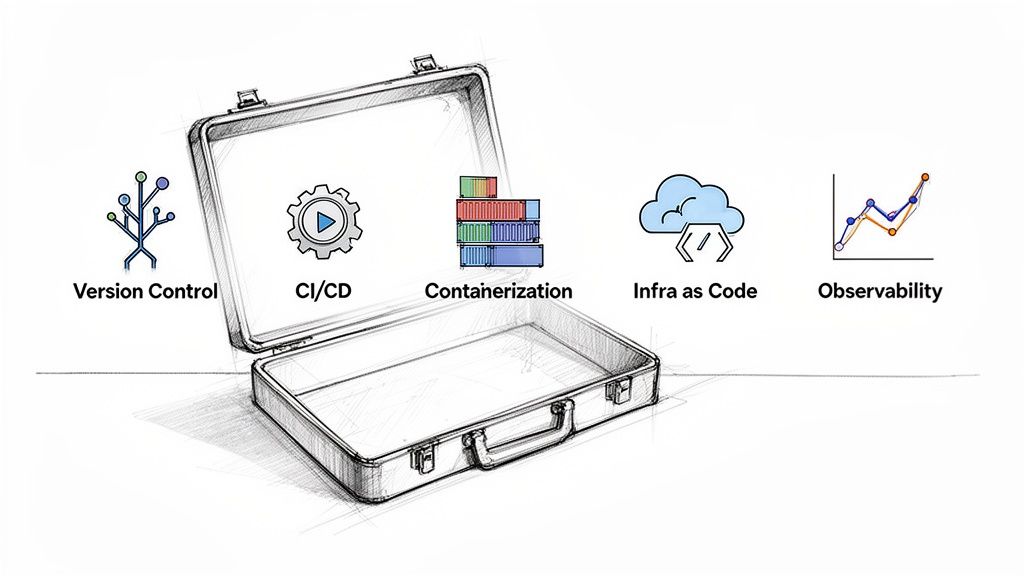
A deployment pipeline is only as effective as the tools used to implement it. Moving from theory to practice involves selecting the right technology for each stage. A modern DevOps toolchain is an integrated set of specialized tools working in concert to automate software delivery.
Understanding these tool categories is the first step toward building a powerful and scalable pipeline. This is a rapidly growing market; the global value of data pipeline tools was $10.01 billion and is projected to reach $43.61 billion by 2032, indicating massive industry investment in cloud-native pipelines. You can get the full scoop on the data pipeline market growth on fortunebusinessinsights.com.
Version Control Systems: The Single Source of Truth
Every pipeline begins with code. Version Control Systems (VCS) are the foundation, providing a centralized repository where every code change is tracked, versioned, and stored.
- Git: The de facto standard for version control. Its distributed nature allows for powerful branching and merging workflows. Platforms like GitHub, GitLab, and Bitbucket build upon Git, adding features for collaboration, code reviews (pull requests), and project management.
Your Git repository is the single source of truth for your application. The pipeline is configured to listen for changes here, making it the trigger for every automated process that follows.
CI/CD Platforms: The Pipeline's Engine
If Git is the source of truth, the CI/CD platform is the orchestration engine. It watches your VCS for changes, executes your build and test scripts, and manages the progression of artifacts through different environments.
Your CI/CD platform is where your DevOps strategy is defined as code. It is the connective tissue that integrates every other tool, transforming a collection of disparate tasks into a seamless, automated workflow.
The leading platforms offer different strengths:
- Jenkins: An open-source, self-hosted automation server. It is extremely flexible and extensible through a vast plugin ecosystem, but requires significant configuration and maintenance. It is ideal for teams that need complete control over their environment.
- GitLab CI/CD: Tightly integrated into the GitLab platform, offering an all-in-one solution. It centralizes source code and CI/CD configuration in a single
.gitlab-ci.ymlfile, simplifying setup and management. - GitHub Actions: A modern, event-driven automation platform built directly into GitHub. It excels at more than just CI/CD, enabling automation of repository management, issue tracking, and more. Its marketplace of pre-built actions significantly accelerates development.
Choosing the right CI/CD platform is critical, as it forms the backbone of your automation. A good tool not only automates tasks but also provides essential visibility into the health and velocity of your delivery process. We've compared some of the most popular options below to help you get started.
For an even deeper dive, we put together a complete guide on the best CI/CD tools for modern software development.
Comparison of Popular CI/CD Tools
This table provides a high-level comparison of leading CI/CD platforms, highlighting their primary strengths and use cases.
| Tool | Primary Use Case | Hosting Model | Key Strength |
|---|---|---|---|
| Jenkins | Highly customizable, self-hosted CI/CD automation | Self-Hosted | Unmatched flexibility with a massive plugin ecosystem. |
| GitLab CI/CD | All-in-one DevOps platform from SCM to CI/CD | Self-Hosted & SaaS | Seamless integration with source code, issues, and registries. |
| GitHub Actions | Event-driven automation within the GitHub ecosystem | SaaS | Excellent for repository-centric workflows and a huge marketplace of actions. |
| CircleCI | Fast, performance-oriented CI/CD for cloud-native teams | SaaS | Powerful caching, parallelization, and performance optimizations. |
| TeamCity | Enterprise-grade CI/CD server with strong build management | Self-Hosted & SaaS | User-friendly interface and robust build chain configurations. |
The best tool is one that empowers your team to ship code faster and more reliably. Each of these platforms can build a robust pipeline, but their approaches cater to different organizational needs.
Containerization and Orchestration: Package Once, Run Anywhere
Containers solve the "it works on my machine" problem by bundling an application with its libraries and dependencies into a single, portable unit that runs consistently across all environments.
- Docker: The platform that popularized containers. It allows you to create lightweight, immutable images that guarantee your application runs identically on a developer's laptop, a staging server, or in production.
- Kubernetes (K8s): At scale, managing hundreds of containers becomes complex. Kubernetes is the industry standard for container orchestration, automating the deployment, scaling, and management of containerized applications.
Infrastructure as Code: Managing Environments Programmatically
Infrastructure as Code (IaC) is the practice of managing and provisioning infrastructure (servers, networks, databases) through code and automation, rather than manual processes. This makes your environments reproducible, versionable, and consistent.
- Terraform: A cloud-agnostic tool that lets you define infrastructure in declarative configuration files. You describe the desired state of your infrastructure (e.g., "three EC2 instances and one RDS database"), and Terraform determines and executes the necessary API calls to create it.
- Ansible: A configuration management tool focused on defining the state of systems. After Terraform provisions a server, Ansible can be used to install software, apply security patches, and ensure it is configured correctly.
Observability Tools: Seeing Inside Your Pipeline
Once your code is deployed, observability tools provide critical visibility into application health, performance, and errors, enabling you to debug issues in a complex, distributed system.
- Prometheus: An open-source monitoring and alerting toolkit that has become a cornerstone of cloud-native observability. It scrapes metrics from your applications and infrastructure, storing them as time-series data.
- Grafana: A visualization tool that pairs perfectly with Prometheus. Grafana transforms raw metrics data into insightful dashboards and graphs, providing a real-time view of your system's health.
Executing Advanced Deployment Strategies
An automated pipeline is the foundation, but advanced deployment strategies are what enable zero-downtime releases and risk mitigation. The "how" of deployment is as critical as the "what." These battle-tested strategies transform high-risk release events into controlled, routine operations.
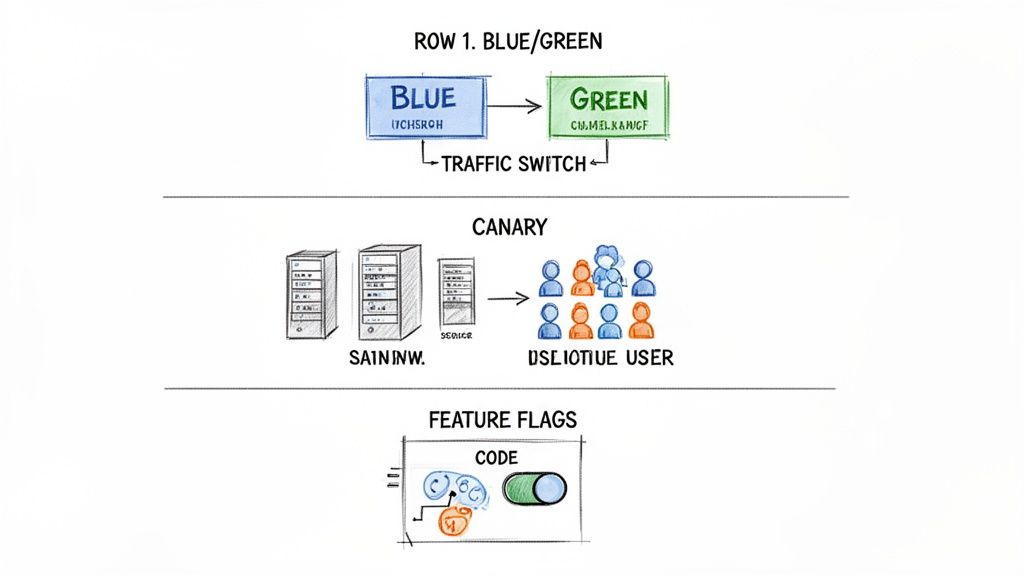
These are practical techniques for achieving zero-downtime releases. Let's examine three powerful strategies: Blue/Green deployments, Canary releases, and Feature Flags. Each offers a different approach to managing release risk.
Blue Green Deployments
Imagine two identical production environments: "Blue" (the current live version) and "Green" (the idle version). The new version of your application is deployed to the idle Green environment.
This provides a complete, production-like environment for final validation and smoke tests, completely isolated from user traffic. Once you've confirmed the Green environment is stable, you update the router or load balancer to redirect all incoming traffic from Blue to Green. The new version is now live.
The old Blue environment is kept on standby. If any critical issues are detected in the Green version, rollback is achieved by simply switching traffic back to Blue—a near-instantaneous recovery.
This technique is excellent for eliminating downtime but requires maintaining duplicate infrastructure, which can increase costs.
Canary Releases
A Canary release is a more gradual and cautious rollout strategy. Instead of shifting 100% of traffic at once, the new version is released to a small subset of users—the "canaries." This might be 1% or 5% of traffic, or perhaps a group of internal users.
The pipeline deploys the new code to a small pool of servers, while the majority continue to run the stable version. You then closely monitor the canary group for errors, performance degradation, or negative impacts on business metrics. If the new version performs well, you incrementally increase traffic—from 5% to 25%, then 50%, and finally 100%.
- Benefit: This approach significantly limits the "blast radius" of any potential bugs. A problem only affects a small fraction of users and can be contained immediately by rolling back just the canary servers.
- Prerequisite: Canary releases are heavily dependent on sophisticated monitoring and observability. You need robust tooling to compare the performance of the new and old versions in real-time.
This strategy is ideal for validating new features with real-world traffic before committing to a full release. To explore this and other methods more deeply, check out our guide on modern software deployment strategies.
Feature Flags
Feature Flags (or feature toggles) provide the most granular control by decoupling code deployment from feature release. New functionality is wrapped in a conditional block of code—a "flag"—that can be toggled on or off remotely. This allows you to deploy new code to production with the feature disabled by default.
With the new code dormant, it poses zero risk to system stability. After deployment, the feature can be enabled for specific users, customer segments, or a percentage of your audience via a configuration dashboard, without requiring a new deployment.
This technique provides several advantages:
- Risk Mitigation: If a new feature causes issues, it can be instantly disabled with a single click, eliminating the need for an emergency rollback or hotfix.
- Targeted Testing: You can enable a feature for beta testers or users in a specific geographic region to gather feedback.
- A/B Testing: Easily show different versions of a feature to different user groups to measure engagement and make data-driven product decisions.
Feature Flags shift release management from a purely engineering function to a collaborative effort with product and business teams, enabling continuous deployment while maintaining precise control over the user experience.
Modernizing Your Pipeline for Peak Performance
Even a functional pipeline can become a bottleneck over time. What was once efficient can degrade into a source of friction, slowing down the entire engineering organization. Recognizing the signs of an outdated pipeline is the first step toward restoring development velocity and reliability.
Symptoms of a struggling pipeline include slow build times, flaky tests that fail intermittently, and manual approval gates that cause developers to wait hours to deploy a minor change. These issues don't just waste time; they erode developer morale and discourage rapid, iterative development.
When Is It Time to Modernize?
Several key events often signal the need for a pipeline overhaul. A major architectural shift, such as migrating from a monolith to microservices, imposes new requirements that a legacy pipeline cannot meet. Similarly, adopting container orchestration with Kubernetes requires a pipeline that is container-native—capable of building, testing, and deploying Docker images efficiently.
Security is another primary driver. To achieve high performance and trust in your deployments, security must be integrated into every stage of the pipeline, a practice known as DevSecOps. A modern pipeline automates security scans as a required step in the workflow, making security a non-negotiable part of the delivery process. For more on this, see Mastering software development security best practices.
Use this technical checklist to evaluate your pipeline:
- Slow Feedback Loops: Do developers wait more than 15 minutes for build and test results on a typical commit?
- Unreliable Deployments: Is the deployment failure rate high, requiring frequent manual intervention or rollbacks?
- Complex Onboarding: Does it take a new engineer days to understand the deployment process and push their first change?
- Security Blind Spots: Are security scans (SAST, DAST, SCA) manual, infrequent, or absent from the pipeline?
Answering "yes" to any of these indicates that your pipeline is likely hindering, rather than helping, your team. Modernization is not about adopting the latest tools for their own sake; it's about re-architecting your delivery process to provide speed, safety, and autonomy. For a deeper look, check out our guide on CI/CD pipeline best practices.
Got Questions? We've Got Answers
Even with a solid understanding of the fundamentals, several common technical questions arise when teams begin building a deployment pipeline.
What Is The Difference Between A Build And A Deployment Pipeline
This is a common point of confusion. The distinction lies in their scope and purpose.
A build pipeline is typically focused on Continuous Integration (CI). Its primary responsibility is to take source code, compile it, run fast-executing unit and integration tests, and produce a versioned build artifact. Its main goal is to answer the question: "Does the new code integrate correctly and pass core quality checks?"
A deployment pipeline encompasses the entire software delivery lifecycle. It includes the build pipeline as its first stage and extends through multiple test environments, final release packaging, and deployment to production. It implements Continuous Delivery (CD), ensuring that the software is not just built correctly, but also delivered to users reliably.
Think of it in terms of scope: the build pipeline validates a single commit. The deployment pipeline manages the promotion of a validated artifact across all environments, from development to production.
How Do I Secure My Deployment Pipeline
Securing a pipeline requires integrating security practices at every stage, a methodology known as DevSecOps. Security cannot be an afterthought.
Key technical controls include:
- Secrets Management: Never store credentials, API keys, or passwords in source code or CI/CD configuration files. Use a dedicated secrets management tool like HashiCorp Vault or AWS Secrets Manager to inject them securely at runtime.
- Vulnerability Scanning: Automate security scanning within the pipeline. Use Static Application Security Testing (SAST) tools to analyze source code for vulnerabilities and Software Composition Analysis (SCA) to scan third-party dependencies for known CVEs.
- Container Security: If using Docker, scan your container images for vulnerabilities before pushing them to a registry. Tools like Trivy or Clair can be integrated directly into your CI stage.
- Access Control: Implement the principle of least privilege. Use strict, role-based access control (RBAC) on your CI/CD platform. Only authorized personnel or automated processes should have permissions to trigger production deployments.
Can A Small Startup Benefit From A Complex Pipeline
A startup doesn't need a "complex" pipeline, but it absolutely needs an automated one. The goal is automation, not complexity.
Even a simple pipeline that automates the build -> test -> package workflow for every commit provides immense value. It establishes best practices from day one, provides a rapid feedback loop for developers, and eliminates the "it works on my machine" problem that plagues early-stage teams.
The key is to start with a minimal viable pipeline and iterate. Choose a platform that can scale with you, like GitHub Actions or GitLab CI. Begin with a basic build-and-test workflow defined in a simple configuration file. As your team and product grow, you can progressively add stages for security scanning, multi-environment deployments, and advanced release strategies.
Navigating the complexities of designing, building, and securing a modern deployment pipeline requires deep expertise. If your team is looking to accelerate releases and improve system reliability without the steep learning curve, OpsMoon can help. We connect you with elite DevOps engineers to build the exact pipeline your business needs to succeed. Start with a free work planning session today.