
The 12 Best CI CD Tools for Engineering Teams in 2025: A Technical Deep Dive
 By opsmoon
Discover the best CI CD tools of 2025. This technical guide compares Jenkins, GitHub Actions, GitLab, and more with code snippets and use cases.
In a crowded market, selecting from the best CI/CD tools is more than a technical decision; it's a strategic one that directly impacts developer velocity, deployment frequency, and operational stability. The right automation engine streamlines your software delivery lifecycle, while the wrong one introduces friction, creating complex maintenance burdens and pipeline bottlenecks that frustrate engineers. A simple feature-to-feature comparison often misses the critical nuances of how a tool integrates with a specific tech stack, scales with a growing team, or aligns with an organization's security and compliance posture.
This guide provides a deeply technical, actionable analysis to help you move beyond marketing claims and choose the right CI/CD platform for your specific needs. We dissect 12 leading tools, from fully managed SaaS solutions to powerful self-hosted orchestrators. For each tool, you will find:
- Practical Use Cases: Scenarios where each platform excels or falls short.
- Key Feature Analysis: A focused look at standout capabilities and potential limitations.
- Implementation Guidance: Notes on setup complexity, migration paths, and ecosystem integration.
- Example Pipeline Snippets: Concrete examples of YAML configurations or workflow structures.
We evaluate options for startups needing speed, enterprises requiring robust governance, and teams considering a managed DevOps approach. Our goal is to equip you with the insights needed to make an informed choice that accelerates your development process. As you delve into selecting your automation engine, our guide on Choosing the Best CI/CD Platforms for DevOps offers valuable insights into core features and selection criteria. Let’s dive into the detailed comparisons.
1. GitHub Actions
GitHub Actions is a powerful, event-driven CI/CD platform built directly into the GitHub ecosystem. Its primary advantage is the seamless integration with the entire software development lifecycle, from code push and pull request creation to issue management and package publishing. This colocation of code and CI/CD significantly streamlines the developer experience, eliminating the context switching required by third-party tools.
The platform operates using YAML workflow files stored within your repository, making your CI/CD configuration version-controlled and auditable. Its standout feature is the vast GitHub Marketplace, offering thousands of pre-built "actions" that can be dropped into your workflows to handle tasks like logging into a cloud provider, scanning for vulnerabilities, or sending notifications. This rich ecosystem is a massive accelerator, reducing the need to write custom scripts for common operations. For a deeper dive into the foundational concepts, explore our guide on what continuous integration is.
Key Differentiators & Use Cases
- Ideal Use Case: Teams of any size whose source code is already hosted on GitHub and who want a deeply integrated, all-in-one platform for their DevOps pipeline. It excels at automating pull request checks, managing multi-environment deployments, and building container images.
- Matrix Builds: Effortlessly test your code across multiple versions of languages, operating systems, and architectures with a simple matrix strategy in your workflow file. For example, you can test a Node.js application across versions 18, 20, and 22 on both
ubuntu-latestandwindows-latestrunners with just a few lines of YAML. - Reusable Workflows: Drastically reduce code duplication by creating callable, reusable workflows (
workflow_calltrigger) that can be shared across multiple repositories, enforcing consistency and best practices for tasks like security scanning or deployment to a shared staging environment.
Pricing
GitHub Actions provides a generous free tier for public repositories and a set amount of free minutes and storage for private repositories. For teams with more extensive needs, paid plans (Team and Enterprise) offer significantly more build minutes and advanced features like protected environments, IP allow lists, and enterprise-grade auditing. Be mindful that macOS and Windows runners consume minutes at a higher rate (10x and 2x, respectively) than Linux runners, which is a critical factor for cost modeling.
Website: https://github.com/features/actions
2. GitLab CI/CD
GitLab CI/CD is an integral component of the GitLab DevSecOps platform, offering a single application for the entire software development and delivery lifecycle. Its core strength lies in providing a unified, end-to-end solution that combines source code management, CI/CD pipelines, package management, and security scanning into one cohesive interface. This all-in-one approach minimizes toolchain complexity and improves collaboration between development, security, and operations teams.

Pipelines are defined in a .gitlab-ci.yml file within the repository, ensuring that your automation is version-controlled alongside your code. The platform's built-in container registry, security scanners (SAST, DAST, dependency scanning), and advanced deployment strategies like canary releases make it one of the most comprehensive CI/CD tools available. It tightly couples CI processes with deployment targets, a key concept you can explore in our guide on continuous deployment vs. continuous delivery.
Key Differentiators & Use Cases
- Ideal Use Case: Teams that want a single, unified platform for the entire DevOps lifecycle, especially those in regulated industries requiring strong security, compliance, and auditability features. It's excellent for organizations looking to consolidate their toolchain.
- Auto DevOps: Accelerate your workflow with a pre-built, fully-featured CI/CD pipeline that automatically detects, builds, tests, deploys, and monitors applications with minimal configuration. This is particularly powerful for projects adhering to common frameworks and using Kubernetes as a deployment target.
- Integrated Security: Perform comprehensive security scans directly within the pipeline without integrating third-party tools, shifting security left and catching vulnerabilities earlier in the development process. Results are surfaced directly in the merge request UI, providing developers immediate, actionable feedback.
Pricing
GitLab offers a robust free tier with 400 CI/CD minutes per month on GitLab-managed runners for private projects. Paid plans (Premium and Ultimate) unlock more minutes, advanced security and compliance features, portfolio management, and enterprise-grade support. A key consideration is its "bring your own runner" model, which allows you to connect self-hosted runners to any tier (including Free) for unlimited build minutes, providing a cost-effective path for compute-intensive workloads.
Website: https://about.gitlab.com/
3. CircleCI
CircleCI is a mature, cloud-native CI/CD platform known for its performance, flexibility, and powerful caching mechanisms. It excels at accelerating development cycles for teams that rely heavily on containerized workflows. The platform is highly configurable, giving developers fine-grained control over their build environments and compute resources, which is a key reason it's considered one of the best CI/CD tools for performance-sensitive projects.
Configurations are managed via a .circleci/config.yml file within your repository, keeping pipelines version-controlled. CircleCI's standout feature is its "Orbs," which are shareable packages of CI/CD configuration. These reusable components can encapsulate complex logic for deploying to Kubernetes, running security scans, or integrating with third-party tools, dramatically simplifying pipeline setup. Its strong support for Docker Layer Caching and advanced caching strategies for dependencies can significantly reduce build times for container-heavy applications.
Key Differentiators & Use Cases
- Ideal Use Case: Teams prioritizing build speed for container-based applications. It is particularly effective for organizations that need powerful parallelism, matrix builds, and sophisticated caching to reduce feedback loops.
- Performance and Parallelism: CircleCI offers exceptional control over test splitting and parallelism. Using the
circleci tests splitcommand, you can automatically distribute test files across multiple containers based on timing data from previous runs, ensuring each parallel job finishes at roughly the same time. - Configurable Compute: Choose from various resource classes (CPU and RAM) for each job, allowing you to allocate more power for resource-intensive tasks like compiling or image building while using smaller, cheaper resources for simple linting jobs. This granular control is crucial for optimizing cost-performance trade-offs.
Pricing
CircleCI operates on a credit-based model where you purchase credits and consume them based on the compute resource class and operating system used (Linux, Windows, macOS). It offers a generous free tier with a fixed number of credits per month, suitable for small projects. Paid plans (Performance, Scale, Server) provide more credits, higher concurrency, and advanced features like deeper insights and dedicated support. Teams must carefully plan their credit usage and monitor consumption, as complex or inefficient pipelines can lead to unexpected costs.
Website: https://circleci.com
4. Jenkins (open source)
Jenkins is a veteran, open-source automation server that has been a cornerstone of CI/CD for years. Its core strength lies in its unparalleled flexibility and extensibility, allowing teams to build, test, and deploy across virtually any platform. As a self-hosted solution, it offers complete control over your CI/CD environment, which is a critical requirement for organizations with strict security protocols or unique infrastructure needs. This level of control makes it one of the best CI/CD tools for bespoke pipeline construction.
Jenkins operates with a controller-agent architecture and defines pipelines using a Groovy-based DSL, either in "Scripted" or "Declarative" syntax, stored in a Jenkinsfile within your repository. Its true power is unlocked through its massive plugin ecosystem, boasting over 1,800 community-contributed plugins for integrating everything from cloud providers and version control systems to static analysis tools. This extensibility ensures you can adapt Jenkins to nearly any workflow. For guidance on structuring these complex workflows, see our article on CI/CD pipeline best practices.
Key Differentiators & Use Cases
- Ideal Use Case: Enterprises and teams with complex, non-standard build processes, or those requiring full control over their infrastructure for security and compliance. It is a workhorse for intricate, multi-stage pipelines that integrate with a diverse, and often legacy, tech stack.
- Ultimate Extensibility: The vast plugin library is Jenkins's defining feature. If a tool exists in the DevOps ecosystem, there is almost certainly a Jenkins plugin to integrate with it, eliminating the need for custom scripting. The Kubernetes plugin, for example, allows for dynamic, ephemeral build agents provisioned on-demand in a K8s cluster.
- Self-Hosted Control: You manage the hardware, security, updates, and uptime. This is a double-edged sword, offering maximum control over Java versions, system libraries, and network access but also demanding significant maintenance overhead from your team or a partner like OpsMoon.
Pricing
As an open-source project, Jenkins is free to download and use, with no licensing costs. The total cost of ownership, however, comes from the infrastructure you run it on (cloud or on-premise servers) and the engineering time required for setup, maintenance, security hardening, plugin management, and scaling the system. This operational overhead is the primary "cost" of using Jenkins and must be factored into any decision.
Website: https://www.jenkins.io
5. Bitbucket Pipelines (Atlassian)
Bitbucket Pipelines is Atlassian's native CI/CD service, fully integrated within Bitbucket Cloud. Its primary strength lies in its simplicity and seamless connection to the Atlassian ecosystem, offering a "configuration as code" approach directly inside your repository. For teams already committed to Bitbucket for source control and Jira for project management, Pipelines presents a unified and low-friction path to implementing continuous integration without leaving their familiar environment.
The platform operates using a bitbucket-pipelines.yml file, where you define build steps that execute within Docker containers. This container-first approach simplifies dependency management and ensures a consistent build environment. While its feature set is less extensive than specialized CI-first platforms, it provides essential capabilities like caching, artifacts, and multi-step workflows, making it a strong contender for teams prioritizing integration and ease of use over advanced, complex pipeline orchestration.
Key Differentiators & Use Cases
- Ideal Use Case: Small to medium-sized teams deeply embedded in the Atlassian suite (Bitbucket, Jira, Confluence) who need a straightforward, integrated CI/CD solution for web applications and microservices.
- Deep Atlassian Integration: Automatically link builds, deployments, and commits back to Jira issues, providing unparalleled visibility for project managers and stakeholders directly within their project tracking tool. Build statuses appear directly on the Jira ticket.
- Simple Concurrency Model: Easily scale your build capacity by adding concurrent build slots or using your own self-hosted runners, offering predictable performance without complex runner management. Each step in a parallel configuration consumes one of the available concurrency slots.
Pricing
Bitbucket Pipelines includes a free tier with a limited number of build minutes per month, suitable for small projects. Paid plans (Standard and Premium) offer more build minutes, increased concurrency, and larger artifact storage. Additional build minutes can be purchased in blocks of 1,000, providing a simple way to scale as needed. Note that recent plan changes have tightened free tier limits on storage and log retention, which may be a consideration for teams with high-volume pipelines.
Website: https://www.atlassian.com/software/bitbucket/features/pipelines
6. Azure Pipelines (Azure DevOps)
Azure Pipelines is Microsoft's language-agnostic CI/CD service, offering a robust platform for building, testing, and deploying to any cloud or on-premises environment. As part of the broader Azure DevOps suite, it provides deep integration with Azure services and enterprise-grade security controls. It excels in environments that heavily leverage the Microsoft ecosystem, particularly those with Windows and .NET workloads, but also offers first-class support for Linux, macOS, and containers.
The platform supports both YAML pipelines for version-controlled configuration-as-code and a classic visual UI editor, providing flexibility for teams with varying technical preferences. A key strength is its advanced release management capabilities, including deployment gates, staged rollouts, and detailed approval workflows, which are critical for maintaining stability in complex enterprise applications. This makes it one of the best CI/CD tools for organizations requiring stringent governance over their deployment processes.
Key Differentiators & Use Cases
- Ideal Use Case: Enterprises and teams deeply invested in the Microsoft Azure cloud or developing .NET applications. It is also a strong choice for organizations requiring complex, multi-stage release pipelines with sophisticated approval gates and compliance checks.
- Hybrid Flexibility: Seamlessly use a mix of Microsoft-hosted agents for cloud builds and self-hosted agents on-premises or in other clouds, giving you complete control over your build environment and dependencies. Self-hosted agents can be installed as services or run interactively.
- Release Gates: Implement powerful automated checks before promoting a release to the next stage. Gates can query Azure Monitor alerts, invoke external REST APIs, check for policy compliance via Azure Policy, or wait for approvals from Azure Boards work items, preventing flawed deployments.
Pricing
Azure Pipelines offers a free tier that includes one Microsoft-hosted CI/CD parallel job with 1,800 minutes per month and one self-hosted parallel job with unlimited minutes. For public projects, the allowance is more generous. Paid plans add more parallel jobs and are billed per job. Pricing can feel complex as it combines per-user licenses for the Azure DevOps suite with the cost of parallel jobs, requiring careful planning for larger teams.
Website: https://azure.microsoft.com/products/devops
7. AWS CodePipeline (with CodeBuild/CodeDeploy)
AWS CodePipeline is a fully managed continuous delivery service that helps you automate your release pipelines for fast and reliable application and infrastructure updates. It acts as the orchestration layer within the AWS ecosystem, tying together services like AWS CodeBuild for compiling source code and running tests, and AWS CodeDeploy for deploying to various compute services. Its core strength lies in its profound integration with the AWS cloud, making it a default choice for teams heavily invested in Amazon's infrastructure.
The service provides a visual workflow interface to model your release process from source to production, including stages for building, testing, and deploying. CodePipeline is event-driven, automatically triggering your pipeline on code changes from sources like AWS CodeCommit, GitHub, or Amazon S3. Its tight integration with IAM provides granular, resource-level security, ensuring that pipeline stages only have the permissions they explicitly need, which is a significant security advantage for enterprise environments.
Key Differentiators & Use Cases
- Ideal Use Case: Organizations whose entire application stack, from compute (EC2, Lambda, ECS) to storage (S3), resides on AWS. It excels at orchestrating complex, multi-stage deployments that leverage native AWS services.
- Deep AWS Integration: Seamlessly connects to virtually every key AWS service, using IAM roles for authentication and CloudWatch for monitoring, which simplifies operations and security management significantly. For example, a CodeDeploy action can natively perform a blue/green deployment for an ECS service.
- Flexible Orchestration: While it works best with CodeBuild and CodeDeploy, it can also integrate with third-party tools like Jenkins or TeamCity, acting as a central orchestrator for hybrid toolchains. A pipeline stage can invoke a Lambda function for custom validation logic.
Pricing
AWS CodePipeline follows a pay-as-you-go model. You are charged a small fee per active pipeline per month, with no upfront costs. You also pay for the underlying services your pipeline uses, such as CodeBuild compute minutes and CodeDeploy deployments. There is a generous free tier for AWS services, but be sure to model the costs for all integrated services, not just the pipeline itself, to get an accurate financial picture.
Website: https://aws.amazon.com/codepipeline/
8. Google Cloud Build
Google Cloud Build is a fully managed, serverless CI/CD service that executes your builds on Google Cloud infrastructure. Its primary strength lies in its deep integration with the GCP ecosystem, providing native connections to services like Artifact Registry, Cloud Run, and Google Kubernetes Engine (GKE). This makes it an incredibly efficient choice for teams already committed to the Google Cloud platform, enabling streamlined container-based workflows.
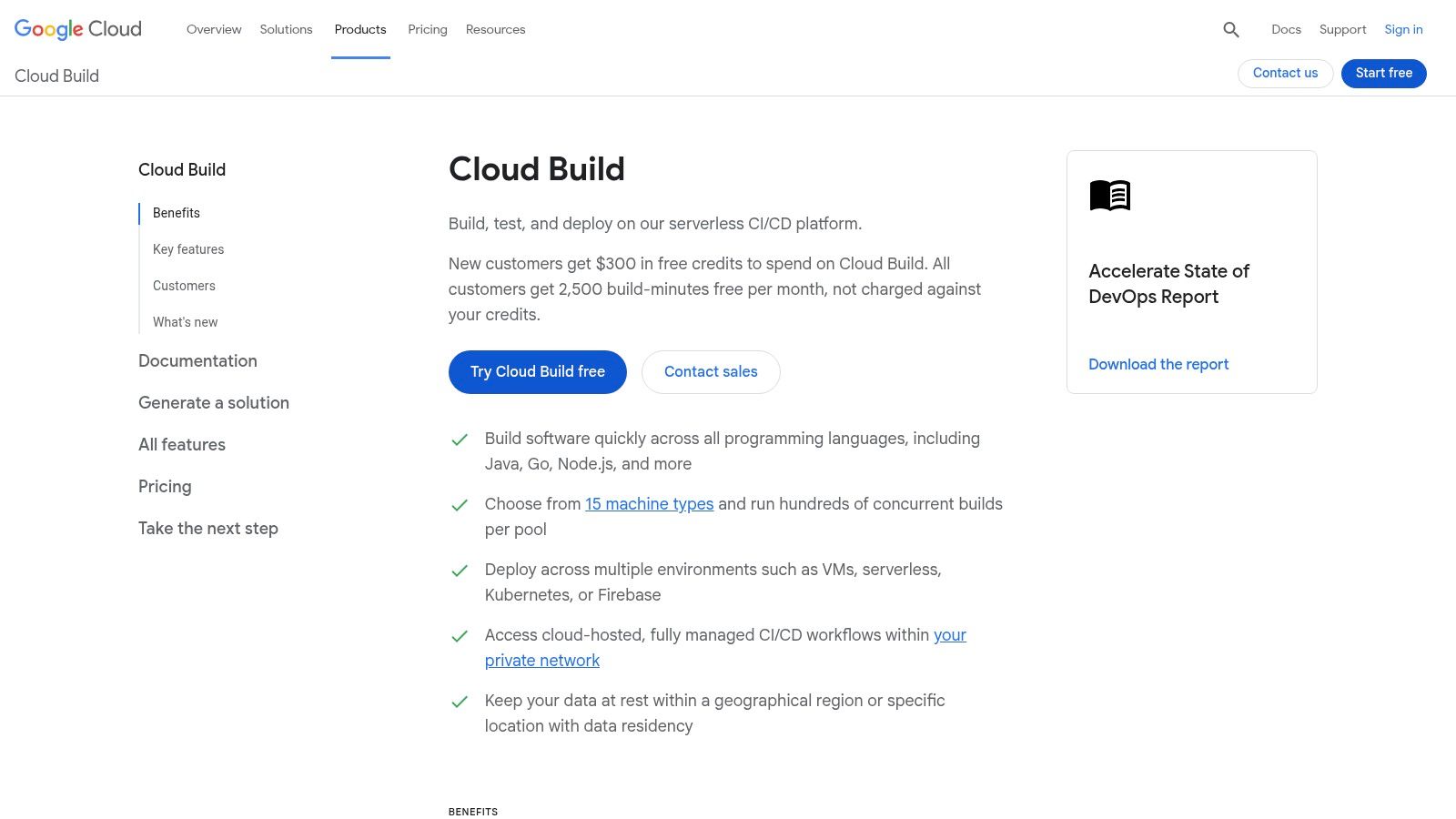
The service operates using a cloudbuild.yaml file, where you define build steps executed sequentially as Docker containers. This container-native approach provides excellent consistency and portability. Google Cloud Build stands out for its performance, offering fast startup times with powerful machine types (E2/N2D/C3) and SSD options available to accelerate demanding build jobs, making it a powerful contender among the best CI/CD tools for cloud-native applications.
Key Differentiators & Use Cases
- Ideal Use Case: Development teams deeply embedded in the Google Cloud ecosystem who need a fast, scalable, and cost-effective way to build, test, and deploy containerized applications to services like GKE or Cloud Run.
- Private Pools: For enhanced security and performance, you can provision private worker pools within your VPC network, ensuring builds run in an isolated environment with access to internal resources (like databases or artifact servers) without traversing the public internet.
- Container-Native Focus: Excels at multi-stage Docker builds using the integrated Docker daemon, vulnerability scanning with Container Analysis, and pushing images directly to the integrated Artifact Registry, creating a secure and efficient software supply chain.
Pricing
Google Cloud Build offers a compelling pricing model, including a generous free tier of 2,500 build-minutes per month per billing account. Beyond the free tier, it uses a per-second billing model, ensuring you only pay for the exact compute time you consume. While the build time itself is cost-effective, remember to account for associated costs from networking (e.g., Cloud NAT for egress traffic from private pools), logging (Cloud Logging), and artifact storage (Artifact Registry) when modeling your total CI/CD expenditure.
Website: https://cloud.google.com/build
9. Travis CI
Travis CI is one of the pioneering hosted CI/CD services, known for its simplicity and strong historical ties to the open-source community. It simplifies the process of testing and deploying projects by integrating directly with source control systems like GitHub and Bitbucket. The platform is configured via a single .travis.yml file in the root of the repository, making pipeline definitions easy to version and manage alongside the application code.
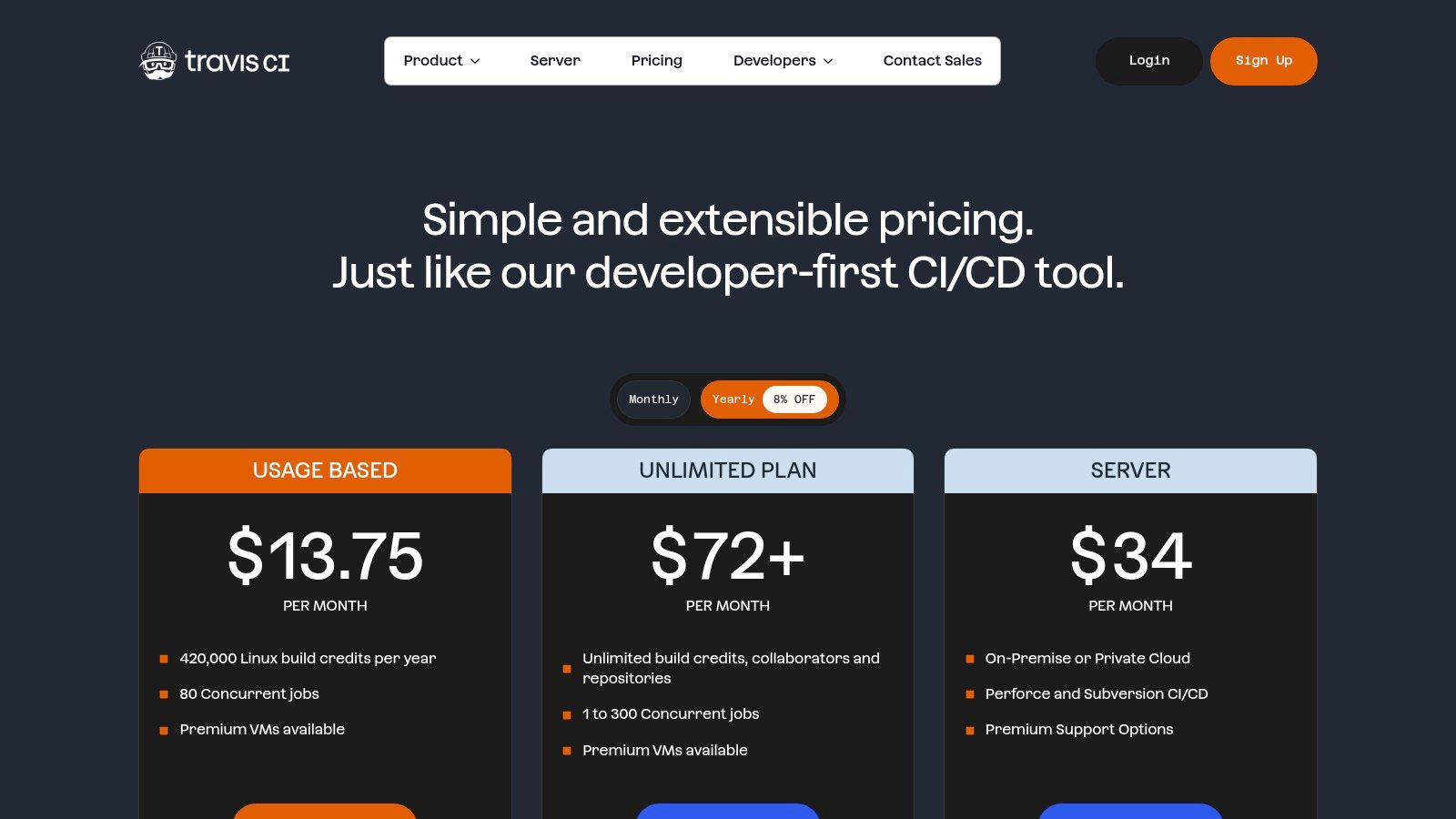
While many modern tools have entered the market, Travis CI remains a solid choice, particularly for its broad operating system support and specialized hardware options. It offers a straightforward user experience that helps teams get their first build running in minutes. This focus on ease-of-use and clear configuration makes it an accessible option among the best CI/CD tools for teams that don't require overly complex pipeline orchestration.
Key Differentiators & Use Cases
- Ideal Use Case: Open-source projects or teams that need to test across a diverse matrix of operating systems, including FreeBSD, or require GPU-accelerated builds for machine learning or data processing tasks. Its on-premises offering also suits organizations requiring full control over their build environment.
- Multi-OS & GPU Support: Travis CI stands out with its native support for Linux, macOS, Windows, and FreeBSD. It also offers various VM sizes, including GPU-enabled instances, a critical feature for AI/ML pipelines that is less common in other hosted platforms. This is essential for running CUDA-dependent tests.
- Build Stages: Organize complex pipelines by grouping jobs into sequential stages. This allows you to set up dependencies, such as running all static analysis and unit test jobs in a
Teststage before proceeding to aDeploystage, providing better control flow and early failure detection.
Pricing
Travis CI operates on a credits-based pricing model, where builds consume credits based on the operating system and VM size used. Free plans are available for open-source projects. For private projects, paid plans start with a Free tier offering a limited number of credits and scale up through various tiers (e.g., Core, Pro) that provide more credits, increased concurrency, and premium features like larger instance sizes and GPU access. An enterprise plan is available for its self-hosted server solution.
Website: https://www.travis-ci.com/pricing
10. TeamCity (JetBrains)
TeamCity by JetBrains is an enterprise-grade CI/CD server known for its powerful build management and deep test intelligence, making it a strong contender among the best CI/CD tools. Available as both a self-hosted On-Premises solution and a managed TeamCity Cloud (SaaS) offering, it provides flexibility for different operational models. Its core strength lies in providing unparalleled visibility and control over complex build processes, especially within large, polyglot monorepos.
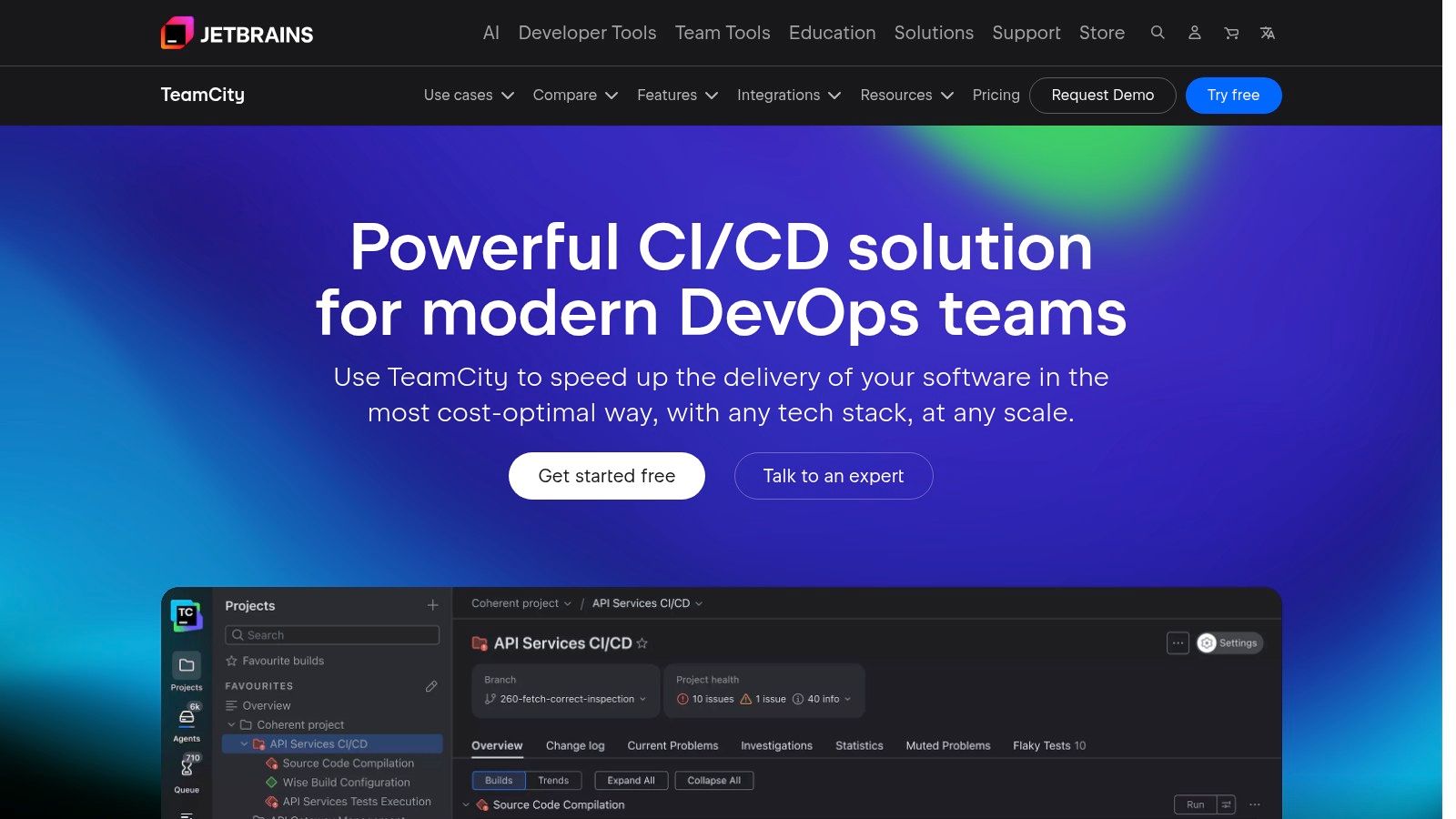
The platform is designed for intricate dependency management and advanced testing scenarios. Developers and DevOps engineers appreciate its highly customizable build configurations, which can be defined through a user-friendly UI or using Kotlin-based "configuration as code". This dual approach caters to teams transitioning towards GitOps practices while still needing the immediate accessibility of a graphical interface for complex pipeline visualization and debugging.
Key Differentiators & Use Cases
- Ideal Use Case: Large enterprises or teams managing complex monorepos with diverse technology stacks (e.g., Java, .NET, C++) that require sophisticated test analysis, advanced build chains, and robust artifact management. It is also excellent for organizations requiring a hybrid approach with both on-premises and cloud build agents.
- Build Chains & Dependencies: Visually construct and manage complex build chains where one build's output (artifact dependency) becomes another's input. TeamCity intelligently optimizes the entire chain, running independent builds in parallel and reusing build results from suitable, already-completed builds to maximize efficiency.
- Test Intelligence: Automatically re-runs only the tests that failed, quarantines flaky tests to prevent them from breaking the main build, and provides rich historical test data and reports. This feature is invaluable for maintaining high velocity in projects with massive test suites by avoiding unnecessary full test runs.
Pricing
TeamCity's pricing model differs significantly between its Cloud and On-Premises versions. TeamCity Cloud uses a subscription model based on the number of committers and includes a pool of build credits, with a free tier available for small teams. TeamCity On-Premises follows a traditional licensing model based on the number of build agents you need, with a free Professional license that includes 3 agents. Organizations should carefully evaluate both models against their projected usage and infrastructure strategy.
Website: https://www.jetbrains.com/teamcity
11. Bamboo (Atlassian Data Center)
Bamboo is Atlassian's self-hosted continuous integration and continuous delivery server, designed for enterprises deeply invested in the Atlassian ecosystem. Its primary strength lies in its native, out-of-the-box integration with other Atlassian products like Jira Software and Bitbucket Data Center. This tight coupling provides unparalleled traceability, allowing teams to link code changes, builds, and deployments directly back to Jira issues, offering a unified view of the development lifecycle.
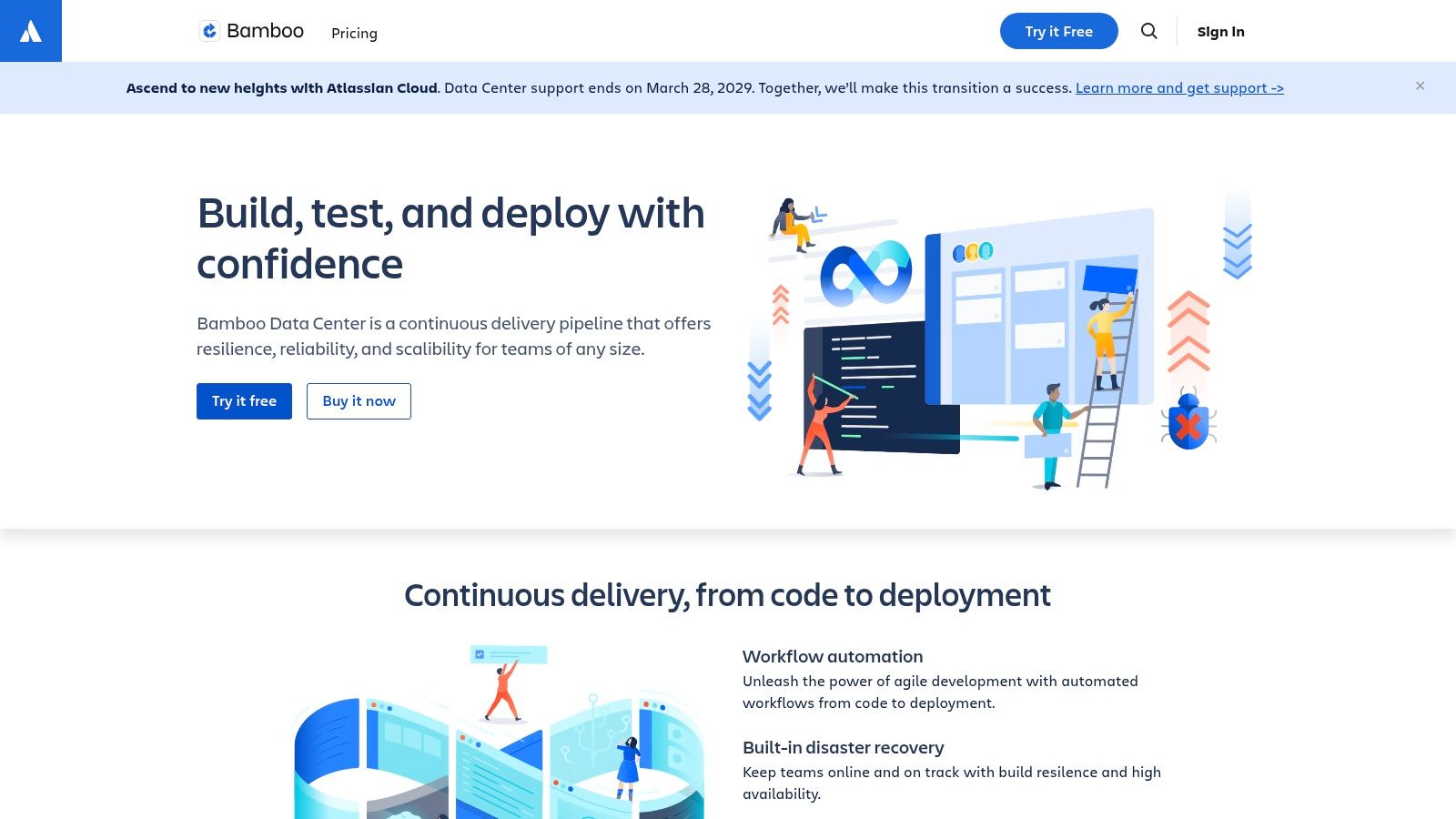
The platform organizes work into "plans" with distinct stages and jobs, which can run on dedicated remote "agents." This architecture provides fine-grained control over execution environments and concurrency. Bamboo’s deployment projects are a standout feature, offering a structured way to manage release environments, track versioning, and control promotions from development to production, making it one of the best CI/CD tools for regulated industries requiring strict audit trails.
Key Differentiators & Use Cases
- Ideal Use Case: Enterprises standardized on Atlassian's on-premise or Data Center products (Jira, Bitbucket, Confluence) that require a self-hosted CI/CD solution with strong governance, predictable performance, and end-to-end traceability from issue creation to deployment.
- Plan Branches: Automatically creates and manages CI plans for new branches in your Bitbucket or Git repository, inheriting the configuration from a master plan. This simplifies testing of feature branches without manual pipeline setup, though it lacks the full flexibility of modern YAML-based dynamic pipelines.
- Data Center High Availability: For large-scale operations, Bamboo Data Center can be deployed in a clustered configuration, providing active-active high availability and resilience against node failure. This is a critical feature for enterprises that cannot tolerate CI/CD downtime.
Pricing
Bamboo is licensed based on the number of remote agents (concurrent builds) rather than by users, starting with a flat annual fee for a small number of agents. The Data Center pricing model is designed for enterprise scale and includes premier support. Potential buyers should be aware that the self-hosted model incurs operational costs for infrastructure and maintenance, and that Atlassian has announced price increases for its Data Center products.
Website: https://www.atlassian.com/software/bamboo
12. Harness CI
Harness CI is a modern, developer-centric component of the broader Harness Software Delivery Platform. Its core strength lies in providing an intuitive, visual pipeline builder while being deeply integrated with other platform modules like Continuous Delivery (CD), Feature Flags, and Cloud Cost Management. This creates a cohesive, end-to-end ecosystem that simplifies the complexities of software delivery, from code commit to production monitoring, all under a single pane of glass.
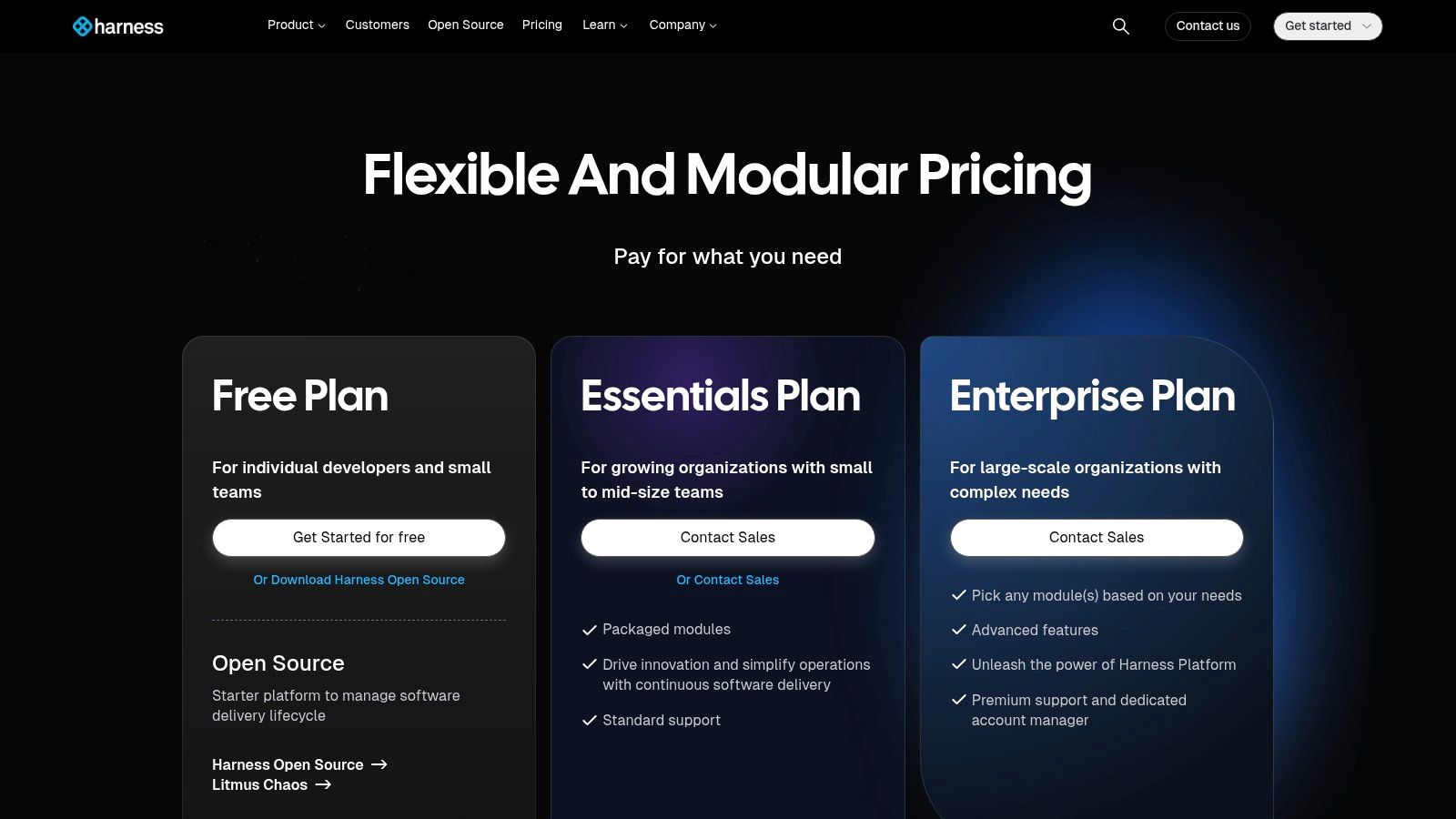
The platform is designed for efficiency, offering features like Test Intelligence, which intelligently runs only the tests impacted by a code change, drastically reducing build times. Pipelines are configured as code using YAML but are also fully manageable through a visual drag-and-drop interface, catering to both engineers who prefer code and those who need a clearer visual representation. This dual approach, combined with reusable steps and templates, makes it one of the best CI/CD tools for standardizing pipelines across large organizations.
Key Differentiators & Use Cases
- Ideal Use Case: Enterprises and scaling startups already invested in or considering the broader Harness ecosystem for a unified delivery platform. It excels in environments that require strong governance, security, and visibility across CI, CD, and cloud costs.
- Test Intelligence: A standout feature that accelerates build cycles by mapping code changes to specific tests, selectively running only the relevant subset. For large monorepos with extensive test suites, this can reduce test execution time from hours to minutes.
- Unified Platform: The seamless integration with Harness CD, GitOps, and Feature Flags provides a powerful, consolidated toolchain. For example, a CI pipeline can build an artifact, which then triggers a CD pipeline that performs a canary deployment managed by a feature flag, all within the same UI and configuration model.
Pricing
Harness CI offers a free-forever tier suitable for small teams and projects. Paid plans are modular and scale based on the number of developers and the specific modules required (CI, CD, etc.). While the pricing for the free and team tiers is public, the Enterprise plan is custom-quoted and sales-led. The platform's true value is most apparent when multiple modules are adopted, as it creates a flywheel of efficiency, but this can also represent a significant investment compared to standalone CI tools.
Website: https://www.harness.io/pricing
Top 12 CI/CD Tools Comparison
| Platform | Key features | Developer experience | Best for / Target audience | Pricing model |
|---|---|---|---|---|
| GitHub Actions | Deep GitHub integration; marketplace of reusable actions; hosted & self-hosted runners | Seamless in-repo workflows, PR checks, reusable workflows | Teams with code on GitHub wanting integrated CI/CD | Minutes-based usage; free tier; macOS/Windows minutes bill; self-hosted runner fee (from 2026) |
| GitLab CI/CD (GitLab.com) | Full DevSecOps (pipelines, security scanners, Auto DevOps); cloud or self-managed | Unified planning→deploy experience; strong compliance tooling | Teams wanting single platform for planning, security, and CI/CD | Tiered cloud/self-managed pricing; advanced features often in higher tiers |
| CircleCI | Selectable compute sizes; strong Docker support; caching & parallelism | Fast builds for containerized workflows; mature insights dashboards | Container-heavy teams needing performance and control | Credits-based billing with selectable compute; requires cost planning |
| Jenkins (open source) | Self-hosted Declarative/Scripted pipelines; 1,800+ plugins; agent flexibility | Extremely flexible but higher maintenance and setup effort | Teams needing maximum customization and on-prem control | Free OSS; operational/infra costs for hosting, scaling, security |
| Bitbucket Pipelines | YAML pipelines integrated with Bitbucket; Docker builds; minutes included | Simple setup for Bitbucket repos; Atlassian product integration | Teams using Bitbucket and Atlassian stack | Minutes included by plan; extra minutes purchasable; tightened free limits (2025) |
| Azure Pipelines (Azure DevOps) | Microsoft-hosted/self-hosted agents; approvals/gates; enterprise identity | Excellent Windows/.NET support; integrated governance | Azure/.NET-centric organizations and enterprises | Mix of user licenses and pipeline concurrency; pricing can be complex |
| AWS CodePipeline | Event-driven pipelines; IAM & VPC integration; native CodeBuild/CodeDeploy ties | Native AWS tooling and observability; best inside AWS ecosystem | Teams running primarily on AWS needing tight cloud integration | Pay-as-you-go; orchestration often paired with other AWS build services |
| Google Cloud Build | Serverless & private pools; Artifact Registry integration; per-second billing | Cost-efficient, fast startup for container builds on GCP | GCP-focused teams building container images | Per-second billing; free build minutes (2,500/month); networking/storage costs may apply |
| Travis CI | Multi-OS support (Linux/Windows/FreeBSD); GPU VM options; YAML config | Easy to start; historically strong OSS support | Open-source projects and teams needing straightforward pipelines | Credits-based usage; hosted and on-prem/server options |
| TeamCity (JetBrains) | Build chains, flaky test detection, test intelligence; SaaS & on‑prem | Excellent visibility for large monorepos and test suites | Enterprises with complex build/test needs | Cloud (committer-based + credits) and on-prem licensing; differing pricing models |
| Bamboo (Atlassian Data Center) | Self-hosted agents, plan branches, deployment projects; Data Center HA | Deep Jira/Bitbucket traceability; self-hosting requires ops work | Atlassian-centric enterprises standardizing on on‑prem stack | Self-hosted licensing; Data Center pricing increased across Atlassian products |
| Harness CI | Visual pipelines; test intelligence; modular delivery platform integration | Developer-friendly visual flows; reusable modules for efficiency | Organizations buying into an end-to-end delivery platform | Sales-led pricing; best value when using multiple Harness modules |
Making the Right Choice: From Evaluation to Expert Implementation
Navigating the landscape of the best CI/CD tools can feel overwhelming. We've explored a dozen powerful platforms, from the tightly integrated ecosystems of GitHub Actions and GitLab CI/CD to the unparalleled flexibility of Jenkins and the enterprise-grade power of Azure DevOps and TeamCity. Each tool presents a unique combination of features, pricing models, and operational philosophies. The right choice is not about finding a single "best" tool, but about identifying the optimal solution for your team's specific context.
Your decision matrix must extend beyond a simple feature comparison. It requires a deep, technical evaluation of how a tool aligns with your existing technology stack, your team's skillset, and your long-term scalability requirements. The perfect tool for a small startup prioritizing speed and minimal overhead (like CircleCI or Bitbucket Pipelines) is fundamentally different from the one needed by a large enterprise that requires granular control, robust security, and complex compliance workflows (often leading to Jenkins, Harness, or Bamboo).
Key Takeaways and Your Next Steps
Reflecting on the tools we've analyzed, several core themes emerge. Cloud-native solutions are simplifying setup but can introduce vendor lock-in. Self-hosted options offer ultimate control but demand significant maintenance overhead. The most effective choice often hinges on a few critical factors:
- Source Control Integration: How tightly does the tool integrate with your version control system? A native solution like GitHub Actions, GitLab CI/CD, or Bitbucket Pipelines offers a seamless developer experience, reducing context switching and simplifying configuration.
- Runner and Agent Management: Will you use managed, cloud-hosted runners, or will you self-host them for better performance, security, and cost control? This decision directly impacts your operational burden and infrastructure costs, especially at scale.
- Configuration as Code (CaC): Does the tool treat pipeline definitions as code (e.g., YAML files) that can be versioned, reviewed, and templated? This is a non-negotiable for modern DevOps practices, enabling reproducibility and preventing configuration drift.
- Ecosystem and Extensibility: How robust is the plugin or extension marketplace? The ability to easily integrate with security scanners, artifact repositories, and cloud providers is critical for building a comprehensive software delivery lifecycle.
Your immediate next step is to create a shortlist. Select two or three tools from our list that best match your high-level requirements. From there, initiate a proof-of-concept (PoC). Task a small team with building a representative pipeline for one of your core services on each candidate platform. This hands-on evaluation is the only way to truly understand the nuances of a tool's workflow, its performance characteristics, and its developer experience.
Beyond the Tool: The Implementation Challenge
Remember, selecting a tool is only the beginning. The real value is unlocked through expert implementation, and this is where many teams falter. The transition involves more than just rewriting a YAML file; it requires a strategic approach to migration, security, and optimization.
Consider these critical implementation questions: How will you securely manage secrets and credentials? What is your strategy for optimizing container build times and caching dependencies to keep pipelines fast? How will you design reusable pipeline components or templates to enforce consistency across dozens or hundreds of microservices? Answering these questions correctly is the difference between a CI/CD platform that accelerates development and one that becomes a bottleneck. This is precisely where specialized expertise becomes a force multiplier, ensuring your investment in one of the best CI/CD tools yields the maximum return.
Choosing the right tool is step one; implementing it for maximum impact is the real challenge. The elite, pre-vetted DevOps and Platform Engineers at OpsMoon specialize in designing, migrating, and optimizing complex CI/CD pipelines to accelerate your software delivery. Book a free work planning session with OpsMoon to get an expert roadmap for building a world-class CI/CD infrastructure.