
Top 10 Technical API Gateway Best Practices for 2026
 By opsmoon
A technical deep-dive into the top 10 API gateway best practices. Learn actionable strategies for security, performance, and reliability.
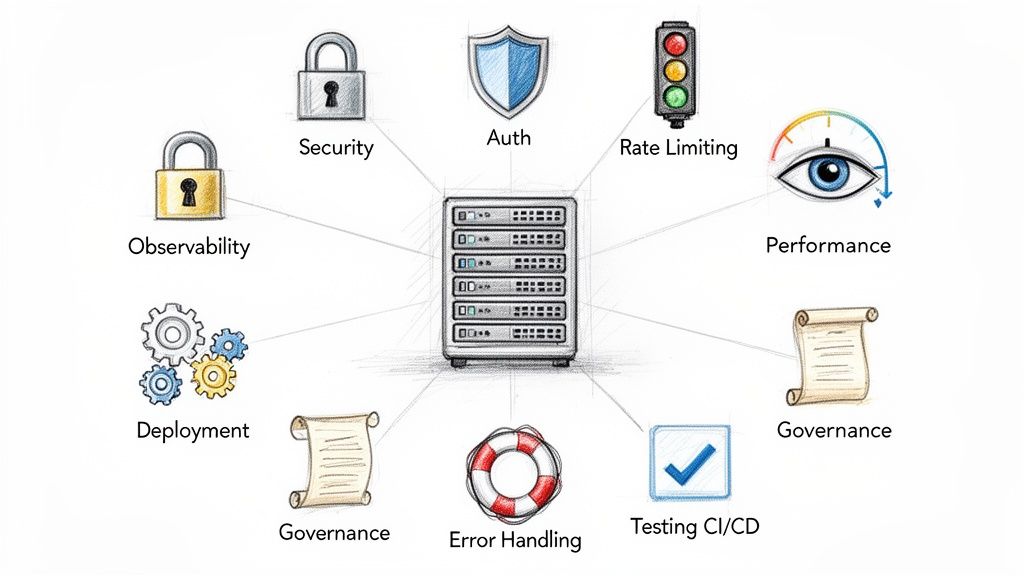
API gateways are the cornerstone of modern distributed systems, acting as the central control plane for traffic, security, and observability. But simply deploying one is not enough to guarantee success. Achieving true resilience, performance, and security requires a deliberate, engineering-driven approach that goes beyond default configurations. Getting this right prevents cascading failures, secures sensitive data, and provides the visibility needed to operate complex microservices architectures effectively.
This article moves beyond generic advice to provide a technical, actionable checklist of the top 10 API gateway best practices that high-performing DevOps and platform engineering teams implement. We will not just tell you what to do; we will show you how with specific configurations, architectural trade-offs, and recommended tooling. Our focus is on the practical application of these principles in a real-world production environment.
Prepare to dive deep into the technical specifics that separate a basic gateway setup from a production-hardened, scalable architecture. You will learn how to:
- Implement sophisticated rate-limiting algorithms to protect backend services.
- Enforce centralized, zero-trust authentication and authorization patterns.
- Build fault tolerance using circuit breakers and intelligent retry mechanisms.
- Establish a comprehensive observability stack with structured logging and distributed tracing.
Each practice is designed to be a blueprint you can directly apply to your own systems, whether you're a startup CTO building from scratch or an enterprise SRE optimizing an existing deployment. This guide provides the technical details needed to build a robust, secure, and efficient API management layer.
1. Implement Comprehensive Rate Limiting and Throttling
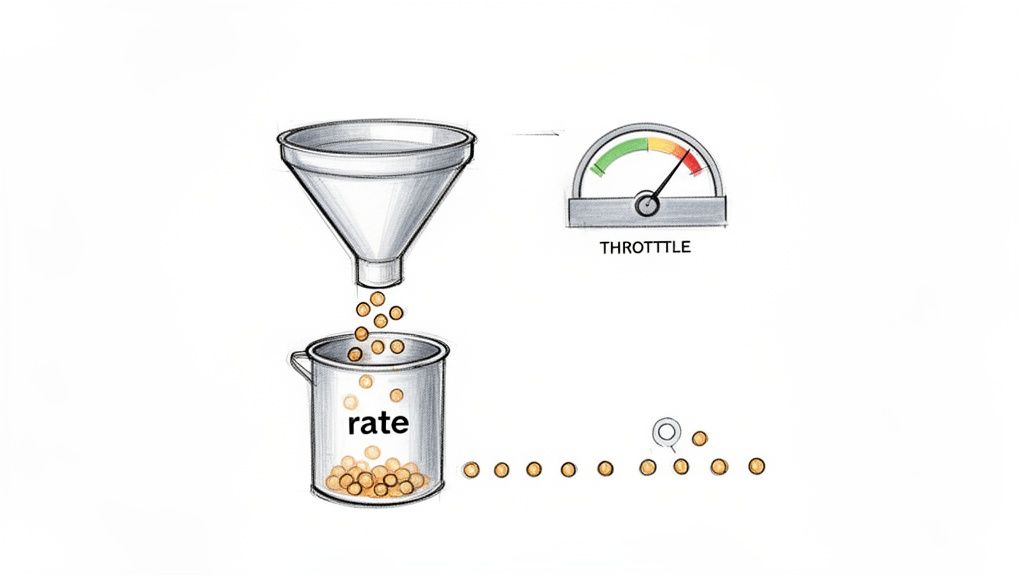
One of the most critical API gateway best practices is implementing robust rate limiting and throttling to shield backend services from traffic spikes and abuse. Rate limiting sets a hard cap on the number of requests a client can make within a specific time window, while throttling smooths out request bursts by queuing or delaying them. These controls are non-negotiable for preventing cascading failures, ensuring fair resource allocation among tenants, and maintaining service stability.
When a client exceeds a defined rate limit, the gateway must immediately return an HTTP 429 Too Many Requests status code. This clear, standardized response mechanism informs the client application that it needs to back off, preventing it from overwhelming the system.
Why It's a Top Priority
Without effective rate limiting, a single misconfigured client, a malicious actor launching a denial-of-service attack, or an unexpected viral event can saturate your backend resources. This leads to increased latency, higher error rates, and potentially a full-system outage, impacting all users. For multi-tenant SaaS platforms, this practice is foundational to guaranteeing a baseline quality of service (QoS) for every customer.
Practical Implementation and Examples
- GitHub's API uses a tiered approach based on authentication context: unauthenticated requests (identified by source IP) are limited to 60 per hour, while authenticated requests using OAuth tokens get a much higher limit of 5,000 per hour, identified by the token itself.
- AWS API Gateway allows configuration of a steady-state
rateand aburstcapacity using a token bucket algorithm. For example, a configuration ofrate: 1000andburst: 2000allows for handling brief spikes up to 2,000 requests, while sustaining an average of 1,000 requests per second. - Kong API Gateway leverages its
rate-limitingplugin, which can be configured with various algorithms (likefixed-window,sliding-window, orsliding-log) and can use a Redis cluster for a distributed counter. A typical configuration would specify limits per minute, hour, and day for a given consumer.
Actionable Tip: Always include a
Retry-Afterheader in your429responses. This header tells the client exactly how many seconds to wait before attempting another request, helping well-behaved clients to implement an effective exponential backoff strategy and reduce unnecessary retry traffic. For example:Retry-After: 30.
2. Implement Centralized Authentication and Authorization
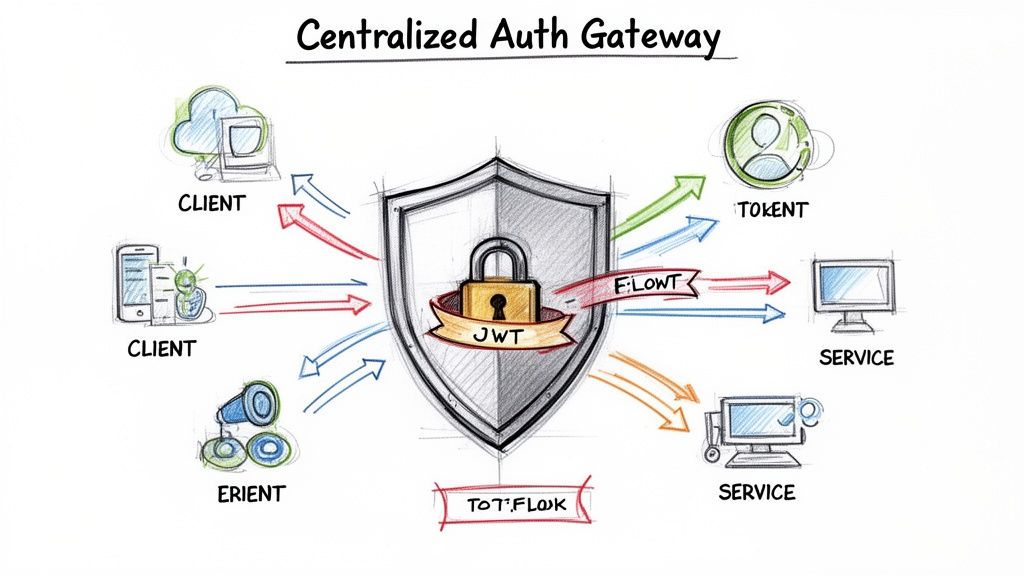
One of the most impactful API gateway best practices is to centralize authentication (AuthN) and authorization (AuthZ). This approach delegates security enforcement to the gateway, creating a single, robust checkpoint for all incoming API requests. Instead of embedding complex security logic within each downstream microservice, the gateway validates credentials, verifies identities, and enforces access policies upfront, simplifying the overall architecture and reducing the attack surface.
This model establishes the gateway as the single source of truth for identity. It typically involves standard protocols like OAuth 2.0 and OpenID Connect, using mechanisms like JSON Web Tokens (JWT) to carry identity and permission information. Once the gateway validates a token's signature, expiration, and claims, it can inject verified user information (e.g., X-User-ID, X-Tenant-ID) as HTTP headers before forwarding the request, freeing backend services to focus purely on business logic.
Why It's a Top Priority
Without centralized security, each microservice team must independently implement, test, and maintain its own authentication and authorization logic. This leads to code duplication, inconsistent security standards (e.g., different JWT validation libraries with varying vulnerabilities), and a significantly higher risk of security gaps. Centralizing this function ensures that security policies are applied uniformly, makes auditing straightforward, and allows security teams to manage policies in one place without requiring code changes in every service.
Practical Implementation and Examples
- AWS API Gateway integrates directly with AWS Cognito for user authentication and AWS IAM for fine-grained authorization using SigV4 signatures. It also provides Lambda authorizers for custom logic, such as validating JWTs from an external IdP.
- Kong Gateway uses plugins like
jwt,oauth2, andoidcto connect with identity providers (IdPs) such as Okta, Auth0, or Keycloak. It can offload all token validation and introspection from backend services. - Azure API Management can validate JWTs issued by Azure Active Directory. You can use policy expressions to check for specific claims, such as roles or scopes, and reject requests that lack the required permissions (e.g.,
<validate-jwt header-name="Authorization" failed-validation-httpcode="401"><required-claims><claim name="scp" match="any" separator=" "><value>read:users</value></claim></required-claims></validate-jwt>). For more details, see our guide on effective secrets management strategies.
Actionable Tip: Use short-lived access tokens (e.g., 5-15 minutes) combined with long-lived refresh tokens. This model, central to OAuth 2.0, minimizes the window of opportunity for a compromised token to be misused. The gateway should only be concerned with validating the access token; the client is responsible for using the refresh token to obtain a new access token from the IdP.
3. Enable API Versioning and Backward Compatibility
As APIs evolve, introducing breaking changes is inevitable. Handling this evolution gracefully is a core API gateway best practice that prevents disruptions for existing clients. API versioning at the gateway level allows you to manage multiple concurrent versions of an API, routing requests to the appropriate backend service based on version identifiers. This strategy is essential for innovating your services while maintaining stability for a diverse and established user base.
The most common versioning strategies managed by the gateway include URL pathing (/api/v2/users), custom request headers (Accept-Version: v2), or query parameters (/api/users?version=2). By abstracting this routing logic to the gateway, you decouple version management from your backend services, allowing them to focus solely on business logic.
Why It's a Top Priority
Without a clear versioning strategy, any change to an API, no matter how small, risks breaking client integrations. This forces clients to constantly adapt, creating a frustrating developer experience and potentially leading to churn. For platforms with a public API, such as a SaaS product, maintaining backward compatibility is a non-negotiable aspect of the developer contract. An API gateway provides the perfect control plane to implement and enforce this contract consistently.
Practical Implementation and Examples
- Stripe’s API famously uses a date-based version specified in a
Stripe-Versionheader (e.g.,Stripe-Version: 2022-11-15). This allows clients to pin their integration to a specific API version, ensuring that their code continues to work even as Stripe releases non-backward-compatible updates. - Twilio prefers URL path versioning (e.g.,
/2010-04-01/Accounts). The API gateway can use a simple regex match on the URL path to route the request to the backend service deployment responsible for that specific version. - AWS API Gateway can manage this through "stages." You can deploy different API specifications (e.g.,
openapi-v1.yaml,openapi-v2.yaml) to different stages (e.g.,v1,v2,beta), each with its own endpoint and backend integration configuration, providing clear separation.
Actionable Tip: Use response headers to communicate deprecation schedules. Include a
Deprecationheader with a timestamp indicating when the endpoint will be removed and aLinkheader pointing to documentation for the new version. For example:Deprecation: Tue, 24 Jan 2023 23:59:59 GMTandLink: <https://api.example.com/v2/docs>; rel="alternate". This provides clients with clear, machine-readable warnings and a timeline for migration.
4. Implement Advanced Logging and Request Tracing
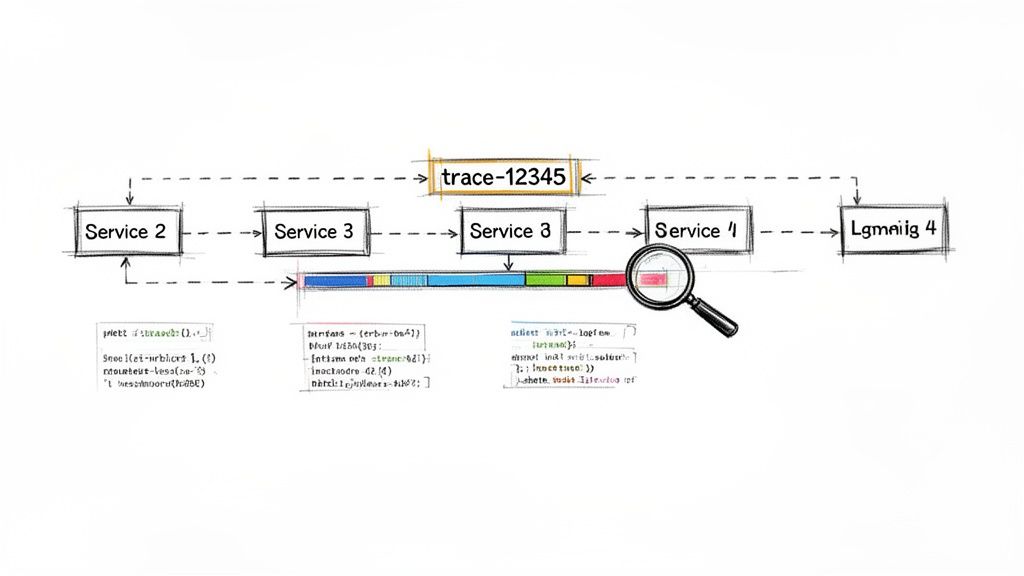
Comprehensive logging and distributed tracing at the API gateway are fundamental for gaining visibility into system behavior. This practice involves capturing detailed metadata for every request and response, including headers, payloads (sanitized), latency, and status codes. More importantly, it correlates these logs into a single, cohesive view of a request's journey across multiple microservices, which is a non-negotiable for modern distributed architectures.
This end-to-end visibility is essential for rapidly diagnosing production issues, monitoring system health, and understanding user behavior. By treating the gateway as a centralized observation point, you can debug complex, cross-service failures that would otherwise be nearly impossible to piece together.
Why It's a Top Priority
Without centralized logging and tracing, debugging becomes a time-consuming process of manually grep-ing through logs on individual services. A single user-facing error could trigger a cascade of events across a dozen backends, and without a correlation ID, linking these events is pure guesswork. This practice transforms your API gateway from a simple proxy into an intelligent observability hub, drastically reducing Mean Time to Resolution (MTTR) for incidents.
Practical Implementation and Examples
- AWS API Gateway integrates natively with CloudWatch for logging and AWS X-Ray for distributed tracing. When X-Ray is enabled, the gateway automatically injects a trace header (
X-Amzn-Trace-Id) into downstream requests made to other AWS services. - Kong API Gateway can be configured to stream logs in a structured format (JSON) to external systems like Fluentd or an ELK stack. It integrates with observability platforms like Datadog or OpenTelemetry collectors for full-stack tracing.
- Nginx, when used as a gateway, can be extended with the OpenTelemetry module to generate traces. These traces can then be sent to a backend collector like Jaeger or Zipkin for visualization and analysis. A typical log format might include
$request_idto correlate entries.
Actionable Tip: Standardize on a specific trace header across all services, preferably the W3C Trace Context specification (
traceparentandtracestate). Your gateway should be configured to generate this header if it's missing or propagate it if it already exists, ensuring every log entry from every microservice involved in a request can be correlated with a single trace ID.
5. Implement Request/Response Transformation and Validation
A powerful API gateway best practice is to offload request and response transformation and validation from backend services. The gateway acts as an intermediary, intercepting traffic to remap data structures, validate schemas, and normalize payloads before they reach the backend. This decoupling allows backend services to focus purely on business logic, while the gateway handles the "last mile" of data adaptation and integrity checks. This is invaluable when integrating legacy systems, composing services, or adapting protocols like REST to gRPC.
By handling this logic at the edge, you can evolve frontend clients and backend services independently. The gateway becomes a smart facade, ensuring that regardless of what a client sends or a service returns, the data conforms to a predefined contract. This prevents malformed data from ever hitting your core systems.
Why It's a Top Priority
Without gateway-level transformation, backend services become bloated with boilerplate code for data validation and mapping. Each time a new client requires a slightly different data format, you must modify, test, and redeploy the backend service. This creates tight coupling and slows down development cycles. Placing this responsibility on the gateway centralizes data governance, reduces backend complexity, and enables much faster adaptation to new requirements or service versions. It is a critical enabler of the "Strangler Fig" pattern for modernizing legacy applications.
Practical Implementation and Examples
- AWS API Gateway uses Mapping Templates with Velocity Template Language (VTL) to transform JSON payloads. You can define "Models" using JSON Schema to validate incoming requests against a contract, rejecting them with a
400 Bad Requestat the gateway if they don't conform. - Kong Gateway provides plugins like
request-transformerandresponse-transformer. These allow you to add, replace, or remove headers and body fields using simple declarative configuration, effectively creating a data mediation layer without custom code. - Apigee offers a rich set of transformation policies, including "Assign Message" and "JSON to XML," allowing developers to visually configure complex data manipulations and logic flows directly within the API proxy.
- MuleSoft's Anypoint Platform is built around transformation, using its proprietary DataWeave language to handle even the most complex mappings between different formats like JSON, XML, CSV, and proprietary standards.
Actionable Tip: Always version your transformation policies alongside your API versions. A change in a data mapping is a breaking change for a consumer. Tie transformation logic to a specific API version route (e.g.,
/v2/users) to ensure older clients continue to function without interruption while new clients can leverage the updated data structure. Store these transformation templates in version control.
6. Implement Circuit Breaker and Fault Tolerance Patterns
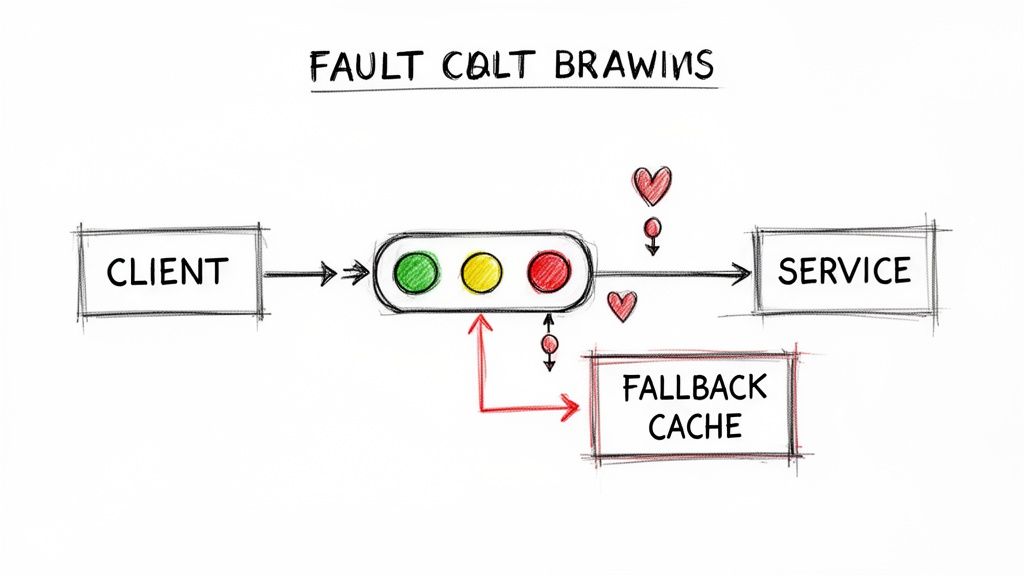
In a distributed microservices architecture, temporary service failures are inevitable. A critical API gateway best practice is to implement the circuit breaker pattern, which prevents a localized failure from cascading into a system-wide outage. This pattern monitors backend services for failures (e.g., connection timeouts, 5xx responses), and if the error rate exceeds a configured threshold, the gateway "trips" the circuit. Once open, it immediately rejects further requests to the failing service with a 503 Service Unavailable, giving it time to recover without being overwhelmed by a flood of retries.
This proactive failure management isolates faults and significantly improves the overall resilience and stability of your application. Instead of allowing requests to time out against a struggling service, the gateway provides an immediate, controlled response, such as a fallback message or data from a cache.
Why It's a Top Priority
Without a circuit breaker, client applications will continuously retry requests to a failing or degraded backend service. This not only exhausts resources on the client side (like connection pools and threads) but also exacerbates the problem for the backend, preventing it from recovering. This tight coupling of client and service health leads to brittle systems. By implementing this pattern at the gateway, you decouple the client's experience from transient backend issues, ensuring the rest of the system remains operational and responsive.
Practical Implementation and Examples
- Resilience4j, a Java library often used with Spring Cloud Gateway, can be configured to open a circuit after 50% of the last 10 requests have failed, then transition to a "half-open" state after a 60-second wait to send a single test request. If it succeeds, the circuit closes; otherwise, it remains open.
- Envoy Proxy, the foundation for many service meshes like Istio, uses its "outlier detection" feature to achieve the same goal. It can be configured to temporarily eject an unhealthy service instance from the load-balancing pool if it returns a specified number of consecutive
5xxerrors. - Kong API Gateway offers a
circuit-breakerplugin that can be applied to a service or route. You can define rules for tripping the circuit based on thresholds for consecutive failures or failure ratios, protecting your upstream services automatically.
Actionable Tip: Combine circuit breakers with active and passive health checks. The gateway should actively poll a dedicated endpoint (e.g.,
/healthz) on the backend service. The circuit breaker's logic can use this health status as a primary signal, allowing it to trip pre-emptively before requests even begin to fail, leading to faster fault detection. This is also a core principle of chaos engineering, where you intentionally test these failure modes.
7. Implement Comprehensive Monitoring and Alerting
You cannot manage what you do not measure. Implementing comprehensive monitoring and alerting is a foundational API gateway best practice for transforming your gateway from a black box into a transparent, observable system. This involves continuously tracking key performance indicators (KPIs) like request rates, error rates (by status code family, e.g., 4xx/5xx), latency percentiles (p50, p95, p99), and upstream service health. This data provides the visibility needed to detect issues proactively, often before they impact end-users.
When a metric crosses a predefined threshold, an integrated alerting system should automatically notify the appropriate on-call team via PagerDuty, Slack, or another tool. This immediate feedback loop is critical for maintaining service reliability, upholding service-level agreements (SLAs), and enabling rapid incident response.
Why It's a Top Priority
Without robust monitoring, performance degradation and outages become silent killers. A gradual increase in p99 latency or a spike in 5xx errors might go unnoticed until customer complaints flood your support channels. Proactive monitoring allows you to identify anomalies, correlate them with recent deployments or traffic patterns, and diagnose root causes swiftly. It’s the cornerstone of maintaining high availability and a positive user experience, providing the data needed for intelligent capacity planning and performance tuning.
Practical Implementation and Examples
- Prometheus + Grafana is a popular open-source stack. You can configure your API gateway (like Kong or Traefik) to expose metrics in a Prometheus-compatible format on a
/metricsendpoint. Then, build detailed Grafana dashboards to visualize latency heatmaps, error budgets, and request volumes per route. - Datadog APM provides out-of-the-box integrations for many gateways like AWS API Gateway. It can automatically trace requests from the gateway through to backend services, making it easy to pinpoint bottlenecks and set up sophisticated, multi-level alerts based on anomaly detection algorithms.
- AWS CloudWatch is the native solution for AWS API Gateway. You can create custom alarms based on metrics like
Latency,Count, and4XXError/5XXError. For instance, you can set an alarm to trigger if the p95 latency for a specific route exceeds 200ms for more than five consecutive one-minute periods.
Actionable Tip: Focus on business-aligned metrics and Service Level Objectives (SLOs). Instead of just alerting when CPU is high, define an SLO like "99.5% of
/loginrequests must be served in under 300ms over a 28-day window." Then, configure your alerts to fire when your error budget for that SLO is being consumed too quickly. This directly ties system performance to user impact.
8. Implement CORS and Security Headers Management
Managing Cross-Origin Resource Sharing (CORS) and security headers at the API gateway layer is a foundational best practice for securing web applications. CORS policies dictate which web domains are permitted to access your APIs from a browser, preventing unauthorized cross-site requests. Simultaneously, security headers like Strict-Transport-Security (HSTS), Content-Security-Policy (CSP), and X-Content-Type-Options instruct browsers on how to behave when handling your site's content, mitigating common attacks like cross-site scripting (XSS) and clickjacking.
By centralizing this control at the gateway, you enforce a consistent security posture across all downstream services. This approach eliminates the need for each microservice to manage its own security headers and CORS logic, simplifying development and reducing the risk of inconsistent or missing protections.
Why It's a Top Priority
Without proper CORS management, malicious websites could potentially make requests to your APIs from a user's browser, exfiltrating sensitive data. Similarly, a lack of security headers leaves your application vulnerable to a host of browser-based attacks. Centralizing these controls at the gateway ensures that no API is accidentally deployed without these critical safeguards, which is a key part of any robust API security strategy. This also prevents security misconfiguration where individual services might have overly permissive settings.
Practical Implementation and Examples
- AWS API Gateway provides built-in CORS configuration options, allowing you to specify
Access-Control-Allow-Origin,Access-Control-Allow-Methods, andAccess-Control-Allow-Headersfor REST and HTTP APIs. - Kong Gateway uses its powerful CORS plugin to apply granular policies. You can enable it globally or on a per-service or per-route basis, defining specific allowed origins with regex patterns for dynamic environments like development feature branches (e.g.,
https://*.dev.example.com). - NGINX can be configured as a gateway to inject security headers into all responses using the
add_headerdirective within a server or location block. For example:add_header Strict-Transport-Security "max-age=31536000; includeSubDomains" always;. This setup acts similarly to a reverse proxy configuration where the gateway fronts your backend services.
Actionable Tip: Never use a wildcard (
*) forAccess-Control-Allow-Originin a production environment where credentials (cookies, auth headers) are sent. Always specify the exact domains that should have access. A wildcard allows any website on the internet to make requests to your API from a browser, nullifying the security benefit of CORS.
9. Implement API Analytics and Usage Insights
Beyond simple operational monitoring, a core API gateway best practice is to capture detailed analytics and usage insights. This involves collecting, processing, and visualizing data on how consumers interact with your APIs, transforming raw request logs into strategic business intelligence. This data reveals popular endpoints, identifies top consumers (by API key), tracks feature adoption, and provides a clear view of performance trends over time, enabling data-driven product and engineering decisions.
By treating your API as a product, the gateway becomes the primary source of truth for understanding its performance and value. It answers critical questions like "Which API versions are still in use?", "Which customers are approaching their rate limits?", and "Did latency on the /checkout endpoint increase after the last deployment?".
Why It's a Top Priority
Without dedicated API analytics, you are operating blindly. You cannot effectively plan for future capacity needs, identify opportunities for new features, or proactively engage with customers who are either struggling or demonstrating high-growth potential. It becomes impossible to measure the business impact of your APIs, justify future investment, or troubleshoot complex issues related to specific usage patterns. Effective analytics turns your API gateway from a simple traffic cop into a powerful business insights engine.
Practical Implementation and Examples
- Stripe's API Dashboard provides merchants with detailed analytics on API request volume, error rates, and latency, allowing them to monitor their integration's health and usage patterns directly.
- AWS API Gateway integrates with CloudWatch to provide metrics and logs, which can be further analyzed using services like Amazon QuickSight or OpenSearch. It also offers usage plans that track API key consumption against quotas, feeding directly into billing and business analytics.
- Apigee (Google Cloud) offers a powerful, built-in analytics suite that allows teams to create custom reports and dashboards to track API traffic, latency, error rates, and even business-level metrics like developer engagement or API product monetization.
Actionable Tip: Define your Key Performance Indicators (KPIs) before you start collecting data. Align metrics with business objectives by tracking both technical data (p99 latency, error rate) and business data (active consumers, API call volume per pricing tier, feature adoption rate). Structure your gateway logs as JSON so this data can be easily parsed and ingested by your analytics platform.
10. Implement API Documentation and Developer Portal
An often-overlooked yet vital API gateway best practice is to treat your APIs as products by providing a comprehensive developer portal and interactive documentation. The gateway is the ideal place to centralize and automate this process, as it has a complete view of your API landscape. A well-designed portal serves as the front door for developers, offering everything they need to discover, understand, test, and integrate with your services efficiently.
This includes automatically generated, interactive documentation from OpenAPI/Swagger specifications, detailed guides, code samples, and self-service API key management. By making APIs accessible and easy to use, you significantly reduce the friction for adoption, decrease support overhead, and foster a healthy developer ecosystem.
Why It's a Top Priority
Without a centralized, high-quality developer portal, API consumers are left to piece together information from outdated wikis, internal documents, or direct support requests. This creates a frustrating developer experience, slows down integration projects, and can lead to incorrect API usage. A great portal not only accelerates time-to-market for consumers but also acts as a critical tool for governance, ensuring developers are using the correct, most current versions of your APIs.
Practical Implementation and Examples
- Stripe's Developer Portal is a gold standard, offering interactive API documentation where developers can make real API calls directly from the browser, alongside extensive guides and recipes for common use cases.
- Twilio's Developer Portal provides robust SDKs in multiple languages, quickstart guides, and a comprehensive API reference, making it exceptionally easy for developers to integrate their communication APIs.
- AWS API Gateway can export its configuration as an OpenAPI specification, which can then be used by tools like Swagger UI to render documentation. AWS also offers a managed developer portal feature.
- SwaggerHub and tools like Redocly allow teams to collaboratively design and document APIs using the OpenAPI specification, then publish them to polished, professional-looking portals that can be hosted independently or integrated with a gateway.
Actionable Tip: Automate your documentation lifecycle. Integrate your CI/CD pipeline to generate and publish OpenAPI specifications to your developer portal whenever an API is updated. Your pipeline should treat the API spec as an artifact. A failure to generate a valid spec should fail the build, ensuring documentation is never out of sync with the actual implementation.
10-Point API Gateway Best Practices Comparison
| Practice | Implementation complexity | Resource requirements | Expected outcomes | Ideal use cases | Key advantages |
|---|---|---|---|---|---|
| Implement Comprehensive Rate Limiting and Throttling | Medium — requires algorithms and distributed coordination | Medium — gateway config, state store (Redis), monitoring | Prevents spikes/DDoS; protects backend stability | Multi-tenant SaaS, public APIs with variable traffic | Protects backend; enforces fair usage |
| Implement Centralized Authentication and Authorization | High — integrates identity protocols and providers | High — IdPs, token stores, PKI/mTLS, security expertise | Consistent access control and auditability across APIs | Enterprises, multi-tenant platforms, compliance-driven systems | Single security enforcement point; simpler policy updates |
| Enable API Versioning and Backward Compatibility | Medium — routing and lifecycle management | Low–Medium — gateway routing rules, documentation effort | Safe API evolution with minimal client disruption | APIs with many external clients or long-term integrations | Enables gradual migration; preserves backward compatibility |
| Implement Advanced Logging and Request Tracing | High — distributed tracing design and correlation | High — storage, tracing/telemetry tools (OTel, Jaeger), expertise | End-to-end visibility for debugging and performance tuning | Distributed microservices, incident response, observability initiatives | Faster root-cause analysis; performance insights |
| Implement Request/Response Transformation and Validation | Medium — mapping rules and schema enforcement | Medium — CPU for transformations, config management | Decouples clients from backends; standardized payloads | Legacy integration, protocol translation, API evolution | Reduces backend changes; enforces data consistency |
| Implement Circuit Breaker and Fault Tolerance Patterns | Medium — health checks, state machines, retries | Medium — health probes, caching/fallback stores, monitoring | Prevents cascading failures; enables graceful degradation | Systems with flaky dependencies or high reliability needs | Improves resilience; reduces wasted requests to failing services |
| Implement Comprehensive Monitoring and Alerting | Medium — metrics design and alerting strategy | Medium–High — metrics pipeline, dashboards, on-call tooling | Proactive detection and SLA/SLO tracking | Production services with SLOs and capacity planning needs | Reduces MTTD; supports data-driven scaling |
| Implement CORS and Security Headers Management | Low–Medium — header and TLS configuration | Low — gateway config, certificate management | Safer browser-based API consumption; consistent security posture | Web APIs and browser clients | Prevents cross-origin abuse; enforces security policies centrally |
| Implement API Analytics and Usage Insights | Medium — event collection and reporting pipelines | High — data storage, analytics platform, privacy controls | Business and usage insights for product and monetization | Usage-based billing, product optimization, customer success | Drives product decisions; identifies high-value users |
| Implement API Documentation and Developer Portal | Medium — spec generation and portal tooling | Medium — hosting, SDK generation, sandbox environment | Faster onboarding and reduced support load | Public APIs, partner ecosystems, developer-focused products | Improves adoption; enables self-service integration |
From Theory to Production: Operationalizing Your Gateway Strategy
Navigating the intricate landscape of API gateway best practices can feel like assembling a complex puzzle. We've journeyed through ten critical pillars, from establishing robust rate limiting and centralized authentication to implementing advanced observability with tracing, logging, and analytics. Each practice, whether it's managing API versioning, enforcing security headers, or enabling a seamless developer portal, represents a vital component in constructing a resilient, secure, and scalable API ecosystem.
The core takeaway is this: an API gateway is far more than a simple traffic cop. When configured with intention, it becomes the central nervous system of your microservices architecture. It enforces your security posture, guarantees service reliability through patterns like circuit breaking, and provides the invaluable usage insights needed for strategic business decisions. It's the critical control plane that unlocks true operational excellence and accelerates developer velocity.
Moving from Checklist to Implementation
Merely understanding these concepts is the first step; the real value is unlocked through disciplined operationalization. Your goal should be to transform this checklist into a living, automated, and continuously improving system.
- Embrace Infrastructure-as-Code (IaC): Your gateway configuration, including routes, rate limits, and security policies, should be defined declaratively using tools like Terraform, Ansible, or custom Kubernetes operators. This approach eliminates configuration drift, enables peer reviews for changes, and makes your gateway setup reproducible and auditable.
- Integrate into CI/CD: Gateway configuration changes must flow through your CI/CD pipeline. Automate testing for new routes, validate policy syntax, and perform canary or blue-green deployments for gateway updates to minimize the blast radius of any potential issues.
- Prioritize a Monitoring-First Culture: Your gateway is the perfect vantage point for observing your entire system. The metrics, logs, and traces it generates are not "nice-to-haves"; they are essential. Proactively build dashboards and set up precise alerts for latency spikes, error rate increases (especially 5xx errors), and authentication failures.
The Strategic Value of a Well-Architected Gateway
Mastering these API gateway best practices yields compounding returns. A well-implemented gateway doesn't just prevent outages; it builds trust with your users and partners by delivering a consistently reliable and secure experience. It empowers your development teams by abstracting away cross-cutting concerns, allowing them to focus on building business value instead of reinventing security and traffic management solutions for every service.
Ultimately, your API gateway strategy is a direct reflection of your platform's maturity. By investing the effort to implement these best practices, you are not just managing APIs; you are building a strategic asset that provides a competitive advantage, enhances your security posture, and lays a scalable foundation for future innovation. The journey from a basic proxy to a sophisticated control plane is a defining step in engineering excellence.
Ready to implement these advanced strategies but need the specialized expertise to get it right? OpsMoon connects you with the top 0.7% of elite DevOps and platform engineers who specialize in architecting, deploying, and managing scalable, secure API infrastructures. Start with a free work planning session at OpsMoon to map your journey from theory to a production-ready, resilient API ecosystem.