
The Ultimate 2025 Software Deployment Checklist Template Roundup
 By opsmoon
Download our comprehensive software deployment checklist template. We review 7 top options from GitHub, Atlassian, & more for flawless releases.

Shipping code is easy. Shipping code reliably, safely, and repeatedly is where the real engineering begins. A haphazard deployment process, riddled with manual steps, forgotten environment variables, and last-minute IAM role chaos, inevitably leads to downtime, frantic rollbacks, and eroded user trust. The antidote is not more heroism; it is a robust, battle-tested checklist. A great software deployment checklist template transforms a high-stakes art into a repeatable science. It enforces rigor, ensures accountability, and provides a single source of truth when pressure is highest.
This process excellence is not confined to just the deployment phase. To achieve flawless deployments, it is crucial to understand the broader utility of structured planning; for instance, comprehensive work plan templates can serve as your project's blueprint, ensuring alignment long before code is ready to ship. By standardizing procedures from project inception to final release, you create a culture of predictability and control, which is the foundation of modern DevOps.
This guide cuts through the noise to showcase seven production-grade software deployment checklist template solutions, from collaborative canvases in Miro to version-controlled Markdown files in GitHub. We will dissect their strengths, weaknesses, and ideal use cases, helping you find the perfect framework to standardize your releases. Each entry includes direct links and screenshots to help you quickly assess its fit for your team's workflow. Our goal is to equip you with a tangible asset to eliminate deployment anxiety for good.
1. Atlassian Confluence Templates (DevOps/ITSM Runbooks)
For teams already embedded in the Atlassian ecosystem, leveraging Confluence for a software deployment checklist template is a natural and powerful choice. Instead of a standalone spreadsheet or document, Confluence offers structured, reusable page templates specifically designed as DevOps and ITSM runbooks. This approach integrates deployment documentation directly into the workflows where development, planning, and incident management already live.
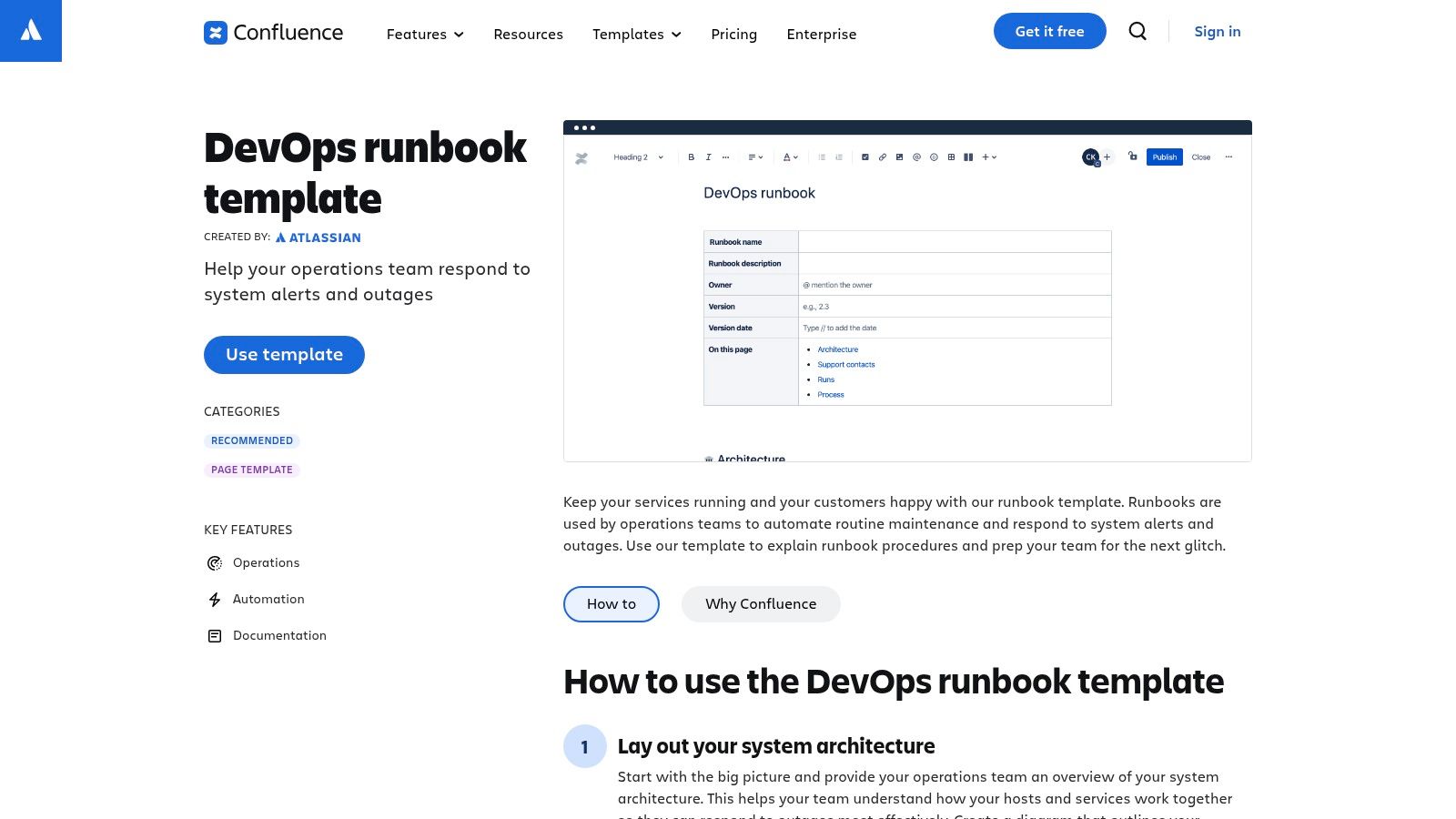
The key advantage is context. A deployment checklist in Confluence can be directly linked from a Jira Software epic or a Jira Service Management change request ticket, providing a seamless "single source of truth." This tight integration ensures that the pre-deployment approvals, the deployment steps, and the post-deployment validation are all tied to the specific work item being delivered.
Core Features and Technical Integration
Confluence templates are more than just text documents; they are dynamic pages with rich formatting capabilities. You can embed diagrams, code blocks with syntax highlighting, and tables to structure your checklist.
- Purpose-Built Structure: The official DevOps runbook template includes pre-defined sections for system architecture, operational procedures, communication plans, and rollback steps. This provides a battle-tested starting point that ensures critical information is not overlooked.
- Version Control and Permissions: Every change to a runbook is versioned, providing a clear audit trail. You can see who modified a step and when, which is crucial for incident post-mortems and process improvement. Access controls allow you to restrict editing rights to specific teams, such as SREs or senior engineers.
- Jira Integration: The standout feature is the native link to Jira. You can embed Jira issue macros directly into your checklist, showing real-time status updates for related tasks or incidents. This turns a static checklist into a dynamic dashboard for a deployment.
- Collaboration: Teams can comment directly on checklist items, @-mention colleagues to assign tasks or ask questions, and collaboratively edit the document in real time. This is invaluable during a high-stakes deployment where clear communication is essential.
Pro Tip: Create a master "Deployment Runbook Template" and use Confluence's "Create from template" macro on a team's overview page. This allows engineers to instantly spin up a new, standardized checklist for each release, ensuring consistency across all deployments.
The platform's design supports various software deployment strategies, allowing you to customize templates for canary, blue-green, or rolling deployments. While it requires a Confluence subscription (with a free tier for up to 10 users), the value for established Atlassian users is immense, centralizing operational knowledge and streamlining execution.
Website: Atlassian Confluence DevOps Runbook Template
2. Asana Templates – Software & System Deployment
For teams that prioritize project management and cross-functional coordination, Asana offers a pre-built software deployment checklist template that excels at providing visibility for both technical and non-technical stakeholders. Unlike developer-centric tools, Asana frames the deployment process as a manageable project, with clear tasks, assignees, and deadlines. This approach is ideal for releases that require significant coordination with marketing, sales, and support teams.
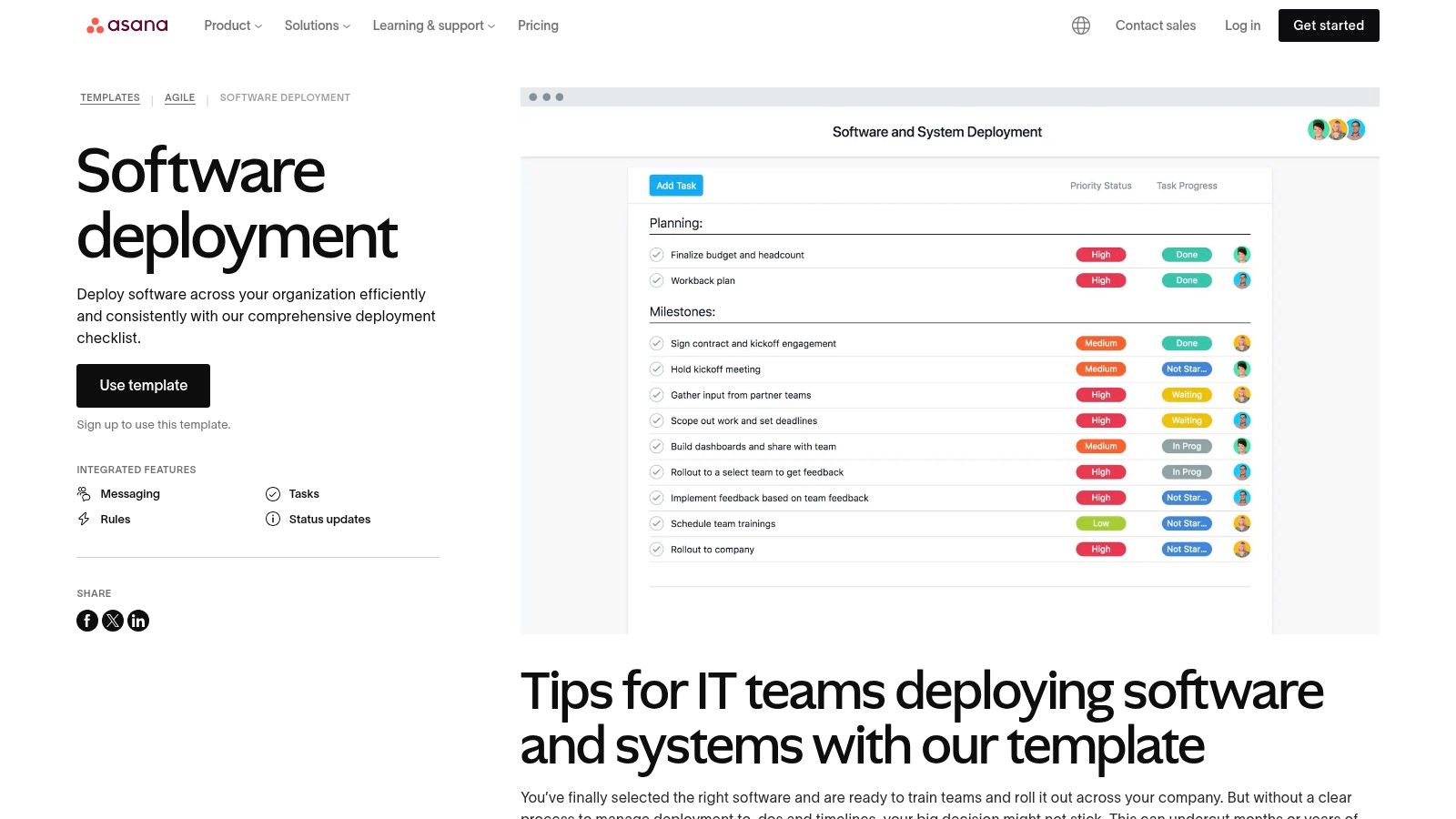
The primary advantage of using Asana is its ability to centralize communication and track progress in a universally understood format. While a developer might execute a script, the Asana task "Run database migration script on production" can be checked off, automatically notifying the product manager and support lead. This makes it an excellent tool for orchestrating the entire release lifecycle, not just the technical execution.
Core Features and Technical Integration
Asana’s template is designed for action-oriented project management, translating a complex deployment into a series of assignable tasks. The platform's strength lies in its visualization and automation capabilities, which help keep multifaceted rollouts on track.
- Pre-built Task Structure: The "Software and System Deployment" template comes with pre-populated sections for Pre-Deployment, Deployment Day, and Post-Deployment. This provides a logical framework that teams can immediately customize with their specific technical steps and validation checks.
- Automation Rules: On paid plans, you can create rules to streamline workflows. For example, marking a "Code Freeze" task as complete can automatically move the project to the "Pre-Deployment Testing" stage and assign QA engineers their verification tasks.
- Cross-functional Visibility: Features like Timeline (Gantt chart), Workload, and Dashboards provide high-level views of the deployment schedule and resource allocation. This is invaluable for CTOs and project managers who need to communicate release status to leadership.
- Robust Integrations: Asana connects with over 100 tools. You can link a deployment project to a specific Slack channel for real-time updates, attach Google Docs with technical notes, or even create tasks directly from Zendesk tickets related to the new release.
Pro Tip: Use Asana Forms to create a standardized "Release Request" intake process. When a team submits a new release through the form, it can automatically generate a new deployment project from your customized template, pre-filling key details and assigning the initial planning tasks.
While Asana isn't a substitute for a CI/CD pipeline or a technical runbook, it serves as the coordinating layer on top. It's particularly effective for complex rollouts involving multiple teams. The platform operates on a per-seat pricing model, which can become costly as teams grow, and some users have noted friction during plan upgrades, so it’s wise to review plan details carefully.
Website: Asana Software and System Deployment Template
3. Miro + Miroverse (Deployment Plan and Checklist boards)
For teams that thrive on visual collaboration, Miro presents a dynamic and interactive alternative to traditional document-based checklists. Instead of linear text files, Miro provides an infinite canvas where a software deployment checklist template becomes a collaborative, living dashboard. The Miroverse community library contains numerous pre-built deployment plan templates that serve as excellent starting points, designed for real-time coordination during go-live events, war rooms, and deployment rehearsals.
The primary advantage of Miro is its ability to facilitate simultaneous input from cross-functional teams. During a high-pressure deployment, engineers, QAs, product managers, and communication specialists can all view and update the same board in real-time. This visual approach helps to instantly clarify dependencies, track progress with virtual sticky notes, and centralize all operational communication in one place, moving beyond static spreadsheets or documents.
Core Features and Technical Integration
Miro’s canvas-based templates are highly adaptable, allowing teams to build complex workflows that mirror their specific deployment processes. The platform combines visual planning with powerful integrations to connect the checklist to underlying development tools.
- Visual and Flexible Structure: Community templates often include swimlanes for pre-deployment checks, a runbook with sequential steps, communication plans, and rollback procedures. Tasks can be represented as cards, which can be dragged and dropped between stages like "To Do," "In Progress," and "Done."
- Real-Time Collaboration: The platform excels at live, synchronous editing. Multiple users can co-edit the board, leave comments, use @-mentions to tag team members for specific tasks, and use virtual pointers to guide discussions during a deployment call. This is invaluable for remote or distributed teams.
- Jira and Azure DevOps Integration: Miro boards can be supercharged with two-way integrations. You can import Jira issues or Azure DevOps work items directly onto the canvas as cards. Updating a card's status in Miro can automatically update the corresponding ticket in Jira, bridging the gap between high-level planning and the source-of-truth ticketing system.
- Extensive Template Library (Miroverse): The Miroverse offers a wide range of community-created templates. While this provides great variety, it's important to vet these templates and adapt them to your organization's specific compliance and operational standards before adoption.
Pro Tip: Use Miro's timeline or dependency mapping features to visually chart out the sequence of deployment tasks. This helps identify potential bottlenecks and critical path activities, which is especially useful when rehearsing a complex migration or a multi-service release.
Miro offers a free plan with limited boards, making it accessible for small teams to try. Paid plans unlock unlimited boards and advanced features. The canvas format may feel less structured for those accustomed to rigid spreadsheets, but for teams needing a collaborative hub for live deployment coordination, it is an exceptionally powerful tool.
Website: Miro Deployment Plan Templates
4. ClickUp Templates (checklist templates and release management)
For teams seeking an all-in-one productivity platform, ClickUp offers a highly flexible and customizable way to build a software deployment checklist template. Rather than being a dedicated DevOps tool, ClickUp’s strength lies in its ability to integrate deployment checklists directly into the project management fabric where tasks, sprints, and documentation are already managed. This approach allows engineering teams to treat deployments as structured, repeatable tasks within their existing workflows.
The key advantage of ClickUp is its modularity. You can create a simple checklist within a task, a detailed procedure in a ClickUp Doc, or a full-blown release management pipeline using Lists and Board views. This adaptability makes it suitable for teams of all sizes, from startups standardizing their first deployment process to larger organizations looking for a unified platform to manage complex release cycles.
Core Features and Technical Integration
ClickUp templates are not just static documents; they are powerful, automatable building blocks for creating robust operational workflows. You can save checklists, tasks, Docs, and entire project spaces as templates for instant reuse.
- Layered Template System: ClickUp allows you to create templates at multiple levels. You can have a simple "Pre-Deployment Checklist" template for subtasks, a "Deployment Runbook" Doc template with rich text and embedded tasks, or a full "Release Sprint" List template that includes all stages from QA to production.
- Automation: This is a standout feature. You can create rules like, "When a task is moved to the 'Ready for Deployment' status, automatically apply the 'Production Deployment Checklist' template." This enforces process consistency and eliminates manual setup, ensuring no steps are missed.
- Custom Fields and Statuses: You can add custom fields to your deployment tasks to track things like the release version, target environment (e.g., staging, production), or the lead engineer. Custom statuses allow you to create a visual pipeline (e.g., "Pre-Flight Checks," "Deployment in Progress," "Post-Deploy Monitoring") that perfectly matches your team's process.
- Dependencies and Task Relationships: You can set dependencies between checklist items, ensuring that, for example, "Run Database Migrations" must be completed before "Switch DNS" can begin. This is critical for orchestrating complex deployments with ordered steps.
Pro Tip: Use ClickUp's Forms to create a "New Release Request" form. When submitted, it can automatically create a new deployment task and apply your standardized checklist template, pre-populating details like the version number and requested deployment window from the form.
The platform is designed to be a central hub, and its flexibility supports the entire process to deploy to production in a structured manner. While you may need to assemble your ideal checklist from scratch using ClickUp's components, the power to automate and integrate it into your core project management is a significant advantage. The free plan is very generous, with checklist templates available to all users, making it an accessible starting point.
Website: ClickUp Templates
5. Smartsheet (Template Gallery and project templates)
For teams where project management offices (PMOs) or change management leaders drive the deployment process, Smartsheet offers a powerful, spreadsheet-centric approach. Instead of a documentation-focused tool, Smartsheet treats deployment as a project plan, making it ideal for managing dependencies, tracking progress against timelines, and providing high-level stakeholder reporting. While there isn't one official "software deployment checklist template," its robust template gallery provides numerous project plans that are easily adapted for go-live activities.
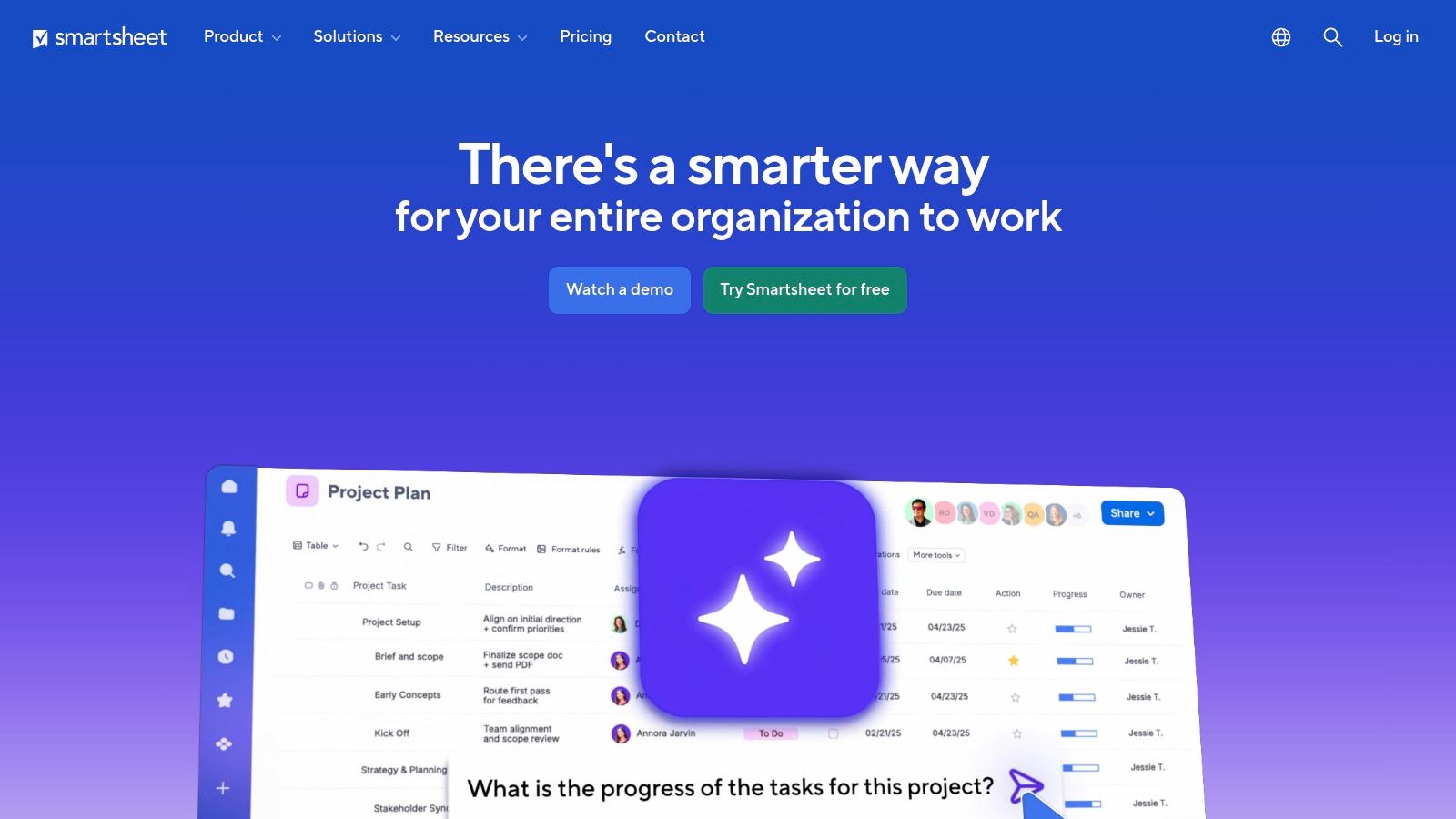
The primary advantage of Smartsheet is its ability to blend the familiarity of a spreadsheet with advanced project management capabilities. Each checklist item can have assigned owners, start/end dates, dependencies, and status fields. This structured data then feeds into multiple views like Gantt charts for timeline visualization, Kanban boards for task management, and calendars for scheduling, all derived from the same source sheet. This makes it exceptionally strong for coordinating complex cutovers with many moving parts and communicating status to non-technical stakeholders.
Core Features and Technical Integration
Smartsheet excels at transforming a static checklist into an interactive, automated project plan. The platform is designed for cross-functional visibility, making it a favorite for enterprise-level change control and release management.
- Multi-View Functionality: A single sheet containing your deployment checklist can be instantly rendered as a Gantt chart to visualize critical path dependencies, a card view to track tasks through stages (e.g., "To Do," "In Progress," "Complete"), or a calendar view for key milestones.
- Automation and Alerts: You can build automated workflows directly into your checklist. For example, automatically notify the QA lead via Slack or Teams when all pre-deployment checks are marked "Complete," or create an alert if a critical task becomes overdue. This reduces manual overhead and ensures timely communication.
- Dashboards and Reporting: Smartsheet’s dashboarding feature is a key differentiator. You can create real-time "Go-Live Readiness" dashboards that pull data from your checklist, showing overall progress, blocking issues, and RAG (Red/Amber/Green) status for key phases. This provides executives with a clear, at-a-glance view without needing to dive into the technical details.
- Forms for Data Intake: Use Smartsheet Forms to standardize requests for deployment or to collect post-deployment validation results. Submitted forms automatically populate new rows in your checklist sheet, ensuring all necessary information is captured consistently.
Pro Tip: Start with a "Project with Gantt & Dependencies" template. Customize the columns to include fields like "Assigned Engineer," "Validation Method," "Rollback Procedure," and "Status." Save this customized sheet as a new company-specific template named "Standard Software Deployment Plan" to ensure all teams follow the same rigorous process.
While Smartsheet's strength is project orchestration rather than deep technical integration like CI/CD triggers, its structured approach is invaluable for regulated industries or large enterprises. The pricing model is per-user and can become costly for extensive engineering teams, but for coordinating deployments across business, IT, and engineering, its value in clear communication and tracking is significant.
Website: Smartsheet Template Gallery
6. Template.net – Application Deployment Checklist
For teams that require a traditional, document-based software deployment checklist template, Template.net offers a straightforward and rapid solution. Instead of integrating with a complex ecosystem like Jira or GitHub, this platform provides professionally formatted, downloadable documents in various formats like Microsoft Word, Google Docs, and PDF. This approach is ideal for organizations that rely on formal documentation for change management approvals, compliance audits, or stakeholder communication where a static, printable artifact is required.
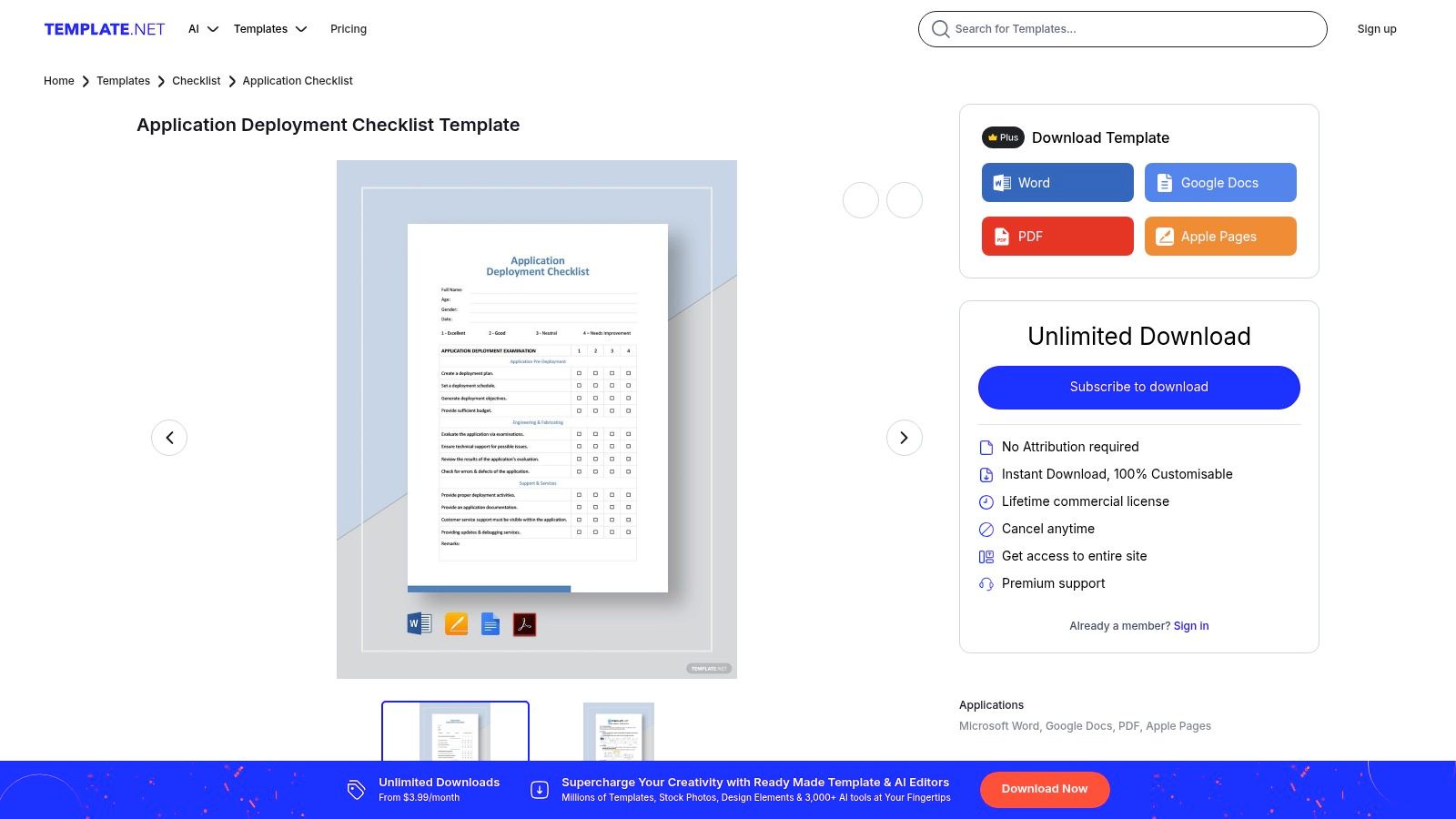
The primary advantage of Template.net is speed and simplicity. It serves as the fastest route from needing a checklist to having a polished document ready to be filled out and attached to a change request ticket in a system like ServiceNow or Remedy. This is particularly useful for teams that are not deeply integrated into a specific project management tool or for one-off projects where setting up a complex template system would be overkill.
Core Features and Technical Integration
Template.net focuses on providing editable, well-structured document templates that can be quickly customized and exported. While it lacks the dynamic integration of other platforms, its strength lies in its universal compatibility and ease of use for creating offline or standalone records.
- Multiple File Formats: The platform provides its Application Deployment Checklist in universally accessible formats, including
.docx(Word), Google Docs,.pdf, and Apple Pages. This ensures anyone on the team, regardless of their preferred software, can access and edit the checklist. - Pre-Formatted Structure: The templates come with a logical, pre-built structure that includes sections for project details, pre-deployment checks (e.g., code merge, environment sync), deployment steps, and post-deployment validation. This provides a solid baseline that covers essential phases of a release cycle.
- Online Editor and Customization: Users can make quick edits directly in Template.net’s web-based editor before downloading. This allows for immediate customization, such as adding company branding, modifying checklist items specific to an application, or assigning roles without needing to open a separate word processor first.
- Print-Ready Design: The templates are designed to be immediately printable or shareable as a PDF attachment. The clean layout ensures that the checklist is easy to read and follow during a manual deployment process or when reviewed by a change advisory board (CAB).
Pro Tip: Download the checklist in your preferred format (e.g., Google Docs) and use it as a master template. For each new release, make a copy and save it in a shared team drive folder named after the release version. This creates a simple, file-based audit trail for all deployments.
While the service offers a vast library of templates, it operates on a subscription model. It's crucial for teams to carefully review the subscription terms and user reviews, as the platform is geared toward document creation rather than dynamic, integrated DevOps workflows. It excels at fulfilling the need for a formal, static document trail.
Website: Template.net Application Deployment Checklist
7. GitHub – Open-source Deployment/Production-Readiness Checklists
For development teams that live and breathe Git, using GitHub to host a software deployment checklist template is a powerful, code-centric approach. Instead of a separate tool, GitHub repositories and Gists offer Markdown-based checklists that can be version-controlled, forked, and integrated directly into the pull request and release workflows. This method treats your operational readiness documentation as code ("Docs-as-Code"), making it auditable and collaborative.
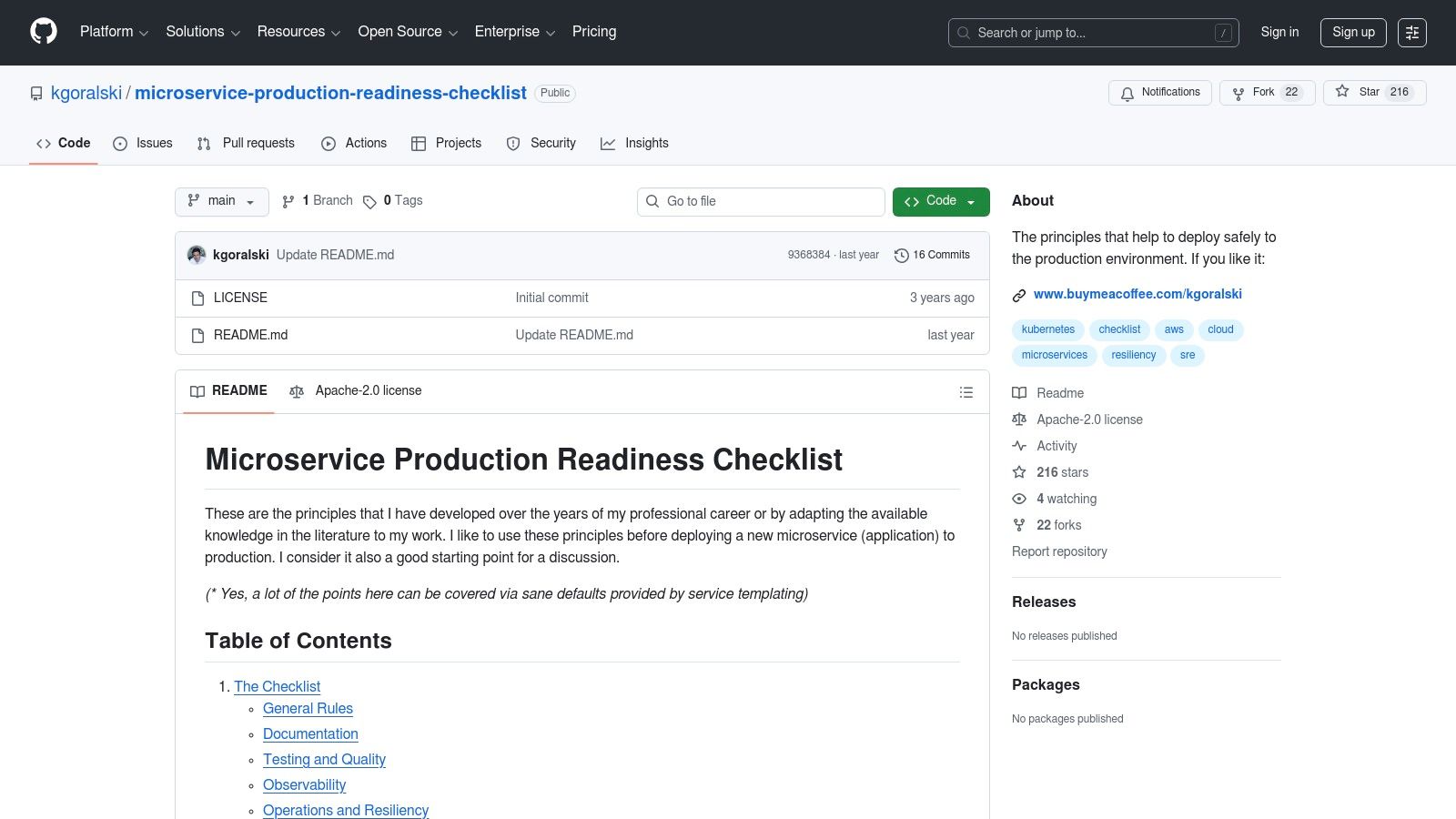
The primary advantage is workflow alignment. A Markdown checklist template can be included in a pull request template, forcing developers to confirm that their changes meet production standards before merging. This shifts quality and operational checks "left," making deployment readiness a core part of the development cycle, not an afterthought. The open-source nature means you can adopt and adapt battle-tested checklists from the wider engineering community.
Core Features and Technical Integration
Markdown on GitHub is surprisingly dynamic, allowing for more than just static text. Checklists can be interactive and integrated with project management tooling.
- Markdown Checklists as Code: Using standard Markdown syntax (
- [ ]), you can create interactive checklists. When embedded in a pull request description or an issue, these become tickable items, providing a clear visual indicator of completed steps. - Version Control with Git: Every change to your checklist is a commit. This creates an immutable, auditable history of your deployment procedures. You can see who changed a rollback step and why, which is invaluable for process refinement and compliance.
- Pull Request & Issue Integration: By creating a
.githubdirectory in your repository, you can define standard pull request and issue templates that automatically include your deployment checklist. This ensures no new feature is merged without passing critical pre-deployment checks. - Community-Driven Templates: GitHub is home to countless open-source repositories offering comprehensive checklists. These often cover specific domains like microservices, security hardening, or infrastructure as code, providing an excellent starting point that can be forked and customized. Many organizations use a thorough production readiness checklist to ensure services are observable, reliable, and scalable before they go live.
Pro Tip: Create a central repository in your organization named
engineering-templatesorrunbooks. Store your master deployment checklist there. Use GitHub Actions to automatically create a new issue with the checklist content whenever a release tag is pushed, assigning it to the on-call engineer.
The platform is entirely free for public repositories and included in paid plans for private ones. While the quality of community checklists varies and requires curation, the benefit of integrating your operational processes directly into your codebase is a significant advantage for modern DevOps teams.
Website: Microservice Production Readiness Checklist on GitHub
Deployment Checklist Template Comparison — Top 7
| Item | Implementation Complexity | Resource Requirements | Expected Outcomes | Ideal Use Cases | Key Advantages |
|---|---|---|---|---|---|
| Atlassian Confluence Templates (DevOps/ITSM Runbooks) | Low–Medium (requires Confluence setup and template adoption) | Confluence license, Jira/JSM integration, admin setup | Standardized, versioned runbooks tied to incidents/changes | Enterprise DevOps/ITSM, on‑call runbooks, change records | Purpose‑built structure, strong Jira integration, access/version controls |
| Asana Templates – Software & System Deployment | Low (ready-to-use checklist workflow) | Asana seats (paid features for automations/reports), integrations | Task-based deployment plans with owners, milestones and reports | Cross‑functional release coordination, PM-led rollouts | Easy for non‑technical stakeholders, robust reporting and assignment |
| Miro + Miroverse (Deployment Plan boards) | Low–Medium (board setup and facilitation) | Miro license, visual facilitation, optional integrations (Jira/Azure) | Visual, collaborative runbooks for rehearsals and live cutovers | War rooms, go‑live rehearsals, cross‑team coordination | Highly collaborative visual canvas, real‑time co‑editing and annotation |
| ClickUp Templates (checklist & release management) | Medium (compose templates and automations) | ClickUp subscription, configuration time for automations/templates | Flexible checklist-driven release workflows with automations | Teams needing configurable release workflows and automation | Flexible task/doc structure, automations, competitive pricing |
| Smartsheet (Template Gallery & project templates) | Medium (adapt sheets, set dependencies and dashboards) | Smartsheet seats, template adaptation, reporting/dashboard setup | Spreadsheet-style deployment plans with dependencies and dashboards | PMOs, change managers, stakeholder reporting during cutovers | Spreadsheet familiarity, strong dashboards and portfolio rollups |
| Template.net – Application Deployment Checklist | Very Low (download and customize document) | Subscription/purchase, manual distribution, editor access | Printable/attachable static deployment checklists in common formats | Formal documentation attachments, compliance or offline distribution | Fastest to produce printable checklists, multiple file formats |
| GitHub – Open-source Deployment/Production-Readiness Checklists | Medium (select, adapt, and maintain repos) | Free hosting, developer time to fork/integrate and maintain | Version-controlled Markdown checklists integrated into code workflows | Developer-centric teams that manage releases via Git/PRs | Free, highly customizable, integrates directly with code and PRs |
From Checklist to Culture: Automating Your Path to Reliable Deployments
Throughout this guide, we've explored a range of powerful tools and provided a comprehensive, downloadable software deployment checklist template to standardize your release process. From the collaborative, documentation-centric approach of Atlassian Confluence to the project management prowess of Asana and ClickUp, and the visual planning capabilities of Miro, each tool offers a structured way to manage the complexities of shipping code. Similarly, open-source checklists on GitHub provide a battle-tested foundation crowdsourced from the global engineering community.
These templates are the essential first step, transforming abstract best practices into concrete, repeatable actions. They introduce discipline, create shared accountability, and ensure that critical steps-from pre-flight validation and security scans to post-deployment monitoring and rollback planning-are never missed. Adopting a checklist is the single most effective way to move from chaotic, high-stress releases to predictable, reliable deployments.
Beyond the Document: The Evolution to Automation
The true power of a software deployment checklist template, however, is not in the document itself but in the cultural shift it inspires. The ultimate goal is to make the checklist obsolete by embedding its principles directly into your automated pipelines. A manual checklist, no matter how thorough, is still a safety net for a manual process. The next evolutionary step is to eliminate the need for the net.
Consider the core components of our template:
- Pre-Deployment Checks: Items like linting, static code analysis (SAST), and dependency vulnerability scans shouldn't be manually ticked off. They should be mandatory, automated stages in your CI pipeline that block a merge or build if they fail.
- Testing Gates: Unit, integration, and end-to-end tests are not just checklist items; they are automated quality gates. A pull request that doesn't meet the defined test coverage threshold or fails critical tests should never even be considered for deployment.
- Infrastructure Validation: Instead of manually verifying Terraform plans or Kubernetes manifest integrity, these checks can be automated using tools like
terraform validate,conftest, orkubevalas part of your GitOps workflow. This ensures infrastructure changes are safe and syntactically correct before they are ever applied. - Post-Deployment Verification: Automated health checks, synthetic monitoring, and canary analysis should replace the "manual check of production logs." These systems can automatically validate the success of a deployment and trigger an automated rollback if key performance indicators (KPIs) like error rates or latency degrade beyond acceptable thresholds.
By systematically converting each manual checklist item into an automated, non-negotiable step in your CI/CD pipeline, you are not just improving efficiency; you are building a culture of intrinsic quality and reliability. The deployment process becomes self-policing, ensuring that best practices are followed by default, not by chance. This transition from a documented process to an automated workflow is the hallmark of a mature DevOps organization. It's how you scale reliability, reduce cognitive load on your engineers, and accelerate your ability to deliver value to users safely.
Ready to transform your checklist into a fully automated, resilient delivery pipeline? The experts at OpsMoon specialize in building the robust CI/CD, IaC, and observability foundations that turn checklist goals into automated realities. Schedule a free consultation to map your journey from manual processes to flawless, automated deployments.