
Running Postgres in Kubernetes: A Technical Guide
 By opsmoon
A practical guide to running Postgres in Kubernetes. Learn to deploy, scale, and manage production-ready clusters using operators like CloudNativePG.

Deciding to run Postgres in Kubernetes isn't just a technical choice; it's a strategic move to co-locate your database and application layers on a unified, API-driven platform. This approach fundamentally diverges from traditional database management by leveraging the automation, scalability, and operational consistency inherent in the Kubernetes ecosystem. It transforms Postgres from a siloed, stateful component into a cloud-native service managed with the same declarative tooling as your microservices.
Why You Should Run Postgres on Kubernetes
The concept of running a stateful database like Postgres within a historically stateless orchestrator like Kubernetes was once met with skepticism. However, the maturation of Kubernetes primitives like StatefulSets, PersistentVolumes, and the advent of powerful Operators has made this a robust, production-ready strategy for modern engineering teams.
The primary advantage is the unification of your entire infrastructure stack. Instead of managing disparate tools, provisioners, and deployment pipelines for applications and databases, everything can be managed via kubectl and declarative YAML manifests. This consistency significantly reduces operational complexity and the cognitive load on your team.
Accelerating Development and Deployment
When your database is just another Kubernetes resource, development velocity increases. Developers can provision fully configured, production-like Postgres instances in their own namespaces with a single kubectl apply command, eliminating the friction of traditional ticket-based DBA workflows.
For engineering teams, the technical benefits are concrete:
- Environment Parity: Define identical, isolated Postgres environments for development, staging, and production using the same manifests, eliminating "it worked on my machine" issues.
- Rapid Provisioning: Deploy a complete application stack, including its database, in minutes through automated CI/CD pipelines.
- Declarative Configuration: Manage database schemas, users, roles, and extensions as code within your deployment manifests. This enables version control, peer review, and a clear audit trail for every change.
By treating the database as a programmable, version-controlled component of your application stack, you empower teams to build resilient and fully automated systems from the ground up. This aligns perfectly with modern software delivery methodologies.
The Power of Kubernetes Operators
The absolute game-changer for running Postgres in Kubernetes is the Operator pattern. An Operator is a custom Kubernetes controller that encapsulates the domain-specific knowledge required to run a complex application—in this case, Postgres. It automates the entire lifecycle, codifying the operational tasks that would otherwise require manual intervention from a database administrator.
Running Postgres with an Operator fully embraces DevOps automation principles, leading to more efficient and reliable database management. This specialized software automates initial deployment, configuration, high-availability failover, backup orchestration, and version upgrades, setting the stage for the technical deep-dive we're about to undertake.
Choosing Your Postgres Deployment Strategy
Deciding how to deploy Postgres in Kubernetes is a critical architectural decision. This choice defines your operational reality—how you handle failures, manage backups, and scale under load.
Two primary paths exist: the manual, foundational approach using native Kubernetes StatefulSets, or the automated, managed route with a specialized Postgres Operator. The path you choose directly determines the level of operational burden your team assumes.
It's a decision more and more teams are facing. By early 2025, PostgreSQL shot up to become the number one database workload in Kubernetes. This trend is being driven hard by enterprises that want tighter control over their data for everything from governance to AI. You can dig into the full story in the Developer on Kubernetes (DoK) 2024 Report.
This decision tree helps frame that first big choice: does it even make sense to run Postgres on Kubernetes, or should you stick with a more traditional setup?
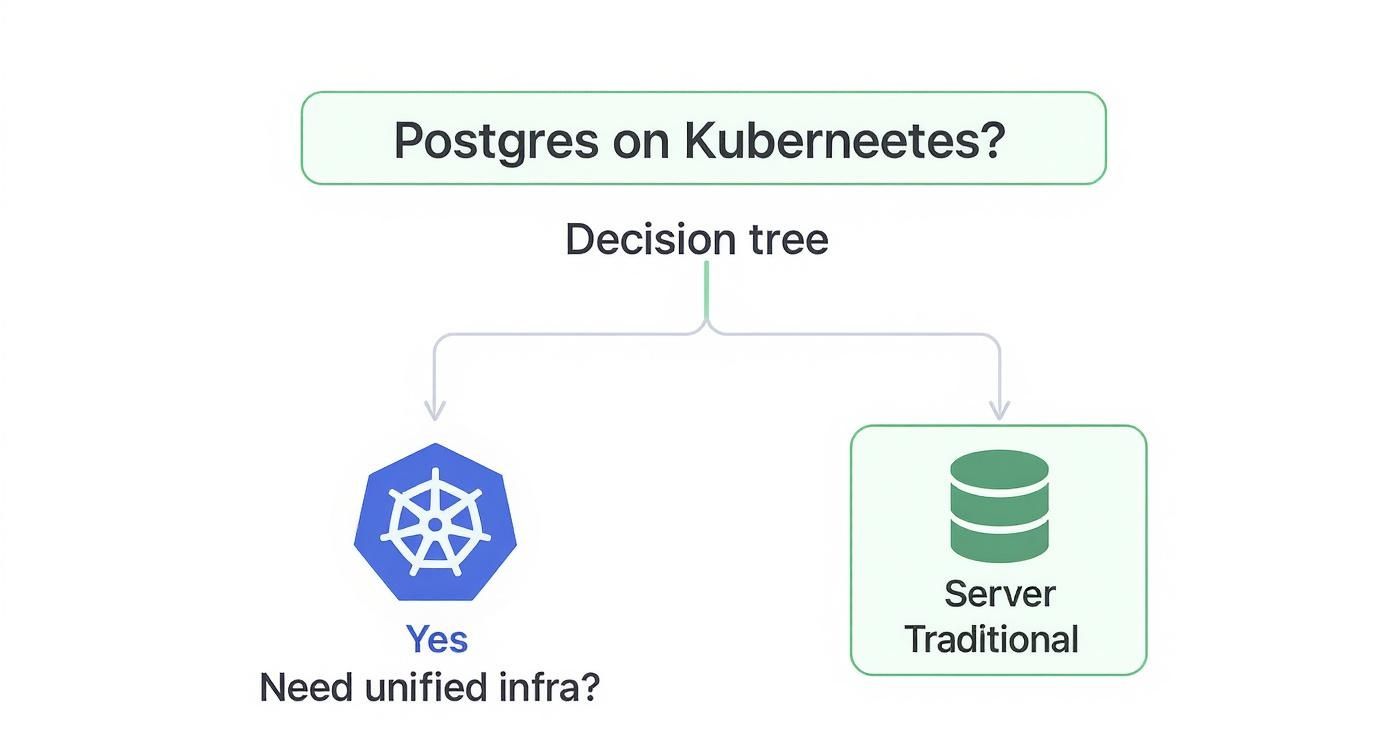
As you can see, if unifying your infrastructure under a single control plane is a primary goal, bringing your database workloads into Kubernetes is the logical next step.
The StatefulSet Approach: A DIY Foundation
Using a StatefulSet is the most direct, "Kubernetes-native" method for deploying a stateful application. It provides the essential primitives: stable, unique network identifiers (e.g., postgres-0, postgres-1) and persistent, stable storage via PersistentVolumeClaims. This approach offers maximum control but places the entire operational burden on your team.
You become responsible for implementing and managing every critical database task.
- High Availability: You must script the setup of primary-replica streaming replication, implement custom liveness/readiness probes, and build the promotion logic for failover scenarios.
- Backup and Recovery: You need to architect a backup solution, perhaps using
CronJobsto triggerpg_dumporpg_basebackup, and then write, test, and maintain the corresponding restoration procedures. - Configuration Management: Every
postgresql.confparameter, user role, or database initialization must be managed manually through ConfigMaps, custom entrypoint scripts, or baked into your container images.
A basic StatefulSet manifest only provides the pod template and volume claim. It possesses no inherent database intelligence. This YAML, for example, will deploy a single Postgres pod with a persistent volume—and nothing more. Replication, failover, and backups must be built from scratch.
Key Takeaway: The StatefulSet path is suitable only for teams with deep Kubernetes and DBA expertise who require granular control for a specific, non-standard use case. For most teams, it introduces unnecessary complexity and operational risk.
Postgres Operators: The Automated DBA
A Postgres Operator completely abstracts away this complexity. It's a purpose-built application running in your cluster that functions as an automated DBA. You declare your desired state through a Custom Resource (CR) manifest, and the Operator executes the complex sequence of operations to achieve and maintain that state.
You declare the "what"—"I need a three-node, highly-available cluster running Postgres 15 with continuous backups to S3"—and the Operator handles the "how."
Operators automate the difficult "day-two" operations that are a significant challenge with the manual StatefulSet approach. This automation is precisely why they've become the de facto standard for running Postgres in Kubernetes. Several mature, production-ready operators are available, each with a distinct philosophy.
The three most popular choices are CloudNativePG, Crunchy Data Postgres Operator (PGO), and the Zalando Postgres Operator. Each offers a unique set of features and trade-offs.
To help you decide, here's a quick look at how they stack up against each other.
Comparison of Popular Postgres Operators for Kubernetes
This table breaks down the key features of the top three contenders. The goal is not to identify the "best" operator, but to find the one that best aligns with your team's technical requirements and operational model.
| Feature | CloudNativePG (EDB) | Crunchy Data (PGO) | Zalando Postgres Operator |
|---|---|---|---|
| High Availability | Native streaming replication with automated failover managed by the operator. | Uses its own HA solution, leveraging a distributed consensus store (like etcd) for leader election. | Relies on Patroni for mature, battle-tested HA and leader election. |
| Backup & Restore | Integrated barman for object store backups (S3, Azure Blob, etc.). Supports point-in-time recovery (PITR). |
Built-in pgBackRest integration, offering full, differential, and incremental backups with PITR. |
Built-in logical backups with pg_dump and physical backups to S3 using wal-g. |
| Management Philosophy | Highly Kubernetes-native. A single Cluster CR manages the entire lifecycle, from instances to backups. |
Feature-rich and enterprise-focused. Provides extensive configuration options through its PostgresCluster CR. |
Opinionated and stable. Uses its own custom container images and relies heavily on its established Patroni stack. |
| Upgrades | Supports automated in-place major version upgrades via an "import" process and rolling minor version updates. | Supports rolling updates for minor versions and provides a documented process for major version upgrades. | Handles minor version upgrades automatically. Major upgrades typically require a more manual migration process. |
| Licensing | Apache 2.0 (fully open source). | Community edition is Apache 2.0. Enterprise features and support require a subscription. | Apache 2.0 (fully open source). |
| Best For | Teams looking for a modern, Kubernetes-native experience with a simplified, declarative management model. | Enterprises needing extensive security controls, deep configuration, and commercial support from a Postgres leader. | Teams that value the stability of a battle-tested solution and are comfortable with its Patroni-centric approach. |
Ultimately, choosing an operator means trading a degree of low-level control for a significant gain in operational efficiency, reliability, and speed. For nearly every team running Postgres on Kubernetes today, this is the correct engineering trade-off.
Deploying a Production-Ready Postgres Cluster
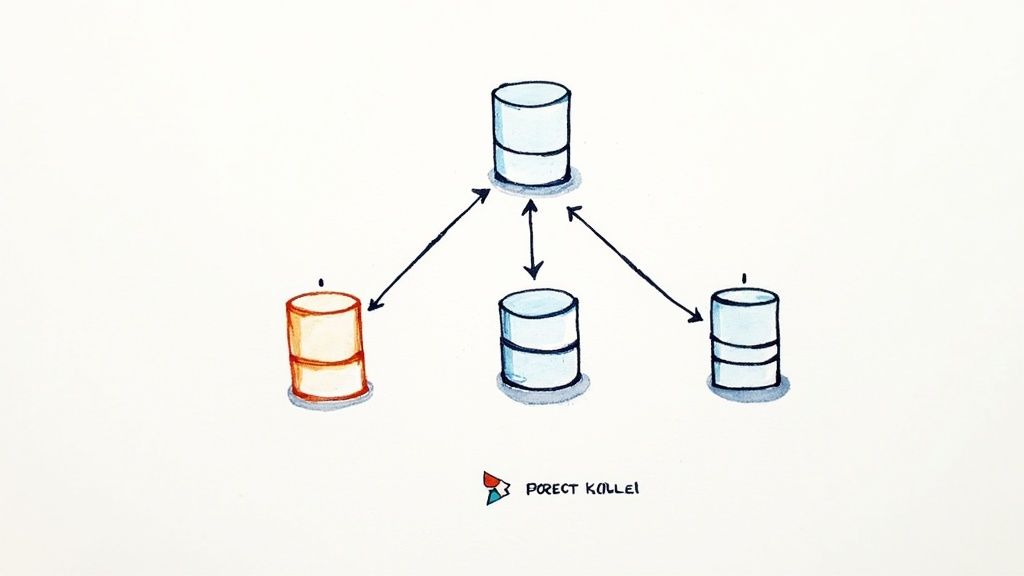
Let's transition from theory to practice and deploy a production-grade Postgres cluster. This section provides the exact commands and manifests to provision a resilient, three-node Postgres cluster using the CloudNativePG operator.
We've selected CloudNativePG for this technical walkthrough due to its Kubernetes-native design and clean, declarative API, which perfectly demonstrates the power of managing Postgres in Kubernetes. The process involves installing the operator and then defining our database cluster via a detailed Custom Resource (CR) manifest.
Installing the CloudNativePG Operator with Helm
The most efficient method for installing the CloudNativePG operator is its official Helm chart, which handles the deployment of the controller manager, Custom Resource Definitions (CRDs), RBAC roles, and service accounts.
First, add the CloudNativePG Helm repository and update your local cache.
helm repo add cnpg https://cloudnative-pg.github.io/charts
helm repo update
Next, install the operator into a dedicated namespace as a best practice for isolation and security. We'll use cnpg-system.
helm install cnpg \
  --namespace cnpg-system \
  --create-namespace \
  cnpg/cloudnative-pg
Once the installation completes, the operator pod will be running and watching for Cluster resources to manage. Verify its status with kubectl get pods -n cnpg-system.
Crafting a Production-Grade Cluster Manifest
With the operator running, we can now define our Postgres cluster using a Cluster Custom Resource. The following is a complete, production-ready manifest for a three-node cluster. A detailed breakdown of the key parameters follows.
# postgres-cluster.yaml
apiVersion: postgresql.cnpg.io/v1
kind: Cluster
metadata:
  name: production-db-cluster
  namespace: databases
spec:
  instances: 3

  primaryUpdateStrategy: unsupervised

  storage:
    size: 50Gi
    storageClass: "premium-ssd-v2" # IMPORTANT: Choose a high-performance, resilient StorageClass

  postgresql:
    pg_hba:
      - host all all all md5
    parameters:
      shared_buffers: "1GB"
      max_connections: "200"

  resources:
    requests:
      memory: "2Gi"
      cpu: "1"
    limits:
      memory: "4Gi"
      cpu: "2"

  # Enable synchronous replication for High Availability
  replicationSlots:
    highAvailability:
      enabled: true
    synchronous:
      enabled: true

  monitoring:
    enablePodMonitor: true

  bootstrap:
    initdb:
      database: app_db
      owner: app_user
This manifest is purely declarative. You specify the desired state, and the operator is responsible for the reconciliation loop to achieve it. This powerful infrastructure-as-code approach is central to the Kubernetes philosophy and integrates seamlessly with GitOps workflows.
Dissecting the Key Configuration Parameters
Understanding these parameters is crucial for tuning your cluster for your specific workload.
instances: 3: This directive configures high availability. The operator will provision a three-node cluster: one primary instance handling read-write traffic and two streaming replicas for read-only traffic and failover. If the primary fails, the operator automatically promotes a replica.storage.storageClass: This is arguably the most critical setting. You must specify aStorageClassthat provisions high-performance, reliable block storage (e.g., AWS gp3/io2, GCE PD-SSD, or an on-premise SAN). Using default, slow storage classes for a production database will result in poor performance and risk data integrity.resources: Defining resource requests and limits is non-negotiable for production.requestsguarantee the minimum CPU and memory for your Postgres pods, ensuring schedulability.limitsprevent them from consuming excessive resources and destabilizing the node.replicationSlots.synchronous.enabled: true: This enables synchronous replication, guaranteeing a Recovery Point Objective (RPO) of zero. A transaction is not confirmed to the client until it has been written to the Write-Ahead Log (WAL) of at least one replica. This ensures zero data loss in a failover event.
Applying the Manifest and Verifying the Cluster
Execute the following commands to create the namespace and apply the manifest.
kubectl create namespace databases
kubectl apply -f postgres-cluster.yaml -n databases
The operator will now begin provisioning the resources defined in the manifest. You can monitor the process in real-time.
kubectl get cluster -n databases -w
The status should transition from creating to healthy. Once ready, inspect the pods and services created by the operator.
# Verify the pods (one primary, two replicas)
kubectl get pods -n databases -l cnpg.io/cluster=production-db-cluster

# Inspect the services for application connectivity
kubectl get services -n databases -l cnpg.io/cluster=production-db-cluster
You'll observe multiple services. The primary service for read-write traffic is the one ending in
-rw. This service's endpoint selector is dynamically managed by the operator to always point to the current primary instance, even after a failover.
You have now deployed a robust, highly available Postgres in Kubernetes cluster managed by the CloudNativePG operator.
Mastering Day-Two Operations and Management
Deploying the cluster is the first step. The real test of a production system lies in day-two operations: backups, recovery, upgrades, and monitoring. These complex, mission-critical tasks are where a Postgres operator provides the most value.
It automates these processes, allowing you to manage the entire database lifecycle using the same declarative, GitOps-friendly approach you use for your stateless applications. This operational consistency is a primary driver for adopting Postgres in Kubernetes as a mainstream strategy.
Automated Backups and Point-In-Time Recovery
A robust backup strategy is non-negotiable. Modern operators like CloudNativePG integrate sophisticated tools like barman to automate backup and recovery processes.
The objective is to implement continuous, automated backups to a durable, external object store such as Amazon S3, Google Cloud Storage, or Azure Blob Storage. This decouples your backups from the lifecycle of your Kubernetes cluster, providing an essential recovery path in a disaster scenario.
Here’s how to configure your Cluster manifest to enable backups to an S3-compatible object store:
# postgres-cluster-with-backups.yaml
apiVersion: postgresql.cnpg.io/v1
kind: Cluster
metadata:
  name: production-db-cluster
  namespace: databases
spec:
  # ... other cluster specs ...
  backup:
    barmanObjectStore:
      destinationPath: "s3://your-backup-bucket/production-db/"
      endpointURL: "https://s3.us-east-1.amazonaws.com" # Or your S3-compatible endpoint
      s3Credentials:
        accessKeyId:
          name: aws-credentials
          key: ACCESS_KEY_ID
        secretAccessKey:
          name: aws-credentials
          key: SECRET_ACCESS_KEY
      # Set a sensible retention policy for your base backups
      retentionPolicy: "30d"
Applying this configuration instructs the operator to schedule periodic base backups and, crucially, to begin continuously archiving the Write-Ahead Log (WAL) files. This continuous WAL stream is the foundation of Point-In-Time Recovery (PITR), enabling you to restore your database to a specific second, not just to the time of the last full backup.
Key Insight: PITR is the essential recovery mechanism for logical data corruption events, such as an erroneous
DELETEorUPDATEstatement. It allows you to restore the database to the state it was in microseconds before the incident, transforming a potential catastrophe into a manageable recovery operation.
Restoration is also a declarative process. You create a new Cluster manifest that specifies the backup location and the exact recovery target, which can be the latest available backup or a specific timestamp for a PITR operation.
Executing Seamless Version Upgrades
Database upgrades are notoriously high-risk operations. An operator transforms this manual, high-stakes process into a controlled, automated procedure with minimal downtime.
Minor version upgrades (e.g., 15.3 to 15.4) are handled via a rolling update. The operator cordons and drains one replica at a time, upgrades its underlying container image, and waits for it to rejoin the cluster and sync before proceeding to the next. The process culminates in a controlled switchover, promoting an already-upgraded replica to become the new primary. Application connections are reset, but service downtime is typically seconds.
Major version upgrades (e.g., Postgres 14 to 15) are more complex as they require an on-disk data format conversion using pg_upgrade. The CloudNativePG operator handles this with an elegant, automated workflow. By simply updating the PostgreSQL image tag in your manifest, you trigger the operator to orchestrate the creation of a new, upgraded cluster from the existing data, minimizing the maintenance window.
Integrating Monitoring and Observability
Effective management requires robust observability. Integrating your Postgres cluster with a monitoring stack like Prometheus is essential for proactive issue detection. Most operators simplify this by exposing a Prometheus-compatible metrics endpoint.
Adding monitoring: { enablePodMonitor: true } to the Cluster manifest is often sufficient. The operator will create a PodMonitor or ServiceMonitor resource, which is then automatically discovered and scraped by a pre-configured Prometheus Operator.
Key metrics to monitor on a production dashboard include:
pg_replication_lag: The byte lag between the primary and replica nodes. A sustained increase indicates network saturation or an overloaded replica.pg_stat_activity_count: The number of active connections by state (active, idle in transaction). This is crucial for capacity planning and identifying application-level connection leaks.- Transactions per second (TPS): A fundamental throughput metric for understanding your database's workload profile.
- Cache hit ratio: A high ratio (
>99%is ideal) indicates thatshared_buffersis sized appropriately and that most queries are served efficiently from memory.
With these metrics flowing into a system like Grafana, you gain real-time insight into database health and performance. This level of automation and observability is a core benefit of the Kubernetes ecosystem. As of 2025, a staggering 65% of organizations run Kubernetes in multiple environments, while 44% use it specifically to automate operations. You can find more details on these Kubernetes statistics on Tigera.io.
This automation extends beyond the database itself. For details on scaling the underlying infrastructure, see our guide on autoscaling in Kubernetes. Combining a capable operator with comprehensive monitoring creates a resilient, self-healing database service.
Advanced Performance Tuning and Security
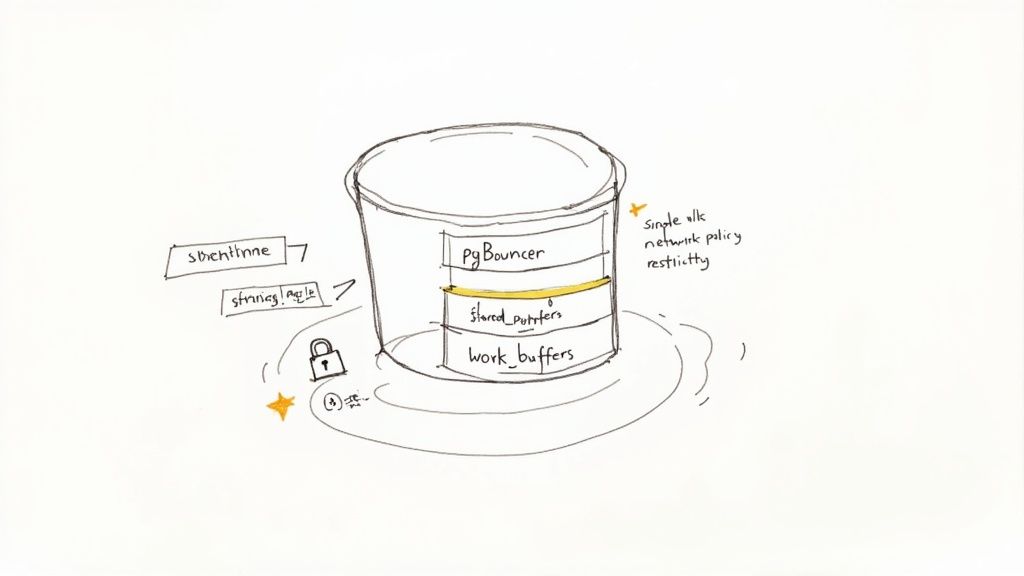
With a resilient, manageable cluster in place, the next step is to optimize for performance and security. This involves tuning the database engine for specific workloads and implementing robust network controls to protect production data.
Boost Performance with Connection Pooling
For applications with high connection churn, such as serverless functions or horizontally-scaled microservices, a connection pooler is not optional—it is essential. Establishing a new Postgres connection is a resource-intensive process involving process forks and authentication. A pooler like PgBouncer mitigates this overhead by maintaining a warm pool of reusable backend connections.
Applications connect to PgBouncer, which provides a pre-established connection from its pool, reducing latency from hundreds of milliseconds to single digits. The CloudNativePG operator simplifies this by managing a PgBouncer Pooler resource declaratively.
Here is a manifest to deploy a PgBouncer Pooler for an existing cluster:
# pgbouncer-pooler.yaml
apiVersion: postgresql.cnpg.io/v1
kind: Pooler
metadata:
  name: production-db-pooler
  namespace: databases
spec:
  cluster:
    name: production-db-cluster # Points to your Postgres cluster

  type: rw # Read-write pooling
  instances: 2 # Deploy a redundant pair of pooler pods

  pgbouncer:
    poolMode: transaction # Most common and effective mode
    parameters:
      max_client_conn: "2000"
      default_pool_size: "20"
Applying this manifest instructs the operator to deploy and configure PgBouncer pods, automatically wiring them to the primary database instance and managing their lifecycle.
Tuning Key Postgres Configuration Parameters
Significant performance gains can be achieved by tuning key postgresql.conf settings. An operator allows you to manage these parameters declaratively within the Cluster CRD, embedding configuration as code.
Two of the most impactful parameters are:
shared_buffers: This determines the amount of memory Postgres allocates for its data cache. A common starting point is 25% of the pod's memory limit.work_mem: This sets the amount of memory available for in-memory sort operations, hash joins, and other complex query operations before spilling to disk. Increasing this can dramatically improve the performance of analytical queries, but it is allocated per operation, so it must be sized carefully.
Here’s how to set these in your Cluster manifest:
# In your Cluster manifest spec.postgresql.parameters section
parameters:
  shared_buffers: "1GB" # For a pod with a 4Gi memory limit
  work_mem: "64MB"
Of course, infrastructure tuning can only go so far. For true optimization, a focus on optimizing SQL queries for peak performance is paramount.
Hardening Security with Network Policies
By default, Kubernetes allows any pod within the cluster to attempt a connection to any other pod. This permissive default is unsuitable for a production database. Kubernetes NetworkPolicy resources function as a stateful, pod-level firewall, allowing you to enforce strict ingress and egress rules.
The goal is to implement a zero-trust security model: deny all traffic by default and explicitly allow only legitimate application traffic.
A well-defined NetworkPolicy is a critical security layer. It ensures that even if another application in the cluster is compromised, the blast radius is contained, preventing lateral movement to the Postgres database.
First, ensure your application pods are uniquely labeled. Then, create a NetworkPolicy like the one below, which only allows pods with the label app: my-backend-api in the applications namespace to connect to your Postgres pods on TCP port 5432.
# postgres-network-policy.yaml
apiVersion: networking.k8s.io/v1
kind: NetworkPolicy
metadata:
  name: allow-app-to-postgres
  namespace: databases
spec:
  podSelector:
    matchLabels:
      cnpg.io/cluster: production-db-cluster # Selects the Postgres pods
  policyTypes:
    - Ingress
  ingress:
    - from:
        - podSelector:
            matchLabels:
              app: my-backend-api # ONLY pods with this label can connect
          namespaceSelector:
            matchLabels:
              name: applications # And are in this namespace
      ports:
        - protocol: TCP
          port: 5432
Securely Managing Database Credentials
Finally, proper credential management is a critical security control. While operators can manage credentials using standard Kubernetes secrets, integrating with a dedicated secrets management solution like HashiCorp Vault is the gold standard for production environments.
This approach provides centralized access control, detailed audit logs, and the ability to dynamically rotate secrets. Tools like the Vault Secrets Operator can inject database credentials directly into application pods at runtime, eliminating the need to store them in version control or less secure Kubernetes Secrets.
Common Questions Answered
If you're considering running a production database like Postgres in Kubernetes, you're not alone. It's a significant architectural decision, and many engineers have the same questions. Let's address the most common ones.
Is It Actually Safe to Run a Production Database on Kubernetes?
Yes, provided you follow best practices. The era of viewing Kubernetes as suitable only for stateless workloads is over. Modern, purpose-built Kubernetes operators like CloudNativePG and Crunchy Data have fundamentally changed the landscape.
These operators are designed specifically to manage stateful workloads, automating complex operations like failover, backups, and scaling. A well-configured Postgres cluster on Kubernetes, backed by a resilient storage class and a tested disaster recovery plan, can exceed the reliability of many traditional deployments.
How Does Persistent Storage Work for Postgres in K8s?
Persistence is managed through three core Kubernetes objects: StorageClasses, PersistentVolumes (PVs), and PersistentVolumeClaims (PVCs). When an operator creates a Postgres pod, it also creates a PersistentVolumeClaim, which is a request for storage. The Kubernetes control plane satisfies this claim by binding it to a PersistentVolume, an actual piece of provisioned storage from your cloud provider or on-premise infrastructure, as defined by the StorageClass.
The single most important decision here is your
StorageClass. For any production workload, you must use a high-performanceStorageClassbacked by reliable block storage. Think AWS EBS, GCE Persistent Disk, or an enterprise-grade SAN if you're on-prem. This is non-negotiable for data durability and performance.
What Happens to My Data If a Postgres Pod Dies?
The data is safe because its lifecycle is decoupled from the pod. The data resides on the PersistentVolume, which exists independently.
If a pod crashes or is rescheduled, the StatefulSet controller (managed by the operator) automatically creates a replacement pod. This new pod re-attaches to the exact same PVC and its underlying PV. The Postgres operator then orchestrates the database startup sequence, allowing it to perform crash recovery from its WAL and resume operation precisely where it left off. The entire process is automated to ensure data consistency.
How Do You Get High Availability for Postgres on Kubernetes?
High availability is a core feature provided by Postgres operators. The standard architecture is a multi-node cluster, typically three nodes: one primary instance and two hot-standby replicas. The operator automates the setup of streaming replication between them.
If the primary pod or its node fails, the operator's controller detects the failure. It then executes an automated failover procedure: it promotes one of the healthy replicas to become the new primary and, critically, updates the Kubernetes Service endpoint (-rw) to route all application traffic to the new leader. This process is designed to be fast and automatic, minimizing the recovery time objective (RTO).
At OpsMoon, we build production-grade Kubernetes environments for a living. Our experts can help you design and implement a Postgres solution that meets your exact needs for performance, security, and uptime. Let's plan your project together, for free.