
10 Actionable GitOps Best Practices for 2025
 By opsmoon
Discover 10 technical and actionable GitOps best practices. Master workflows, security, and scaling for reliable software delivery from startups to enterprises.

GitOps has evolved from a novel concept to a foundational methodology for modern software delivery. By establishing Git as the single source of truth for declarative infrastructure and applications, teams can achieve unprecedented velocity, reliability, and security. However, adopting GitOps effectively requires more than just connecting a Git repository to a Kubernetes cluster. It demands a disciplined, engineering-focused approach grounded in proven principles and robust operational patterns. Transitioning to a fully realized GitOps workflow involves a significant shift in how teams manage configuration, security, and deployment lifecycles.
This guide moves beyond the basics to provide a thorough, actionable roundup of GitOps best practices. Each point is designed to help you build a resilient, scalable, and secure operational framework that stands up to production demands. We will dive deep into specific implementation details, covering everything from advanced Git branching strategies and secrets management to automated reconciliation and progressive delivery techniques.
You will learn how to:
- Structure your repositories for complex, multi-environment deployments.
- Integrate security and policy-as-code directly into your Git workflow.
- Implement comprehensive observability to monitor system state and detect drift.
- Securely manage secrets without compromising the declarative model.
Whether you're a startup CTO designing a greenfield platform or an enterprise SRE refining a complex system, mastering these practices is crucial for unlocking the full potential of GitOps. This listicle provides the technical depth and practical examples needed to transform your theoretical understanding into a high-performing reality, ensuring your infrastructure is as auditable, versioned, and reliable as your application code.
1. Version Control as the Single Source of Truth
At the core of GitOps is the non-negotiable principle that your Git repository serves as the definitive, authoritative source for all infrastructure and application configurations. This means the entire desired state of your system, from Kubernetes manifests and Helm charts to Terraform modules and Ansible playbooks, lives declaratively within version control. Every modification, from a container image tag update to a change in network policy, must be represented as a commit to Git.
This approach transforms your infrastructure into a version-controlled, auditable, and reproducible asset. Instead of making direct, imperative changes to a running environment via kubectl apply -f or manual cloud console clicks, developers and operators commit declarative configuration files. A GitOps agent, such as Argo CD or Flux, continuously monitors the repository and automatically synchronizes the live environment to match the state defined in Git. This creates a powerful, self-healing closed-loop system where git push becomes the universal deployment trigger.
Why This is a Core GitOps Practice
Adopting Git as the single source of truth (SSoT) provides immense operational benefits. It eliminates configuration drift, where the actual state of your infrastructure diverges from its intended configuration over time. This principle is fundamental to achieving high levels of automation and reliability. Major tech companies like Adobe and Intuit have built their robust CI/CD pipelines around this very concept, using tools like Argo CD to manage complex application deployments across numerous clusters, all driven from Git.
Actionable Implementation Tips
- Segregate Environments with Branches: Use a Git branching strategy to manage different environments. For example, a
developbranch for staging, areleasebranch for pre-production, and themainbranch for production. A change is promoted by opening a pull request fromdeveloptorelease. - Implement Branch Protection: Protect your
mainor production branches with rules that require pull request reviews and passing status checks from CI jobs (e.g., linting, static analysis). In GitHub, this can be configured underSettings > Branches > Branch protection rules. - Maintain a Clear Directory Structure: Organize your repository logically. A common pattern is to structure directories by environment, application, or service. A monorepo for manifests might look like:
apps/production/app-one/deployment.yaml. - Audit Your Git History: Regularly review the commit history. It serves as a perfect audit log, showing who changed what, when, and why. Use
git log --graph --onelineto visualize the history. This is invaluable for compliance and incident post-mortems. A deep understanding of Git is crucial here; for a deeper dive into managing repositories effectively, a good Git Integration Guide can provide foundational knowledge for your team.
For teams looking to refine their repository management, you can learn more about version control best practices to ensure your Git strategy is robust and scalable.
2. Declarative Infrastructure and Application Configuration
GitOps shifts the paradigm from imperative commands to declarative configurations. Instead of manually running commands like kubectl create deployment or aws ec2 run-instances, you define the desired state of your system in configuration files. These files, typically written in formats like YAML for Kubernetes, HCL for Terraform, or JSON, describe what the final state should look like, not how to get there.
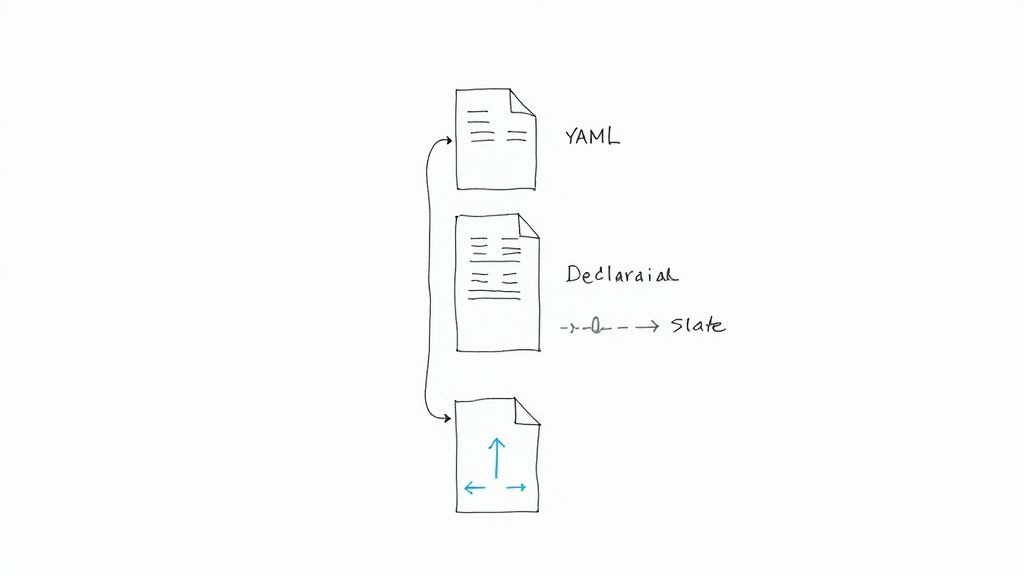
A GitOps agent continuously compares this declared state in Git with the actual state of the live environment. If a discrepancy, or "drift," is detected, the agent's controller loop automatically takes action to reconcile the system, ensuring it always converges to the configuration committed in the repository. This declarative approach makes your system state predictable, repeatable, and transparent, as the entire configuration is codified and versioned.
Why This is a Core GitOps Practice
The declarative model is fundamental to automation and consistency at scale. It eliminates manual, error-prone changes and provides a clear, auditable trail of every modification to your system's desired state. Companies leveraging Kubernetes heavily rely on declarative manifests to manage complex microservices architectures. Similarly, using Terraform with HCL to define cloud infrastructure declaratively ensures that environments can be provisioned and replicated with perfect consistency, a key goal for any robust GitOps workflow.
Actionable Implementation Tips
- Use Templating to Reduce Duplication: Employ tools like Helm or Kustomize for Kubernetes. For example, with Kustomize, you can define a
baseconfiguration and then apply environment-specificoverlaysthat patch the base, keeping your codebase DRY (Don't Repeat Yourself). - Validate Configurations Pre-Merge: Integrate static analysis and validation tools like
kubevalorconftestinto your CI pipeline. A GitHub Actions step could be:run: kubeval my-app/*.yaml. This ensures that pull requests are checked for syntactical correctness and policy compliance before they are ever merged into a target branch. - Document Intent in Commit Messages: Your commit messages should clearly explain the why behind a configuration change, not just the what. Follow a convention like Conventional Commits (e.g.,
feat(api): increase deployment replicas to 3 for HA). - Enforce Standards with Policy-as-Code: Use tools like Open Policy Agent (OPA) or Kyverno to enforce organizational standards (e.g., all deployments must have
ownerlabels) and security policies (e.g., disallow containers running as root) directly on your declarative configurations.
To effectively implement declarative infrastructure and application configuration within a GitOps framework, adhering to established principles is critical. You can explore a detailed guide that outlines 10 Infrastructure as Code Best Practices to build a solid foundation.
For more information on declarative approaches, you can learn more about Infrastructure as Code best practices to further strengthen your GitOps implementation.
3. Automated Continuous Deployment via Pull Requests
In a GitOps workflow, the pull request (PR) or merge request (MR) is elevated from a simple code review mechanism to the central gateway for all system changes. This practice treats every modification, from an application update to an infrastructure tweak, as a proposal that must be reviewed, validated, and approved before it can impact a live environment. Once a PR is merged into the designated environment branch (e.g., main), an automated process triggers the deployment, synchronizing the live state with the new desired state in Git.
This model creates a robust, auditable, and collaborative change management process. Instead of manual handoffs or direct environment access, changes are proposed declaratively and vetted through a transparent, automated pipeline. A GitOps operator like Flux or Argo CD observes the merge event and orchestrates the deployment, ensuring that the only path to production is through a peer-reviewed and automatically verified pull request. The flow is: PR -> CI Checks Pass -> Review/Approval -> Merge -> GitOps Sync.
Why This is a Core GitOps Practice
Automating deployments via pull requests is a cornerstone of effective GitOps because it codifies the change control process directly into the development workflow. It enforces peer review, automated testing, and policy checks before any change is accepted, dramatically reducing the risk of human error and configuration drift. This approach is heavily promoted by platforms like GitHub and GitLab, where merge request pipelines are integral to their CI/CD offerings, enabling teams to build secure and efficient delivery cycles. The entire process becomes a self-documenting log of every change made to the system.
Actionable Implementation Tips
- Implement Branch Protection Rules: Secure your environment branches (e.g.,
main,staging) by requiring status checks to pass and at least one approving review before a PR can be merged. This is a critical security and stability measure configurable in your Git provider. - Use PR Templates and CODEOWNERS: Create standardized pull request templates (
.github/pull_request_template.md) to ensure every change proposal includes context, like a summary and rollback plan. Use a.github/CODEOWNERSfile to automatically assign relevant teams or individuals as reviewers based on the files changed. - Establish Clear PR Review SLAs: Define and communicate Service Level Agreements (SLAs) for PR review and merge times. This prevents pull requests from becoming bottlenecks and maintains deployment velocity. A common SLA is a 4-hour review window during business hours.
- Leverage Semantic PR Titles: Adopt a convention for PR titles (e.g.,
feat:,fix:,chore:) to enable automated changelog generation and provide a clear, scannable history of deployments. Tools likesemantic-releasecan leverage this.
For teams aiming to perfect this flow, understanding how it fits into the larger delivery system is key. You can discover more by exploring advanced CI/CD pipeline best practices to fully optimize your automated workflows.
4. Continuous Reconciliation and Drift Detection
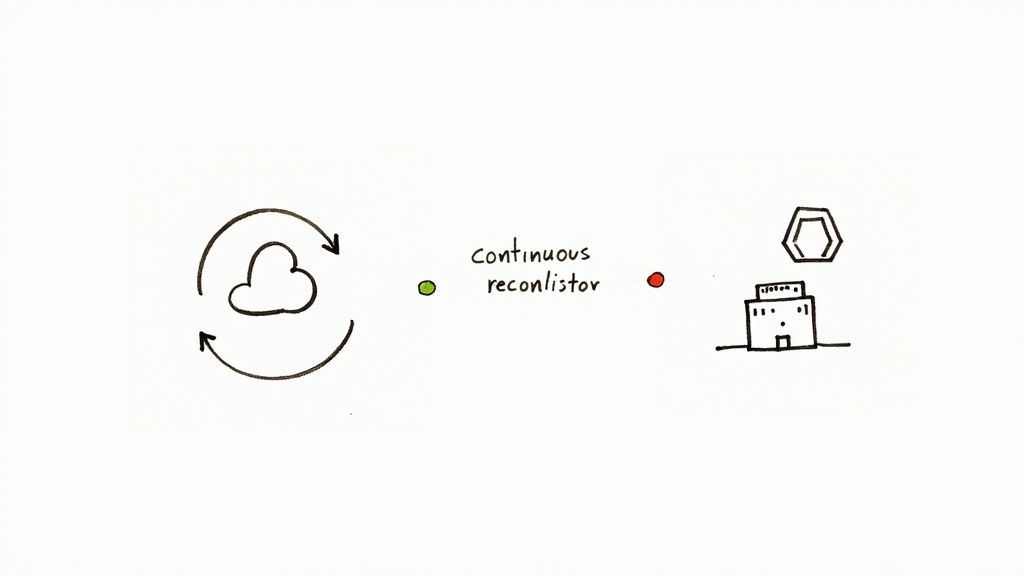
A core tenet of GitOps is that your live environment must perpetually mirror the desired state defined in your Git repository. Continuous reconciliation is the automated process that enforces this principle. A GitOps operator, or agent, runs a control loop that constantly compares the actual state of your running infrastructure against the declarative configurations in Git. When a discrepancy, known as "drift," is detected, the agent automatically takes corrective action to realign the live state with the source of truth.
This self-healing loop is what makes GitOps so resilient. If an engineer makes a manual, out-of-band change using kubectl edit deployment or a cloud console, the GitOps operator identifies this deviation. It can then either revert the change automatically or alert the team to the unauthorized modification. This mechanism is crucial for preventing the slow, silent accumulation of unmanaged changes that can lead to system instability and security vulnerabilities.
Why This is a Core GitOps Practice
Continuous reconciliation is the enforcement engine of GitOps. Without it, the "single source of truth" in Git is merely a suggestion, not a guarantee. This automated oversight prevents configuration drift, ensuring system predictability and reliability. Tools like Flux CD and Argo CD have popularized this model, with Argo CD's OutOfSync status providing immediate visual feedback when drift occurs. This practice turns your infrastructure management from a reactive, manual task into a proactive, automated one, which is a key element of modern GitOps best practices.
Actionable Implementation Tips
- Configure Reconciliation Intervals: Tune the sync frequency based on environment criticality. For Argo CD, this is the
timeout.reconciliationsetting, which defaults to 180 seconds. A production environment might require a check every 3 minutes, while a development cluster could be set to 15 minutes. - Implement Drift Detection Alerts: Don't rely solely on auto-remediation. Configure your GitOps tool to send alerts to Slack or PagerDuty the moment drift is detected. Argo CD Notifications and Flux Notification Controller can be configured to trigger alerts when a resource's health status changes to
OutOfSync. - Use Sync Windows for Critical Changes: For sensitive applications, you can configure sync windows to ensure that automated reconciliations only occur during specific, low-impact maintenance periods, preventing unexpected changes during peak business hours.
- Audit and Document Manual Overrides: If a manual change is ever necessary for an emergency fix (the "break-glass" procedure), it must be temporary. The process must require opening a high-priority pull request to reflect that change in Git, thus restoring the declarative state and closing the loop.
5. Git Branch Strategy and Environment Management
A robust Git branching strategy is the backbone of a successful GitOps workflow, providing a structured and predictable path for promoting changes across different environments. Instead of a single, chaotic repository, this practice dictates using distinct branches to represent the desired state of each environment, such as development, staging, and production. This segregation ensures that experimental changes in a development environment do not accidentally impact the stability of production.
The promotion process becomes a deliberate, version-controlled action. To move a feature from staging to production, you create a pull request to merge the changes from the staging branch into the production branch. This triggers code reviews, automated tests, and policy checks, creating a secure and auditable promotion pipeline. This "environment-per-branch" model is a foundational pattern in GitOps.
Why This is a Core GitOps Practice
This practice brings order and safety to the continuous delivery process, preventing the common pitfall of configuration mismatches between environments. By formalizing the promotion workflow through Git, you create an explicit, reviewable, and reversible process for every change. Major organizations, including those advocating for Trunk-Based Development like Google, rely on disciplined branch management (or feature flags) to maintain high velocity without sacrificing stability. This structured approach is critical for managing system complexity as applications and teams scale.
Actionable Implementation Tips
- Choose a Suitable Model: Select a branching strategy that fits your team's workflow. GitFlow is excellent for projects with scheduled releases. Trunk-Based Development is ideal for high-velocity teams, often using feature flags within the configuration itself to control rollouts.
- Use Kustomize Overlays or Helm Values: Manage environment-specific configurations without duplicating code. Use tools like Kustomize with overlays for each environment (
/base,/overlays/staging,/overlays/production) or Helm with differentvalues.yamlfiles (values-staging.yaml,values-prod.yaml) to handle variations in replicas, resource limits, or endpoints. - Automate Environment Sync: Configure your GitOps agent (e.g., Argo CD, Flux) to track specific branches for each environment. An Argo CD
Applicationmanifest for production would specifytargetRevision: main, while the stagingApplicationwould point totargetRevision: staging. - Establish Clear Promotion Criteria: Document the exact requirements for merging between environment branches. This should include mandatory peer reviews, passing all automated tests (integration, E2E), and satisfying security scans. Automate these checks as status requirements for your PRs.
6. Secrets Management and Security
A core challenge in GitOps is managing sensitive data like API keys, database credentials, and certificates. Since the Git repository is the single source of truth for all configurations, storing secrets in plaintext is a critical security vulnerability. Therefore, a robust secrets management strategy is not just a recommendation; it is an absolute requirement. The principle is to commit encrypted secrets (or references to secrets) to Git, and decrypt them only within the target cluster where they are needed.

This approach ensures that your version-controlled configurations remain comprehensive without exposing credentials. The "sealed secrets" pattern maintains the declarative model while upholding strict security boundaries. Developers can define the intent of a secret (its name and keys) without ever accessing the unencrypted values, which are managed by a separate, more secure process or system.
Why This is a Core GitOps Practice
Integrating secure secrets management directly into the GitOps workflow prevents security anti-patterns and data breaches. Storing encrypted secrets alongside their corresponding application configurations keeps the entire system state declarative and auditable. Tools like Bitnami's Sealed Secrets and Mozilla's SOPS were created specifically to address this challenge in a Kubernetes-native way. By encrypting secrets before they are ever committed, organizations can safely use Git as the source of truth for everything, including sensitive information, without compromising security.
Actionable Implementation Tips
- Implement a Sealed Secrets Pattern: Use a tool like Sealed Secrets, which encrypts a standard Kubernetes Secret into a
SealedSecretcustom resource. This encrypted resource is safe to commit to Git, and only the controller running in your cluster can decrypt it using a private key. - Leverage External Secret Managers: Integrate with a dedicated secrets management solution using an operator like External Secrets Operator (ESO). Your declarative manifests in Git contain a reference (
ExternalSecretresource) to a secret stored in HashiCorp Vault, AWS Secrets Manager, or Azure Key Vault. ESO fetches the secret at runtime and creates a native KubernetesSecret. - Use File-Level Encryption: Employ a tool like Mozilla SOPS (Secrets OPerationS) to encrypt values within YAML or JSON files. This allows you to commit configuration files where only the sensitive fields are encrypted, making pull requests easier to review. SOPS integrates with KMS providers like AWS KMS or GCP KMS for key management.
- Scan for Leaked Secrets: Integrate automated secret scanning tools like git-secrets or TruffleHog into your CI pipeline as a pre-merge check. These tools will fail a build if they detect any unencrypted secrets being committed, acting as a crucial security gate.
7. Automated Testing and Validation in CI/CD Pipeline
A GitOps workflow is only as reliable as the quality of the code committed to the repository. Therefore, integrating automated testing and validation directly into the CI/CD pipeline is a critical practice. This principle mandates that before any configuration change is merged, it must pass a rigorous gauntlet of automated checks. These checks ensure that the configuration is not only syntactically correct but also compliant with security policies, operational standards, and functional requirements.
This process shifts quality control left, catching potential issues like misconfigurations, security vulnerabilities, or policy violations early. When a developer opens a pull request with a change to a Kubernetes manifest or a Terraform file, the CI pipeline automatically triggers a series of validation jobs. For example, terraform validate and a policy check with conftest. Only if all checks pass can the change be merged and subsequently synchronized by the GitOps agent.
Why This is a Core GitOps Practice
Automated validation is the safety net that makes GitOps a trustworthy and scalable operational model. It builds confidence in the automation process by systematically preventing human error and enforcing organizational standards. This practice is a cornerstone of the DevSecOps movement, embedding security and compliance directly into the delivery pipeline. For example, organizations use tools like Conftest to test structured configuration data against custom policies written in Rego, ensuring every change adheres to specific business rules before deployment.
Actionable Implementation Tips
- Implement Multiple Validation Layers: Create a multi-stage validation process in CI. Start with basic linting (
helm lint), then schema validation (kubeval), followed by security scanning on container images (Trivy), and finally, policy-as-code checks (conftestagainst Rego policies). - Fail Fast with Pre-Commit Hooks: Empower developers to catch errors locally before pushing code. Use pre-commit hooks (managed via the
pre-commitframework) to run lightweight linters and formatters, providing immediate feedback and reducing CI pipeline load. - Keep Validation Rules in Git: Store your validation policies (e.g., Rego policies for Conftest) in a dedicated Git repository. This treats your policies as code, making them version-controlled, auditable, and easily reusable across different pipelines.
- Generate
terraform planin CI: For infrastructure changes, always runterraform validateandterraform planwithin the pull request automation. Use tools likeinfracostto estimate cost changes and post the plan's output and cost estimate as a comment on the PR for thorough peer review.
8. Observability and Monitoring of GitOps Systems
To fully trust an automated GitOps workflow, you need deep visibility into its operations. Observability is not an afterthought but a critical component that provides insight into the health, performance, and history of your automated processes. This involves actively monitoring the reconciliation status of your GitOps agent, tracking deployment history, alerting on synchronization failures, and maintaining a clear view of what changes were deployed, when, and by whom.
This practice extends beyond simple pass/fail metrics. It involves creating a rich, contextualized view of the entire delivery pipeline. GitOps tools like Argo CD and Flux CD are designed with observability in mind, exposing detailed Prometheus metrics about reconciliation loops (flux_reconcile_duration_seconds, argocd_app_sync_total), sync statuses, and deployment health. This data is the foundation for building a trustworthy, automated system.
Why This is a Core GitOps Practice
Without robust monitoring, a GitOps system is a black box. You cannot confidently delegate control to an automated agent if you cannot verify its actions or diagnose failures. Comprehensive observability builds trust, speeds up incident response, and provides the data needed to optimize deployment frequency and stability. Companies operating at scale rely on this visibility to manage fleets of clusters; a GitOps agent's Prometheus metrics can feed into a centralized Grafana dashboard, giving operations teams a single pane of glass to monitor deployments across the entire organization.
Actionable Implementation Tips
- Expose and Scrape Agent Metrics: Configure your GitOps agent (e.g., Flux or Argo CD) to expose its built-in Prometheus metrics. Use a Prometheus
ServiceMonitorto automatically discover and scrape these endpoints. - Create GitOps-Specific Dashboards: Build dedicated dashboards in Grafana. Visualize key performance indicators (KPIs) like deployment frequency, lead time for changes, and mean time to recovery (MTTR). Track the health of Flux
Kustomizationsor Argo CDApplicationsover time. - Implement Proactive Alerting: Set up alerts in Alertmanager for critical failure conditions. A key alert is for a persistent
OutOfSyncstatus, which can be queried with PromQL:argocd_app_info{sync_status="OutOfSync"} == 1. Also, alert on failed reconciliation attempts. - Correlate Deployments with Application Metrics: Integrate your GitOps monitoring with application performance monitoring (APM) tools. Use Grafana annotations to mark deployment events (triggered by a Git commit) on graphs showing application error rates or latency, drastically reducing the time it takes to identify the root cause of an issue.
9. Multi-Tenancy and Access Control
As GitOps adoption scales across an organization, managing deployments for multiple teams, projects, or customers within a shared infrastructure becomes a critical challenge. A robust multi-tenancy and access control strategy ensures that tenants operate in isolated, secure environments. This involves partitioning both the Git repositories and the Kubernetes clusters to enforce strict boundaries using Role-Based Access Control (RBAC).
The core idea is to map organizational structures to technical controls. In this model, each team has designated areas within Git and the cluster where they have permission to operate. A GitOps agent, configured for multi-tenancy, respects these boundaries. For example, Argo CD's AppProject custom resource allows administrators to define which repositories a team can deploy from, which cluster destinations are permitted, and what types of resources they are allowed to create, effectively sandboxing their operations.
Why This is a Core GitOps Practice
Implementing strong multi-tenancy is fundamental for scaling GitOps securely in an enterprise context. It prevents configuration conflicts, unauthorized access, and resource contention. This practice enables platform teams to offer a self-service deployment experience while maintaining centralized governance and control, a key reason why it is one of the most important gitops best practices for larger organizations. Companies managing complex microservices architectures rely on this to empower dozens of developer teams to deploy independently and safely.
Actionable Implementation Tips
- Define Clear Tenant Boundaries: Use Kubernetes namespaces as the primary isolation mechanism for each team or application. This provides a scope for naming, policies, and
ResourceQuotas. - Implement Least Privilege with RBAC: Create a specific Kubernetes
ServiceAccountfor each team's GitOps agent instance (e.g., an Argo CDApplicationor a FluxKustomization). Bind thisServiceAccountto aRole(not aClusterRole) that grants permissions only within the team's designated namespace. - Segregate Repositories or Paths: Structure your Git repositories to reflect your tenancy model. You can either provide each team with its own repository or assign them specific directories within a shared monorepo. Use
.github/CODEOWNERSfiles to restrict who can approve changes for specific paths. - Leverage GitOps Tooling Features: Use tenant-aware features like Argo CD's
AppProjector Flux CD's multi-tenancy configurations withServiceAccountimpersonation. These tools are designed to enforce access control policies, ensuring that a team's agent cannot deploy applications outside of its authorized scope. - Conduct Regular Access Audits: Periodically review both your Git repository permissions and your Kubernetes RBAC policies using tools like
rbac-lookuporkrane. This ensures that permissions have not become overly permissive over time.
10. Progressive Delivery and Deployment Strategies
GitOps provides the perfect foundation for advanced, risk-mitigating deployment techniques. Instead of traditional "big bang" releases, progressive delivery strategies roll out changes to a small subset of users or infrastructure first. This approach minimizes the blast radius of potential issues, allowing teams to validate new versions in a live production environment with real traffic before a full-scale deployment.
The declarative nature of GitOps is key to this process. A change to a deployment strategy, such as initiating a canary release, is simply a commit to a Git repository. A GitOps-aware controller like Argo Rollouts or Flagger detects this change and orchestrates the complex steps involved, such as provisioning the new version, gradually shifting traffic via a service mesh or ingress controller, and analyzing metrics. This automates what was once a highly manual and error-prone process.
Why This is a Core GitOps Practice
This practice transforms deployments from a source of anxiety into a controlled, observable, and data-driven process. By automatically analyzing key performance indicators (KPIs) like error rates and latency during a rollout, the system can autonomously decide whether to proceed or automatically roll back. This powerful automation is central to the GitOps philosophy of a reliable, self-healing system. The Argo Rollouts and Flagger projects have been instrumental in popularizing these advanced deployment controllers within the Kubernetes ecosystem.
Actionable Implementation Tips
- Define Clear Success Metrics: Before a canary deployment, define what success looks like as Service Level Objectives (SLOs) in your rollout manifest. This involves setting thresholds for metrics like request success rate (
>99%) or P99 latency (<500ms). Flagger and Argo Rollouts can query Prometheus to validate these metrics automatically. - Start with a Small Blast Radius: Begin canary releases by shifting a very small percentage of traffic, such as 1% or 5%, to the new version. In an Argo Rollouts manifest, this is configured in the
stepsarray (e.g.,{ setWeight: 5 }). - Automate Rollback Decisions: Configure your deployment tool to automatically roll back if the defined success metrics are not met. This removes human delay from the incident response process and is a critical component of a robust progressive delivery pipeline.
- Integrate with a Service Mesh: For fine-grained traffic control, integrate your progressive delivery controller with a service mesh like Istio or Linkerd. The controller can manipulate the mesh's traffic routing resources (e.g., Istio
VirtualService) to precisely shift traffic and perform advanced rollouts based on HTTP headers.
10-Point GitOps Best Practices Comparison
| Item | Implementation complexity | Resource requirements | Expected outcomes | Ideal use cases | Key advantages |
|---|---|---|---|---|---|
| Version Control as the Single Source of Truth | Medium–High: repo design and process discipline | Git hosting, CI hooks, access controls | Reproducible, auditable system state; easy rollback | Teams needing auditability, reproducibility, disaster recovery | Full visibility, rollback, collaboration via Git workflows |
| Declarative Infrastructure and Application Configuration | Medium: learn declarative syntax and templates | IaC tools (Terraform, Helm, Kustomize), template libraries | Consistent, declarable desired state; reduced drift | Infrastructure-as-Code, multi-environment parity | Predictable changes, reviewable configs, automated reconciliation |
| Automated Continuous Deployment via Pull Requests | Medium: PR workflows and CI/CD integration | CI pipelines, code review tools, branch protection | Reviewed, tested deployments triggered by merges | Controlled change delivery with audit trail | Mandatory human review, documented rationale, automation on merge |
| Continuous Reconciliation and Drift Detection | Medium: operator setup and tuning | GitOps operators (Argo/Flux), monitoring, alerting | Self-healing clusters, immediate detection and correction of drift | Environments susceptible to manual changes or drift | Automatic drift correction, improved state consistency |
| Git Branch Strategy and Environment Management | Medium: policy definition and branch hygiene | Branching workflows, overlays (Kustomize/Helm), CI pipelines | Clear promotion paths and environment isolation | Multi-env deployments requiring staged promotion | Prevents accidental prod changes, simplifies rollbacks per env |
| Secrets Management and Security | High: secure tooling, policies and operational practices | Secret managers (Vault, SOPS), encryption, RBAC | Encrypted secrets, compliance readiness, reduced leakage risk | Any system handling credentials or sensitive data | Centralized secrets, auditability, reduced accidental exposure |
| Automated Testing and Validation in CI/CD Pipeline | Medium–High: test matrix and ongoing maintenance | Linters, scanners (Trivy), policy tools, test runners | Fewer configuration errors, enforced standards before deploy | High-risk or regulated deployments, security-conscious teams | Early error/security detection, standardized validation gates |
| Observability and Monitoring of GitOps Systems | Medium: metrics, dashboards and alert tuning | Monitoring stack (Prometheus/Grafana), logging, alerting | Visibility into sync status, faster issue detection, audit trail | Ops teams tracking reconciliation and deployment health | Correlates Git changes with system behavior; faster troubleshooting |
| Multi-Tenancy and Access Control | High: RBAC design and tenant isolation planning | Namespace/repo segregation, RBAC, AppProject or equivalent | Scoped deployments per team, safer multi-team operations | Large organizations, SaaS platforms, managed clusters | Least-privilege access, tenant separation, auditability |
| Progressive Delivery and Deployment Strategies | High: orchestration, metrics and traffic control | Rollout tools (Argo Rollouts, Flagger), service mesh, metrics | Gradual rollouts with automated rollback on failure | Risk-averse releases, large-scale user-facing services | Reduced blast radius, controlled rollouts, metric-driven rollback |
From Principles to Practice: Your GitOps Roadmap
Adopting GitOps is more than a technical upgrade; it's a fundamental shift in how development and operations teams collaborate to deliver software. Throughout this guide, we've explored ten critical GitOps best practices that form the pillars of a modern, automated, and resilient delivery pipeline. From establishing Git as the immutable single source of truth to implementing sophisticated progressive delivery strategies, each practice builds upon the last, creating a powerful, interconnected system for managing infrastructure and applications.
The journey begins with the core principles: using declarative configurations to define your desired state and leveraging pull requests as the exclusive mechanism for change. This simple yet profound workflow immediately introduces a level of auditability, version control, and collaboration that is impossible to achieve with traditional, imperative methods. Mastering your Git branching strategy, such as GitFlow or environment-per-branch models, directly translates these principles into a tangible, multi-environment reality, allowing teams to manage development, staging, and production with clarity and confidence.
Synthesizing Your GitOps Strategy
As you move beyond the basics, the true power of GitOps becomes apparent. Integrating robust secrets management with tools like HashiCorp Vault or Sealed Secrets ensures that sensitive data is never exposed in your Git repository. Similarly, embedding automated testing, static analysis, and policy-as-code checks directly into your CI pipeline acts as a crucial quality gate, preventing flawed or non-compliant configurations from ever reaching your clusters. These security and validation layers are not optional add-ons; they are essential components of a mature GitOps practice.
The operational aspects are just as critical. A GitOps system without comprehensive observability is a black box. Implementing robust monitoring and alerting for your GitOps agents (like Argo CD or Flux), control planes, and application health provides the necessary feedback loop to diagnose issues and validate the success of deployments. This constant reconciliation and drift detection, managed by the GitOps operator, is the engine that guarantees your live environment consistently mirrors the desired state defined in Git, providing an unparalleled level of stability and predictability.
Actionable Next Steps on Your GitOps Journey
To turn these principles into practice, your team should focus on an incremental adoption roadmap. Don't attempt to implement all ten best practices at once. Instead, create a phased approach that delivers tangible value at each stage.
-
Establish the Foundation (Weeks 1-4):
- Select your GitOps tool: Choose between Argo CD or Flux based on your ecosystem and team preferences.
- Structure your repositories: Define a clear layout for your application manifests and infrastructure configurations. A common pattern is a monorepo with
apps/,clusters/, andinfra/directories. - Automate your first application: Start with a single, non-critical application. Configure your CI pipeline to build an image and update a manifest using a tool like
kustomize edit set image, and configure your GitOps agent to sync it to a development cluster. This initial success will build crucial momentum.
-
Enhance Security and Quality (Weeks 5-8):
- Integrate a secrets management solution: Abstract your secrets away from your Git repository using a tool like the External Secrets Operator.
- Implement policy-as-code: Introduce OPA Gatekeeper or Kyverno to enforce basic policies, such as requiring resource labels or disallowing privileged containers.
- Add automated validation: Integrate manifest validation tools like
kubevalorconftestinto your CI pipeline to catch errors before they are merged.
-
Scale and Optimize (Weeks 9-12+):
- Implement progressive delivery: Use a tool like Argo Rollouts or Flagger to introduce canary or blue-green deployment strategies for critical applications.
- Refine observability: Build dashboards in Grafana or your observability platform of choice to monitor sync status, reconciliation latency, and application health metrics tied directly to deployments.
- Define RBAC and multi-tenancy models: Solidify access control to ensure different teams can operate safely within shared clusters, aligning permissions with your Git repository's access controls.
Mastering these GitOps best practices transforms your delivery process from a series of manual, error-prone tasks into a streamlined, automated, and secure workflow. It empowers developers with self-service capabilities while providing operations with the control and visibility needed to maintain stability at scale. The result is a more resilient, efficient, and innovative engineering organization.
Navigating the complexities of GitOps adoption, from tool selection to advanced security implementation, requires specialized expertise. OpsMoon connects you with a global network of elite, pre-vetted DevOps and SRE freelancers who are masters of these best practices. Start with a free work planning session to build a precise roadmap and get matched with the perfect expert to accelerate your GitOps journey today.
Build Your World-Class GitOps Practice with an OpsMoon Expert