
10 Technical AWS Cost Optimization Best Practices for 2025
 By opsmoon
Unlock major savings with our deep-dive into 10 technical AWS cost optimization best practices. Actionable steps for EC2, S3, RDS, and more.
While many guides on AWS cost optimization skim the surface, the most significant and sustainable savings are found in the technical details. Uncontrolled cloud spend isn't just a budget line item; it's a direct tax on engineering efficiency, scalability, and innovation. A bloated AWS bill often signals underlying architectural inefficiencies, underutilized resources, or a simple lack of operational discipline. This is where engineering and DevOps teams can make the biggest impact.
This guide moves beyond generic advice like "turn off unused instances" and provides a prioritized, actionable playbook for implementing advanced AWS cost optimization best practices. We will dissect ten powerful strategies, complete with specific configurations, architectural patterns, and the key metrics you need to track. You will learn how to go from reactive cost-cutting to building proactive, cost-aware engineering practices directly into your workflows.
Expect to find technical deep dives on:
- Advanced Spot Fleet configurations for production workloads.
- Automating resource cleanup with Lambda and EventBridge.
- Optimizing data transfer costs through network architecture.
- Implementing a robust FinOps culture with actionable governance.
This is not a theoretical overview. It is a technical manual designed for engineers, CTOs, and IT leaders who are ready to implement changes that deliver measurable, lasting financial impact. Prepare to transform your cloud financial management from a monthly surprise into a strategic advantage.
1. Reserved Instances (RIs) and Savings Plans
One of the most impactful AWS cost optimization best practices involves shifting from purely on-demand pricing to commitment-based models. AWS offers two primary options: Reserved Instances (RIs) and Savings Plans. Both reward you with significant discounts, up to 72% off on-demand rates, in exchange for committing to a consistent amount of compute usage over a one or three-year term.
RIs offer the deepest discounts but require a commitment to a specific instance family, type, and region (e.g., m5.xlarge in us-east-1). Savings Plans provide more flexibility, committing you to a specific hourly spend (e.g., $10/hour) that can apply across various instance families, instance sizes, and even regions.
When to Use This Strategy
This strategy is ideal for workloads with predictable, steady-state usage. Think of the core infrastructure that runs 24/7, such as web servers for a high-traffic application, database servers, or caching fleets. For example, a major SaaS provider might analyze its baseline compute needs and cover 70-80% of its production EKS worker nodes or RDS instances with a three-year Savings Plan, leaving the remaining spiky or variable usage to on-demand instances.
Key Insight: The goal isn't to cover 100% of your usage with commitments. The sweet spot is to cover your predictable baseline, maximizing savings on the infrastructure you know you'll always need, while retaining the flexibility of on-demand for unpredictable bursts.
Actionable Implementation Steps
- Analyze Usage Data: Use AWS Cost Explorer's RI and Savings Plans purchasing recommendations. For a more granular analysis, query your Cost and Usage Report (CUR) using Amazon Athena. Execute a query to find your average hourly EC2 spend by instance family to identify stable baselines, for example:
SELECT instance_type, SUM(line_item_unblended_cost) / (720) FROM your_cur_table WHERE line_item_product_code = 'AmazonEC2' AND line_item_line_item_type = 'Usage' GROUP BY 1 ORDER BY 2 DESC; - Start with Savings Plans: If you are unsure about future instance family needs or anticipate technology changes, begin with a Compute Savings Plan. It offers great flexibility and strong discounts. EC2 Instance Savings Plans offer higher discounts but lock you into a specific instance family and region, making them a good choice only after a workload has fully stabilized.
- Use RIs for Maximum Savings: For highly stable workloads where you are certain the instance family will not change for the commitment term (e.g., a long-term data processing pipeline on
c5instances), opt for Standard RIs to get the highest possible discount. Convertible RIs offer less discount but allow you to change instance families. - Monitor and Adjust: Regularly use the AWS Cost Management console to track the utilization and coverage of your commitments. Set up a daily alert using AWS Budgets to notify you if your Savings Plans utilization drops below 95%. This indicates potential waste and a need to right-size instances before making future commitments.
2. Right-Sizing Instances and Resources
One of the most foundational aws cost optimization best practices is right-sizing: the process of matching instance types and sizes to your actual workload performance and capacity requirements at the lowest possible cost. It's common for developers to over-provision resources to ensure performance, but this "just in case" capacity often translates directly into wasted spend. By analyzing resource utilization, you can eliminate this waste.
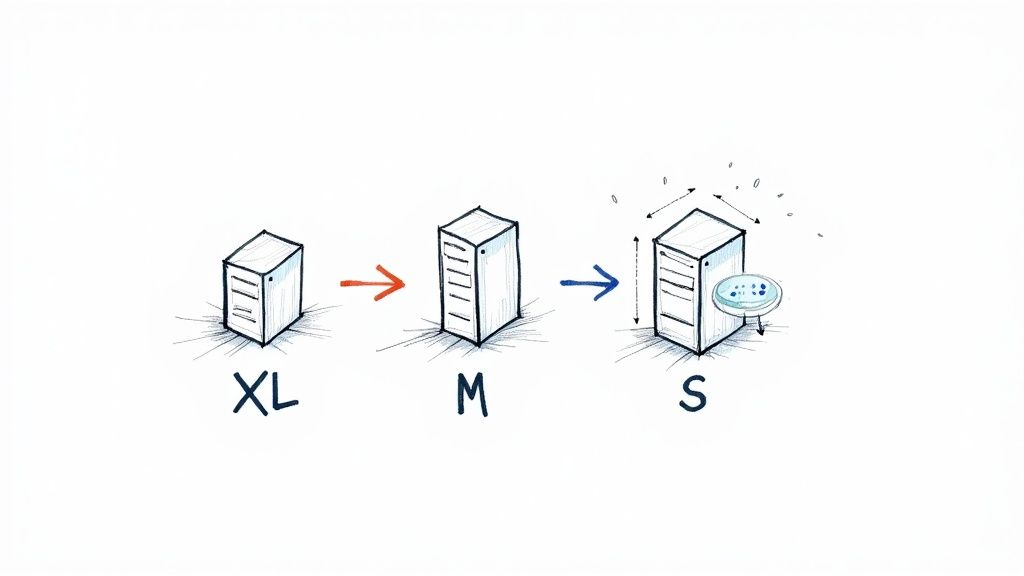
Right-sizing involves systematically monitoring metrics like CPU, memory, disk, and network I/O, and then downsizing or terminating resources that are consistently underutilized. For example, a tech startup might discover that dozens of its t3.large instances for a staging environment average only 5% CPU utilization. By downsizing them to t3.medium or even t3.small instances, they could achieve cost reductions of 40-50% on those specific resources with no performance impact.
When to Use This Strategy
Right-sizing should be a continuous, cyclical process for all workloads, not a one-time event. It is especially critical after a major application migration to the cloud, before purchasing Savings Plans or RIs (to avoid committing to oversized instances), and for development or test environments where resources are often left running idly. Any resource that isn't part of a dynamic auto-scaling group is a prime candidate for a right-sizing review. In modern systems, this practice complements dynamic scaling; you can learn more about how right-sizing is a key part of optimizing autoscaling in Kubernetes on opsmoon.com.
Key Insight: Right-sizing isn't just about downsizing. It can also mean upsizing or changing an instance family (e.g., from general-purpose
m5to compute-optimizedc5) to better match a workload's profile, which can improve performance and sometimes even reduce costs if a smaller, more specialized instance can do the job more efficiently.
Actionable Implementation Steps
- Identify Candidates with AWS Tools: Leverage AWS Compute Optimizer, which uses machine learning to analyze your CloudWatch metrics and provide specific instance recommendations. For a more proactive approach, export Compute Optimizer data to S3 and query it with Athena to build custom dashboards identifying the largest savings opportunities across your organization.
- Establish Baselines: Before making any changes, use Amazon CloudWatch to monitor key metrics (like
CPUUtilization,MemoryUtilizationvia the CloudWatch agent,NetworkIn/Out) on target instances for at least two weeks to understand peak and average usage patterns. Focus on thep95orp99percentile for CPU utilization, not the average, to avoid performance issues during peak load. - Test Before Resizing: Always test the proposed new instance size in a staging or development environment that mirrors your production workload. Use load testing tools like JMeter or K6 to simulate peak traffic against the downsized instance to validate that it can handle the performance requirements without degrading user experience.
- Automate and Schedule: Implement the change during a planned maintenance window to minimize user impact. For ongoing optimization, create automated scripts or use third-party tools to continuously evaluate utilization and flag right-sizing candidates for quarterly review.
3. Spot Instances and Spot Fleet Management
Spot Instances are one of the most powerful AWS cost optimization best practices, allowing you to access spare Amazon EC2 computing capacity at discounts of up to 90% compared to on-demand prices. The trade-off is that these instances can be reclaimed by AWS with a two-minute warning when it needs the capacity back. This makes them unsuitable for every workload but perfect for those that are fault-tolerant, stateless, or flexible.
To manage this dynamic capacity effectively, AWS provides services like Spot Fleet and EC2 Fleet. These tools automate the process of requesting and maintaining a target capacity by launching instances from a diversified pool of instance types, sizes, and Availability Zones that you define. This diversification significantly reduces the impact of any single Spot Instance interruption.
When to Use This Strategy
This strategy is a game-changer for workloads that can handle interruptions and are not time-critical in nature. It's ideal for batch processing jobs, big data analytics, CI/CD pipelines, rendering farms, and machine learning model training. For example, a data analytics firm could use a Spot Fleet to process terabytes of log data overnight, achieving 75% savings without impacting core business operations. Similarly, a genomics research company might run 90% of its complex analysis on Spot Instances, dramatically lowering the cost of discovery.
Key Insight: The core principle of using Spot effectively is to design for failure. By building applications that can gracefully handle interruptions, such as checkpointing progress or distributing work across many nodes, you can unlock massive savings on compute-intensive tasks that would otherwise be prohibitively expensive.
Actionable Implementation Steps
- Identify Suitable Workloads: Analyze your applications to find fault-tolerant, stateless, and non-production jobs. Batch processing, data analysis (e.g., via EMR), and development/testing environments are excellent starting points.
- Diversify Your Fleet: Use EC2 Fleet or Spot Fleet to define a launch template with a wide range of instance types and Availability Zones (e.g.,
m5.large,c5.large,r5.largeacrossus-east-1a,us-east-1b, andus-east-1c). Use thecapacity-optimizedallocation strategy to automatically launch Spot Instances from the most available pools, reducing the likelihood of interruption. - Implement Graceful Shutdown Scripts: Configure your instances to detect the two-minute interruption notice. Use the EC2 instance metadata service (
http://169.254.169.254/latest/meta-data/spot/termination-time) to trigger a script that saves application state to an S3 bucket, uploads processed data, drains connections from a load balancer, or sends a final log message before the instance terminates. - Combine with On-Demand: For critical applications, use a mixed-fleet approach. Configure an Auto Scaling Group or EC2 Fleet to fulfill a baseline capacity with on-demand or RI/Savings Plan-covered instances (
"OnDemandBaseCapacity": 2), then scale out aggressively with Spot Instances ("SpotPercentageAboveBaseCapacity": 80) to handle peak demand or background processing.
4. Storage Optimization and Tiering
A significant portion of AWS costs often comes from data storage, yet much of that data is infrequently accessed. Storage optimization is a crucial AWS cost optimization best practice that involves automatically moving data to more cost-effective storage tiers based on its access patterns. By implementing S3 Lifecycle policies, you can transition objects from expensive, high-performance tiers like S3 Standard to cheaper, long-term archival tiers like S3 Glacier Deep Archive.
This strategy ensures that frequently accessed, mission-critical data remains readily available, while older, less-frequently used data is archived at a fraction of the cost. The process is automated, reducing manual overhead and ensuring consistent governance. For example, a media company can automatically move user-generated video content to S3 Infrequent Access after 30 days and then to S3 Glacier Flexible Retrieval after 90 days, drastically cutting storage expenses without deleting valuable assets.
When to Use This Strategy
This strategy is perfect for any application that generates large volumes of data where the access frequency diminishes over time. This includes log files, user-generated content, backups, compliance archives, and scientific datasets. For instance, a healthcare provider can store new patient medical images in S3 Standard for immediate access by doctors, then use a lifecycle policy to transition them to S3 Glacier Deep Archive after seven years to meet long-term retention requirements at the lowest possible cost, achieving savings of over 95%.
Key Insight: Don't pay premium prices for data you rarely touch. The goal is to align your storage costs with the actual business value and access frequency of your data. S3 Intelligent-Tiering is an excellent starting point as it automates this process for objects with unknown or changing access patterns.
Actionable Implementation Steps
- Analyze Access Patterns: Use Amazon S3 Storage Lens and S3 Storage Class Analysis to understand how your data is accessed. Enable storage class analysis on a bucket to get daily visualizations and data exports that recommend the optimal lifecycle rule based on observed access patterns.
- Start with Intelligent-Tiering: For data with unpredictable access patterns, enable S3 Intelligent-Tiering. This service automatically moves data between frequent and infrequent access tiers for you, providing immediate savings with minimal effort. Be aware of the small per-object monitoring fee.
- Define Lifecycle Policies: For predictable patterns, create S3 Lifecycle policies. For example, transition application logs from
S3 Standard->S3 Standard-IAafter 30 days ->S3 Glacier Flexible Retrievalafter 90 days -> Expire after 365 days. Implement this using a JSON configuration in your IaC (Terraform/CloudFormation) for reproducibility and version control. - Test and Monitor: Before applying a policy to a large production bucket, test it on a smaller, non-critical dataset to ensure it behaves as expected. Set up Amazon CloudWatch alarms on the
NumberOfObjectsmetric for each storage class to monitor the transition process. Monitor for unexpected retrieval costs from archive tiers, which can indicate a misconfigured application trying to access cold data.
5. Automated Resource Cleanup and Scheduling
One of the most persistent drains on an AWS budget is "cloud waste": resources that are provisioned but no longer in use. This includes unattached EBS volumes, idle RDS instances, old snapshots, and unused Elastic IPs. Automating the cleanup of these resources and scheduling non-critical instances to run only when needed is a powerful AWS cost optimization best practice that directly eliminates unnecessary spend.
This strategy involves using scripts or services to programmatically identify and act on idle or orphaned infrastructure. For example, a development environment's EC2 and RDS instances can be automatically stopped every evening and weekend, potentially reducing their costs by up to 70%. Similarly, automated scripts can find and delete EBS volumes that haven't been attached to an instance for over 30 days, cutting storage costs.
When to Use This Strategy
This strategy is essential for any environment where resources are provisioned frequently, especially in non-production accounts like development, testing, and staging. These environments often suffer from resource sprawl as developers experiment and move on without decommissioning old infrastructure. For instance, a tech company can reduce its dev/test environment costs by 60% by simply implementing an automated start/stop schedule for instances used only during business hours.
Key Insight: The "set it and forget it" mentality is a major cost driver in the cloud. Automation transforms resource governance from a manual, error-prone chore into a consistent, reliable process that continuously optimizes your environment and prevents cost creep from forgotten assets.
Actionable Implementation Steps
- Establish a Tagging Policy: Before automating anything, implement a comprehensive resource tagging strategy. Use tags like
env=dev,owner=john.doe, orauto-shutdown=trueto programmatically identify which resources can be safely stopped or deleted. Create a 'protection' tag (e.g.,do-not-delete=true) to exempt critical resources. - Automate Scheduling: Use AWS Instance Scheduler or AWS Systems Manager Automation documents to define start/stop schedules based on tags. The Instance Scheduler solution is a CloudFormation template that deploys all necessary components (Lambda, DynamoDB, CloudWatch Events) for robust scheduling.
- Implement Cleanup Scripts: Use AWS Lambda functions, triggered by Amazon EventBridge schedules, to regularly scan for and clean up unused resources. Use the AWS SDK (e.g., Boto3 for Python) to list resources, filter for those in an
availablestate (like EBS volumes), check their creation date and tags, and then trigger deletion. - Configure Safe Deletion: For cleanup automation, set up Amazon SNS notifications to alert a DevOps channel before any deletions occur. Initially, run the scripts in a "dry-run" mode that only reports what it would delete. Once confident, enable the deletion logic and review cleanup logs in CloudWatch Logs weekly to ensure accuracy. For more sophisticated tracking, you can explore various cloud cost optimization tools that offer these capabilities.
6. Reserved Capacity for Databases and Data Warehouses
Similar to compute savings plans, one of the most effective AWS cost optimization best practices for data-intensive workloads is to leverage reserved capacity. AWS offers reservation models for managed data services like RDS, ElastiCache, Redshift, and DynamoDB, providing substantial discounts of up to 76% compared to on-demand pricing in exchange for a one or three-year commitment.
This model is a direct application of commitment-based discounts to your data layer. By forecasting your baseline database needs, you can purchase reserved nodes or capacity units, significantly lowering the total cost of ownership for these critical stateful services.
When to Use This Strategy
This strategy is essential for any application with a stable, long-term data storage and processing requirement. It is perfectly suited for the production databases and caches that power your core business applications, analytics platforms with consistent query loads, or high-throughput transactional systems. For instance, a financial services firm could analyze its RDS usage and commit to Reserved Instances for its primary PostgreSQL databases, saving over $800,000 annually while leaving capacity for development and staging environments on-demand.
Key Insight: Database performance and capacity needs often stabilize once an application reaches maturity. Applying reservations to this predictable data layer is a powerful, yet often overlooked, cost-saving lever that directly impacts your bottom-line cloud spend.
Actionable Implementation Steps
- Analyze Historical Utilization: Use AWS Cost Explorer and CloudWatch metrics to review at least three to six months of data for your RDS, Redshift, ElastiCache, or DynamoDB usage. For RDS, look at the
CPUUtilizationandDatabaseConnectionsmetrics to ensure the instance size is stable before committing. For DynamoDB, analyzeConsumedReadCapacityUnitsandConsumedWriteCapacityUnitsto determine your baseline provisioned capacity. - Model with the AWS Pricing Calculator: Before purchasing, use the official calculator to model the exact cost savings. Compare one-year versus three-year terms and different payment options (All Upfront, Partial Upfront, No Upfront) to understand the return on investment. The "All Upfront" option provides the highest discount.
- Cover the Baseline, Not the Peaks: Purchase reservations to cover only your predictable, 24/7 baseline. For example, if your Redshift cluster scales between two and five nodes, purchase reservations for the two nodes that are always running. This hybrid approach optimizes cost without sacrificing elasticity.
- Set Monitoring and Alerts: Once reservations are active, create CloudWatch Alarms to monitor usage. Set alerts for significant deviations from your baseline, which could indicate an underutilized reservation or an unexpected scaling event that needs to be addressed with on-demand capacity. Use the recommendations in the AWS Cost Management console to track reservation coverage.
7. Multi-Account Architecture and Cost Allocation
One of the most foundational AWS cost optimization best practices for scaling organizations is to move beyond a single, monolithic AWS account. A multi-account architecture, managed through AWS Organizations, provides isolation, security boundaries, and most importantly, granular cost visibility. By segregating resources into accounts based on environment (dev, staging, prod), business unit, or project, you can accurately track spending and attribute it to the correct owner.
This structure is amplified by a disciplined cost allocation tagging strategy. Tags are key-value pairs (e.g., Project:Phoenix, CostCenter:A123) that you attach to AWS resources. When activated in the billing console, these tags become dimensions for filtering and grouping costs in AWS Cost Explorer, enabling precise chargeback and showback models. This transforms cost management from a centralized mystery into a distributed responsibility.
When to Use This Strategy
This strategy is essential for any organization beyond a small startup. It's particularly critical for enterprises with multiple departments, product teams, or client projects that need clear financial accountability. For example, a global firm can track the exact AWS spend for each of its 50+ business units, while a tech company can isolate development and testing costs, often revealing and eliminating significant waste from non-production environments that were previously hidden in a single bill.
Key Insight: A multi-account strategy isn't just an organizational tool; it's a powerful psychological and financial lever. When teams can see their direct impact on the AWS bill, they are intrinsically motivated to build more cost-efficient architectures and clean up unused resources.
Actionable Implementation Steps
- Design Your OU Structure: Before creating accounts, plan your Organizational Unit (OU) structure in AWS Organizations. A common best practice is a multi-level structure: a root OU, then OUs for
Security,Infrastructure,Workloads, andSandbox. UnderWorkloads, create sub-OUs forProductionandPre-production. Use a service like AWS Control Tower to automate the setup of this landing zone with best-practice guardrails. - Establish a Tagging Policy: Define a mandatory set of cost allocation tags (e.g.,
owner,project,cost-center). Document this policy as code using a JSON policy file and store it in a version control system. - Automate Tag Enforcement: Use Service Control Policies (SCPs) to enforce tagging at the time of resource creation. For example, create an SCP with a
Denyeffect on actions likeec2:RunInstancesif a request is made without theprojecttag. Augment this with AWS Config rules likerequired-tagsto continuously audit and flag non-compliant resources. - Activate Cost Allocation Tags: In the Billing and Cost Management console, activate your defined tags. It can take up to 24 hours for them to appear as filterable dimensions in Cost Explorer.
- Build Dashboards and Budgets: Create account-specific and tag-specific views in AWS Cost Explorer. Use the API to programmatically create AWS Budgets for each major project tag, sending alerts to a project-specific Slack channel via an SNS-to-Lambda integration when costs are forecasted to exceed the budget.
8. Serverless Architecture Adoption
One of the most transformative AWS cost optimization best practices is to shift workloads from provisioned, always-on infrastructure to a serverless model. Adopting services like AWS Lambda, API Gateway, and DynamoDB moves you from paying for idle capacity to a purely pay-per-use model. This paradigm completely eliminates the cost of servers waiting for requests, as you are only billed for the precise compute time and resources your code consumes, down to the millisecond.
This approach is highly effective because it inherently aligns your costs with your application's actual demand, automatically scaling from zero to thousands of requests per second and back down again without manual intervention. A startup, for instance, could launch an MVP using a serverless backend and reduce initial infrastructure costs by over 80% compared to a traditional EC2-based deployment.
When to Use This Strategy
This strategy is ideal for event-driven applications, microservices, and workloads with unpredictable or intermittent traffic patterns. It excels for API backends, data processing jobs triggered by S3 uploads, real-time stream processing, or scheduled maintenance tasks. A media company, for example, can leverage Lambda to handle massive traffic spikes during a breaking news event without over-provisioning expensive compute resources that would sit idle the rest of the day.
Key Insight: The core financial benefit of serverless isn't just avoiding idle servers; it's eliminating the entire operational overhead of patching, managing, and scaling the underlying compute infrastructure. Your teams can focus purely on application logic, which accelerates development and further reduces total cost of ownership.
Actionable Implementation Steps
- Identify Suitable Workloads: Begin by identifying stateless, event-driven components in your application. Look for cron jobs implemented on EC2, image processing functions, or API endpoints with highly variable traffic; these are perfect candidates for a first migration to AWS Lambda and EventBridge.
- Start Small: Migrate a single, low-risk microservice first. Refactor its logic into a Lambda function, configure its trigger via API Gateway or EventBridge, and measure the performance and cost impact before expanding the migration. Use frameworks like AWS SAM or the Serverless Framework to manage deployment.
- Optimize Lambda Configuration: Use the open-source AWS Lambda Power Tuning tool to find the optimal memory allocation for your functions by running them with different settings and analyzing the results. More memory also means more vCPU, so finding the right balance is key to minimizing both cost and execution time.
- Manage Cold Starts: For user-facing, latency-sensitive functions, test the impact of cold starts using tools that invoke your function periodically. Implement Provisioned Concurrency to keep a set number of execution environments warm and ready to respond instantly, ensuring a smooth user experience for a predictable cost.
- Implement Robust Monitoring: Use Amazon CloudWatch and AWS X-Ray to gain deep visibility into function performance, identify bottlenecks, and monitor costs. Instrument your Lambda functions with custom metrics (e.g., using the Embedded Metric Format) to track business-specific KPIs alongside technical performance.
9. Network and Data Transfer Optimization
While compute and storage often get the most attention, data transfer costs can silently grow into a significant portion of an AWS bill. This aws cost optimization best practice focuses on architecting your network to minimize expensive data transfer paths, which often involves keeping traffic within the AWS network and leveraging edge services. Smart network design can dramatically reduce costs associated with data moving out to the internet, between AWS Regions, or even across Availability Zones.
This involves strategically using services like Amazon CloudFront to cache content closer to users, implementing VPC Endpoints to keep traffic between your VPC and other AWS services off the public internet, and co-locating resources to avoid inter-AZ charges. For example, a video streaming company can save hundreds of thousands annually by optimizing its CloudFront configuration, while an API-heavy SaaS can cut data transfer costs by nearly half just by using VPC endpoints for S3 and DynamoDB access.
When to Use This Strategy
This strategy is critical for any application with a global user base, high data egress volumes, or a multi-region architecture. It is especially vital for media-heavy websites, API-driven platforms, and distributed systems where services communicate across network boundaries. If your Cost and Usage Report shows significant line items for "Data Transfer," such as Region-DataTransfer-Out-Bytes or costs associated with NAT Gateways, it's a clear signal to prioritize network optimization.
Key Insight: The most expensive data transfer is almost always from an AWS Region out to the public internet. The second most expensive is between different AWS Regions. The cheapest path is always within the same Availability Zone. Architect your applications to keep data on the most cost-effective path for as long as possible.
Actionable Implementation Steps
- Analyze Data Transfer Costs: Use AWS Cost Explorer and filter by "Usage Type Group: Data Transfer." For a deeper dive, query your CUR data in Athena to group data transfer costs by resource ID (
line_item_resource_id) to pinpoint exactly which EC2 instances, NAT Gateways, or other resources are generating the most egress traffic. - Deploy Amazon CloudFront: For any public-facing web content (static or dynamic), implement CloudFront. It caches content at edge locations worldwide, reducing data transfer out from your origin (like S3 or EC2) and improving performance for users. Use CloudFront's cache policies and origin request policies to fine-tune caching behavior and maximize your cache hit ratio (aim for >90%).
- Implement VPC Endpoints: For services within your VPC that communicate with AWS services like S3, DynamoDB, or SQS, use Gateway or Interface VPC Endpoints. This routes traffic over the private AWS network, completely avoiding costly NAT Gateway processing charges and public internet data transfer fees.
- Co-locate Resources: Whenever possible, ensure that resources that communicate frequently, like an EC2 instance and its RDS database, are placed in the same Availability Zone. For higher availability, you can use multiple AZs, but be mindful of the inter-AZ data transfer cost for high-chattiness applications. This cost is $0.01/GB in each direction.
10. FinOps Culture and Cost Awareness Programs
Technical tools and strategies are crucial, but one of the most sustainable AWS cost optimization best practices is cultural. Establishing a FinOps (Financial Operations) culture transforms cost management from a reactive, finance-led task into a proactive, shared responsibility across engineering, finance, and operations. It embeds cost awareness directly into the development lifecycle, making every team member a stakeholder in cloud efficiency.
This approach involves creating cross-functional teams, setting up transparent reporting, and fostering accountability. Instead of a monthly bill causing alarm, engineers can see the cost implications of their code and infrastructure decisions in near real-time, empowering them to build more cost-effective solutions from the start. A strong FinOps program can drive significant, long-term savings by making cost a non-functional requirement of every project.
When to Use This Strategy
This strategy is essential for any organization where cloud spend is becoming a significant portion of the budget, especially as engineering teams grow and operate with more autonomy. It is particularly effective in large enterprises with decentralized teams, where a lack of visibility can lead to rampant waste. For example, a tech company might implement cost chargebacks to individual engineering teams, directly tying their budget to the infrastructure they consume and creating a powerful incentive for optimization.
Key Insight: FinOps isn't about restricting engineers; it's about empowering them with data and accountability. When engineers understand the cost impact of choosing a
gp3volume over agp2or a Graviton instance over an Intel one, they naturally start making more cost-efficient architectural choices.
Actionable Implementation Steps
- Gain Executive Sponsorship: Start by building a clear business case for FinOps, outlining potential savings and operational benefits. Secure sponsorship from both technology and finance leadership to ensure cross-departmental buy-in.
- Establish a FinOps Team: Create a dedicated, cross-functional team with members from finance, engineering, and operations. This "FinOps Council" will drive initiatives, set policies, and facilitate communication.
- Implement Cost Allocation and Visibility: Enforce a comprehensive and consistent tagging strategy for all AWS resources. Use these tags to build dashboards in AWS Cost Explorer or third-party tools, providing engineering teams with clear visibility into their specific workload costs.
- Create Awareness and Accountability: Institute a regular cadence of cost review meetings where teams discuss their spending, identify anomalies, and plan optimizations. To establish a robust FinOps culture, it's beneficial to draw insights from broader principles of IT resource governance. Considering general IT Asset Management Best Practices can provide a foundational perspective that complements cloud-specific FinOps initiatives.
- Automate Governance: Implement AWS Budgets with automated alerts to notify teams when they are approaching or exceeding their forecast spend. Use AWS Config rules or Service Control Policies (SCPs) to enforce cost-related guardrails, such as preventing the launch of overly expensive instance types in development environments.
AWS Cost Optimization: 10 Best Practices Comparison
| Option | Implementation complexity | Resource requirements | Expected outcomes (savings) | Ideal use cases | Key advantages | Key drawbacks |
|---|---|---|---|---|---|---|
| Reserved Instances (RIs) and Savings Plans | Medium — requires usage analysis and purchase | Cost analysis tools (Cost Explorer), capacity planning, finance coordination | 30–72% on compute depending on term and flexibility | Predictable, steady-state compute workloads | Large discounts; budget predictability; automatic application | Long-term commitment; wasted if underused; limited flexibility |
| Right-Sizing Instances and Resources | Medium — monitoring, testing, possible migrations | CloudWatch, Compute Optimizer, test environments, engineering time | ~20–40% on compute with proper sizing | Over‑provisioned environments and steady workloads | Eliminates over‑provisioning waste; quick wins; performance improvements | Risk of performance impact if downsized too aggressively; ongoing monitoring |
| Spot Instances and Spot Fleet Management | High — requires fault-tolerant design and orchestration | EC2 Fleet/Spot Fleet, automation, interruption handling, monitoring | 60–90% vs on‑demand for suitable workloads | Batch jobs, ML training, CI/CD, stateless and fault‑tolerant workloads | Very low cost; no long‑term commitment; scalable via diversification | Interruptions (2‑min notice); unsuitable for critical/stateful apps; complex ops |
| Storage Optimization and Tiering | Low–Medium — lifecycle rules and analysis | S3 lifecycle/intelligent‑tiering, analytics, tagging, archival management | 50–95% for archived data; ~20–40% for mixed workloads | Large datasets with variable access (archives, media, compliance) | Automated savings; transparent scaling; compliance-friendly options | Retrieval costs/delays for archives; policy complexity; upfront analysis needed |
| Automated Resource Cleanup and Scheduling | Low–Medium — automation and tagging setup | AWS Systems Manager, Lambda, Config, tagging strategy, notifications | 15–30% removal of unused resources; 20–40% reductions in dev/test via scheduling | Non‑production/dev/test, forgotten resources, idle instances | Quick ROI; eliminates abandoned costs; reduces manual overhead | Risk of accidental deletion; requires strict tagging and review processes |
| Reserved Capacity for Databases and Data Warehouses | Medium — utilization review and reservation purchase | Historical DB metrics, pricing models, finance coordination, monitoring | ~40–65% for committed database capacity | Predictable database workloads (RDS, Redshift, DynamoDB, ElastiCache) | Significant savings; budget predictability; available across DB services | Upfront commitment; hard to change; wasted capacity if demand falls |
| Multi-Account Architecture and Cost Allocation | High — organizational design and governance changes | AWS Organizations, Control Tower, tagging standards, ongoing governance | Indirect/varies — enables targeted optimizations and chargebacks | Large enterprises, many teams/projects, regulated environments | Improved visibility, accountability, security isolation, supports FinOps | Complex to implement; needs policy alignment and tagging discipline |
| Serverless Architecture Adoption | Medium–High — requires architectural redesign and migration | Dev effort, observability tools, event design, testing for cold starts | 40–80% for variable workloads; may increase cost for constant baselines | Event‑driven APIs, variable traffic, microservices, short tasks | Eliminates idle costs; auto‑scaling; reduced operational overhead | Not for long‑running/constant workloads; cold starts; vendor lock‑in; redesign cost |
| Network and Data Transfer Optimization | Medium — analysis and placement changes | CloudFront, VPC endpoints, Global Accelerator, Direct Connect, monitoring | ~30–50% of data transfer costs with optimization | High data transfer workloads (streaming, multi‑region apps, APIs) | Cost + performance gains; reduces inter‑region and NAT charges | Complex analysis; configuration/operational overhead; benefits workload‑dependent |
| FinOps Culture and Cost Awareness Programs | High — organizational and cultural transformation | Dedicated FinOps personnel, dashboards, tooling, training, governance | 20–40% ongoing savings through sustained practices; TtV 3–6 months | Organizations wanting continuous cost governance and cross‑team accountability | Sustainable cost optimization; improved forecasting and accountability | Time‑intensive to establish; needs executive buy‑in and ongoing commitment |
From Theory to Practice: Implementing Your Cost Optimization Strategy
Navigating the landscape of AWS cost optimization is not a singular event but a continuous journey of refinement. This article has detailed ten powerful AWS cost optimization best practices, moving from foundational strategies like leveraging Reserved Instances and Savings Plans to more advanced concepts such as FinOps cultural integration and serverless architecture adoption. We've explored the tactical value of right-sizing instances, the strategic power of Spot Instances, and the often-overlooked savings in storage tiering and data transfer optimization. Each practice represents a significant lever you can pull to directly impact your monthly cloud bill and improve your organization's financial health.
The core takeaway is that effective cost management is a multifaceted discipline. It requires a holistic view that combines deep technical knowledge with a strong financial and operational strategy. Simply buying RIs without right-sizing first is a missed opportunity. Likewise, automating resource cleanup without fostering a culture of cost awareness means you're only solving part of the problem. True mastery lies in weaving these distinct threads together into a cohesive, organization-wide strategy.
Your Actionable Roadmap to Sustainable Savings
To transition from reading about these best practices to implementing them, you need a clear, prioritized action plan. Don't try to tackle everything at once. Instead, adopt a phased approach that delivers incremental wins and builds momentum for larger initiatives.
Here are your immediate next steps:
- Establish Baseline Visibility: Your first move is to understand precisely where your money is going. Use AWS Cost Explorer and Cost and Usage Reports (CUR) to identify your top spending services. Activate cost allocation tags for all new and existing resources to attribute spending to specific projects, teams, or applications. Without this granular visibility, all other efforts are just guesswork.
- Target the "Quick Wins": Begin with the lowest-hanging fruit to demonstrate immediate value. This often includes:
- Identifying and Terminating Unused Resources: Run scripts to find unattached EBS volumes, idle EC2 instances, and unused Elastic IP addresses.
- Implementing Basic S3 Lifecycle Policies: Automatically transition older, less-frequently accessed data in your S3 buckets from Standard to Infrequent Access or Glacier tiers.
- Enabling AWS Compute Optimizer: Use this free tool to get initial recommendations for right-sizing your EC2 instances and Auto Scaling groups.
- Develop a Long-Term Governance Plan: Once you've secured initial savings, shift your focus to proactive governance. This involves creating and enforcing policies that prevent cost overruns before they happen. Define your strategy for using Savings Plans, establish budgets with AWS Budgets, and create automated alerts that notify stakeholders when spending thresholds are at risk of being breached. This is where a true FinOps culture begins to take root.
Beyond Infrastructure: A Holistic Approach
While optimizing your AWS infrastructure is critical, remember that your cloud spend is directly influenced by how your applications are built and managed. Inefficient code, monolithic architectures, and suboptimal development cycles can lead to unnecessarily high resource consumption. For a more complete financial strategy, it's wise to also examine the development lifecycle itself. Beyond optimizing cloud infrastructure, a comprehensive cost strategy also involves evaluating and improving software development processes and architecture, where you can find practical guidance on implementing effective strategies to reduce software development costs. By pairing infrastructure efficiency with development discipline, you create a powerful, two-pronged approach to financial optimization that drives sustainable growth.
Ready to turn these AWS cost optimization best practices into tangible savings but need the expert horsepower to execute? OpsMoon connects you with elite, pre-vetted DevOps and Platform engineers who specialize in architecting and implementing cost-efficient cloud solutions. Start with a free work planning session to build your strategic roadmap and let us match you with the perfect talent to bring it to life at OpsMoon.